User Interface
Normal Mode:
All of the information that Striker provides is on one of these 3
screens. When riding, the user has the choice of staying on
Screen 1 or Screen 2. Screen 3 contains statistical information
and reverts back to screen 1 after a short period.
TO SWITCH BETWEEN SCREENS,
PRESS THE CENTER BUTTON
(or the middle button on the remote.)
or
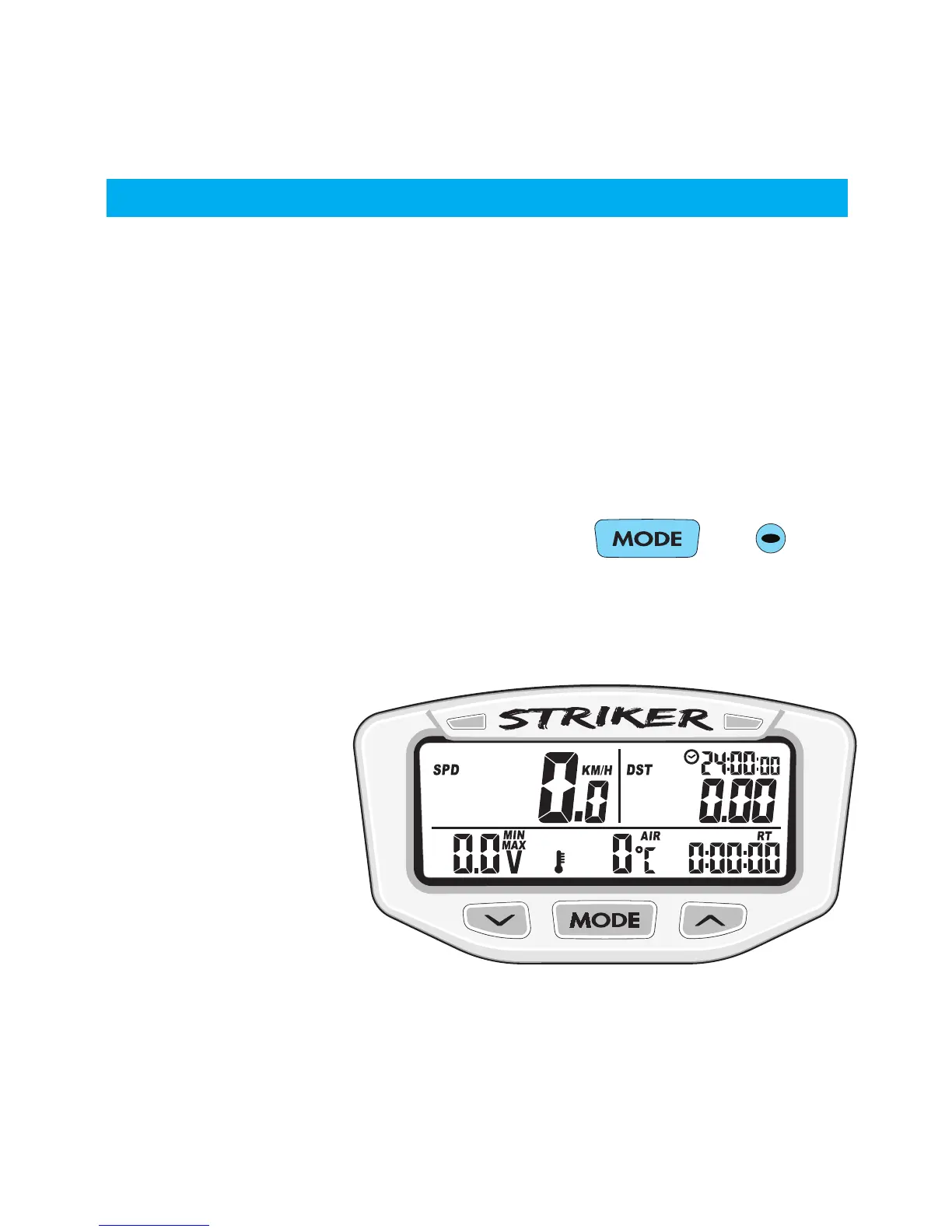
Screen 1:
• Speed (pg.21)
• Trip Distance (pg.22)
• Clock (pg.26)
• Voltage (pg.24)
• Engine Temp (pg.25)
• Ride Time (pg.27)


 To Next Page