Programming Codes iTherm
®
280 Programmer’s Guide
28-04430 Rev K Page 215
Printing Paper Command
Function Select Paper Type for Printing
ASCII [ESC] c 0 <n>
Hexadecimal 1BH 63H 30H <n>
Decimal <27> <99> <48> <n>
Range n = 1, 1 n 3, 8 n 11
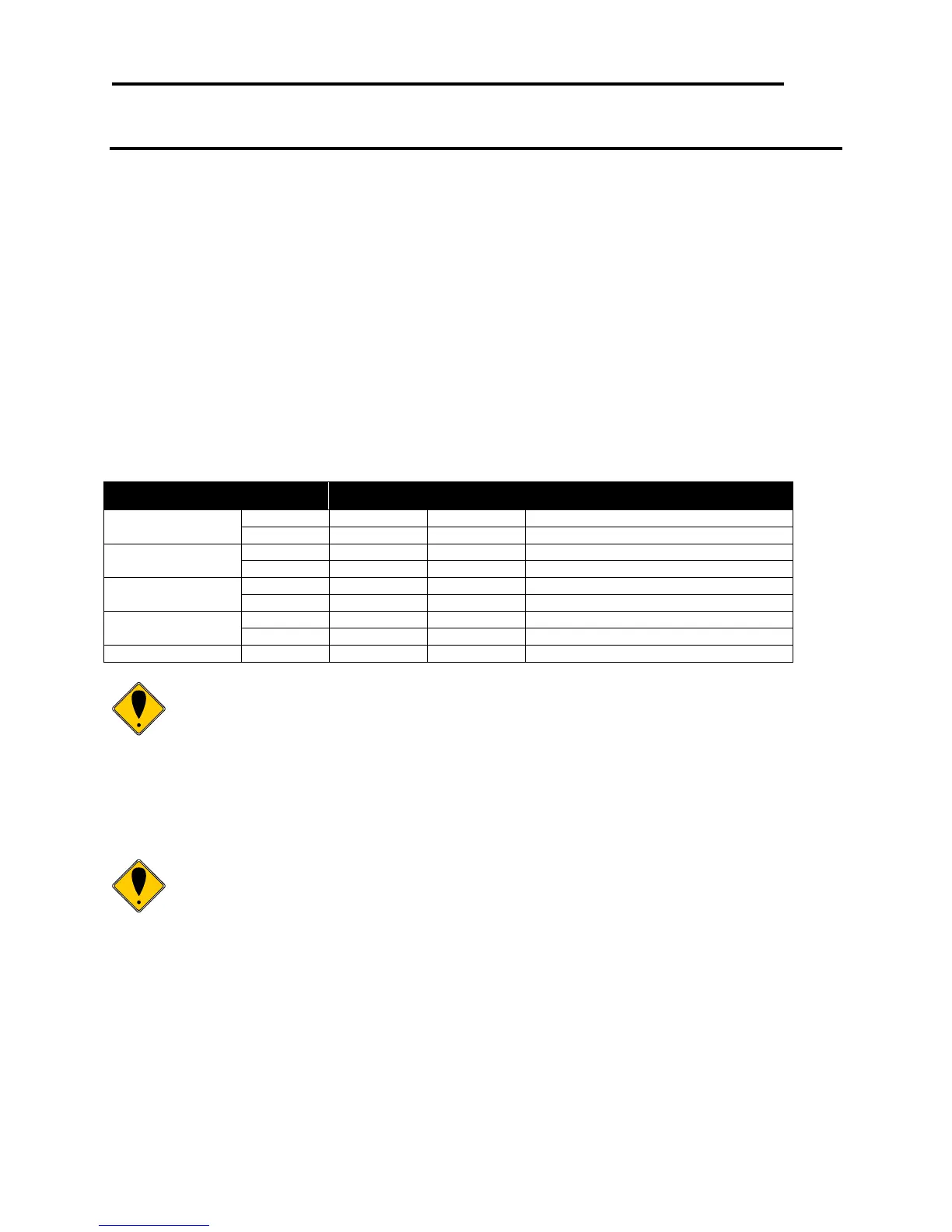
Description ESC c 0 n selects paper type(s) for printing. User‘s have the option to select
either Paper roll or validation paper. Both bits 0 and 1 indicate paper roll and if
either of them is available, the paper roll is selected as the print sheet. Validation
and paper roll can be selected simultaneously, but in this case, be sure to use a
pressure sensitive paper so that the printing result is on the paper roll. At this
time, the setting values for validation are available for ESC 2, ESC 3, GS L, and
GS W. This command is enabled only when processed at the beginning of a line.
When previously disabled validation paper is enabled, the printer waits for the
validation to be inserted. When previously enabled validation paper is disabled,
the printer ejects the paper. The default setting is n = 1. The paper type(s) are
selected for printing by using n as follows:
Electronic Journal disabled.
Electronic Journal enabled
Slip Paper Disabled (EPOS only)
Slip Paper enabled (EPOS only)
Validation paper disabled.
Validation paper enabled.
Note: The TM88 and TM90 do not support the electronic journal. The
electronic journal may be printed and reported in the same way as the
Ithaca PcOS emulation. The full range of [ESC][GS] journal control
commands are available in EPOS mode. See the section on initializing,
printing and reporting the electronic journal starting on page 144.
In EPOS mode, the electronic journal and the paper roll may be both
selected. As there is limited space in the electronic journal, the amount of
data sent the journal should be limited.
Note: In EPOS emulation the iTherm® 280 printer will recognize the
Epson Slip Select command and enter Validation mode.



 To Next Page