AU-OPR-400Ser-EN,
Rev D
31
SP430 Module: Directions For Use
6) Before returning the Pressure Catheter to its original packaging for storage, use magnication to check
for blood or tissue residue. If any is found, repeat the cleaning process.
7) Store the dry Catheter in it’s original box. Position the pressure sensor within the foam cutout to prevent
damage.
Single use Catheters should be disposed of after use according to local waste disposal regulations.
D. Transpac
®
IV Pressure Transducers
A disposable Transpac
®
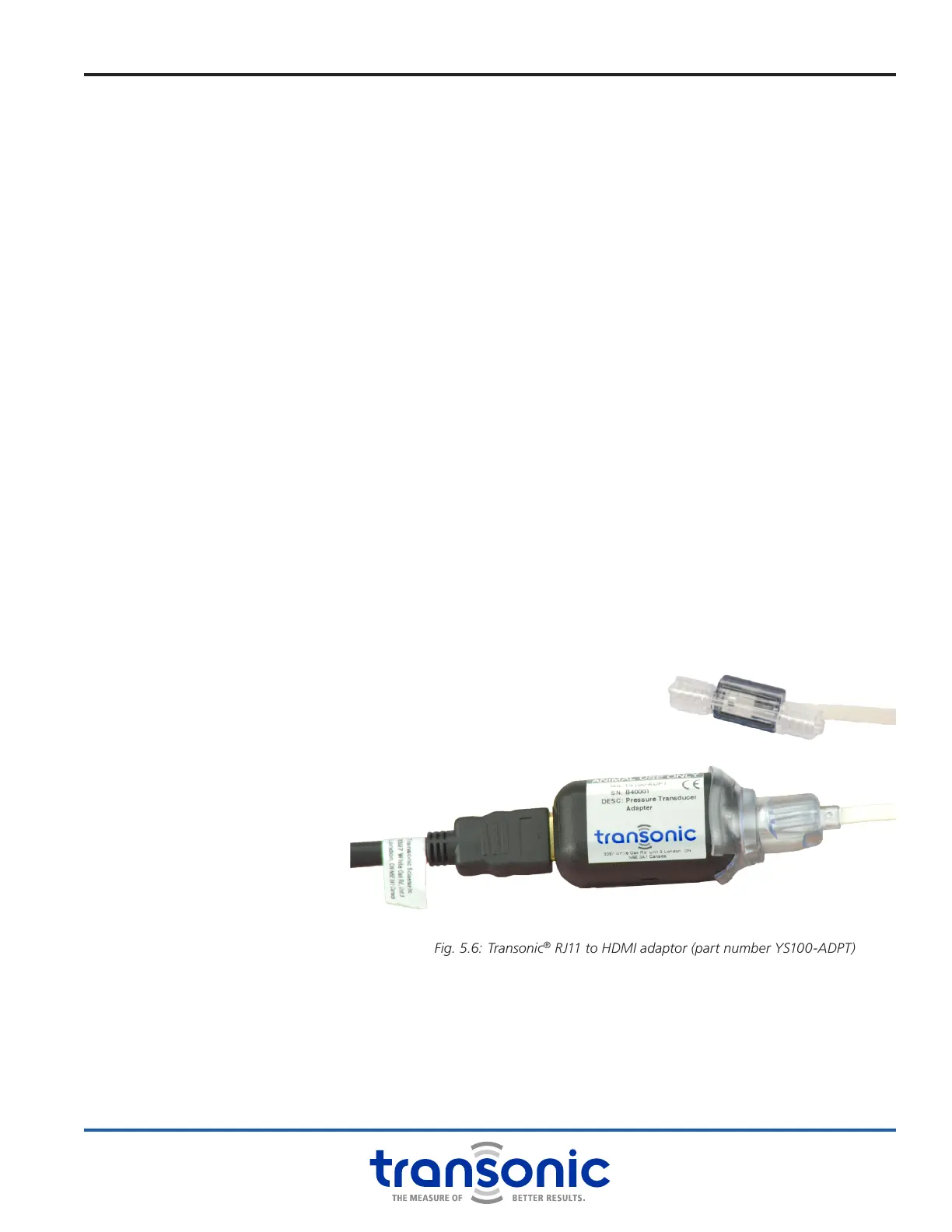
IV Pressure Transducer for a uid-lled arterial or venous catheter can be connected
to the Module using a RJ11 to HDMI adaptor (Transonic
®
part YS100-ADPT). NOTE: Use of the Transpac
®
IV Pressure Transducer from ICU Medical with the SP430 Module is intended for animal use only and is not
intended for clinical use on human subjects.
1) Open the package and remove the Transducer with cable.
2) To allow the use of the Transpac IV with the SP430 and adapter, use a blade to cut through the plastic
hood over the RJ11 connector to expose the phone jack connector. Be careful not to cut through the
white ribbon wire lead. A slit on either side of the hood works well see Fig. 5.6.
3) Plug the phone jack connector into the RJ11 connector on the HDMI adapter. Connect this adapter to the
channel 1 input using the supplied HDMI cable.
4) Assemble the Transducer for testing.
5) Immediately before using the Transducer, the pressure signal offset must be adjusted to zero using the
balance control knob for channel 1 on the SP430 Module (see “Transducer Calibration Check” on page
29 for directions).
Transpac
®
IV Transducers are single use devices. Dispose of Transpac
®
IV Pressure Transducers according to
local waste disposal regulations.
Fig. 5.6: Transonic
®
RJ11 to HDMI adaptor (part number YS100-ADPT)
next to Transpac
®
IV transducer



 To Next Page