2 AU-OPR-400Ser-EN,
Rev D
II. T402 & T403 Multi-channel Consoles
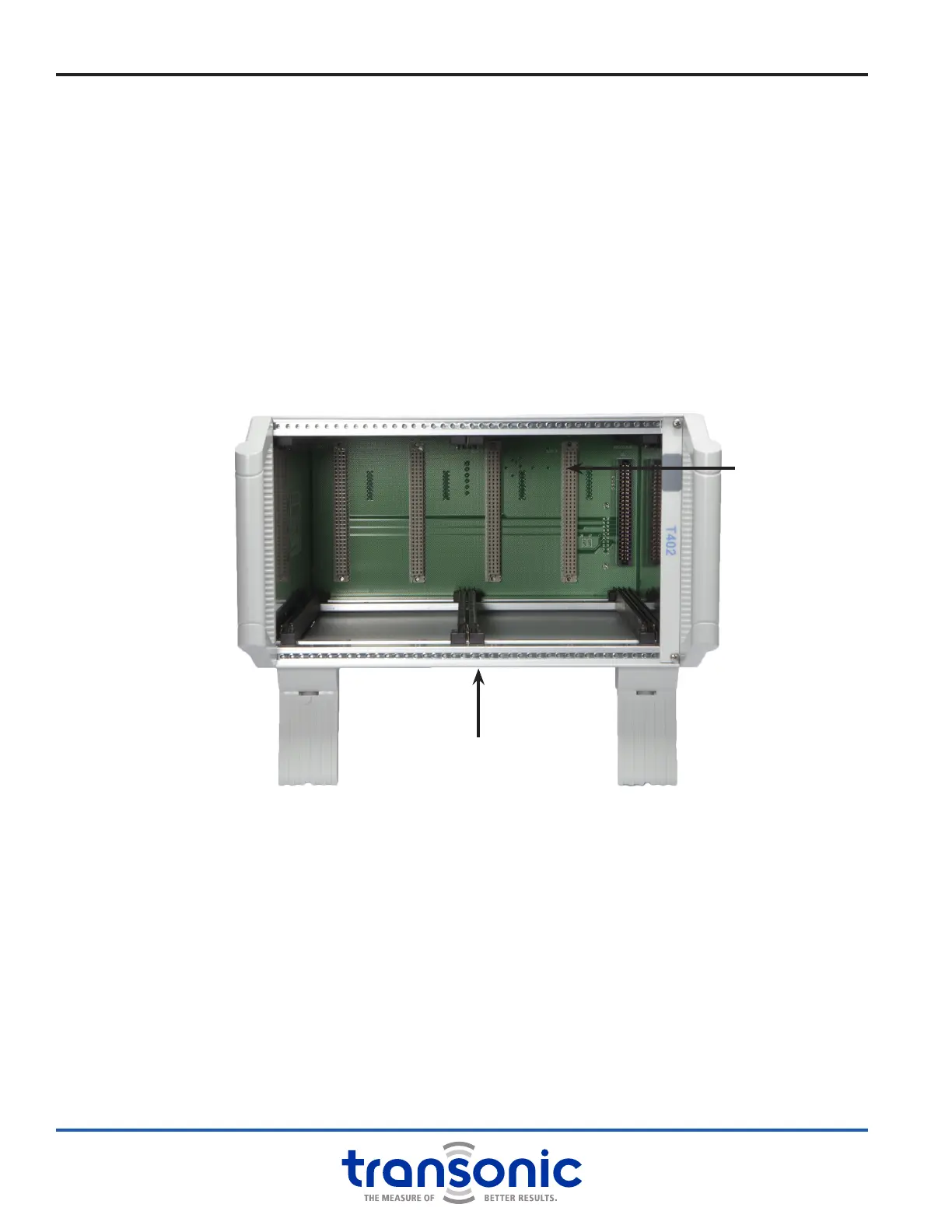
Fig. 2.1: T402 Console without any Modules
All 400-Series Consoles are line powered with convenient carrying handles and tiltable front feet. Consoles
are not stand alone pieces of equipment; a properly connected, compatible Module is required to make
measurements.
A. T402 Multi-Channel Bench-top Console
Four-Bay Console
Holds up to two double-bay wide Modules, one double-bay Module and two single-bay Modules or a
combination.
B. T403 Multi-Channel Bench-top Console
Six-Bay Console
Holds up to three double-bay wide Modules, two double-bay Modules and two single-bay Modules or a
combination.
96-pin DIN connector
Module mounting rails
C. Console Care
It is recommended to keep all Console bays covered during use and storage. Those bays which are not lled
by a Module may be covered with a blank panel cover (available in both single and double width). This will
help keep dust and particulates out of the Console.
Turn the power off before cleaning the Console. Exterior surfaces can be cleaned using a cloth or brush
dampened with soapy water, followed by damp wiping with clear water. For disinfection, the surface can
be damp-wiped with 70% isopropyl alcohol. Do not drip or splash liquids into the Console.
Modules and Consoles exposed to accidental spillage should be unplugged immediately from the power
source. Remove the Module(s). If the spilled uid is potentially corrosive or may leave a residue, carefully
wipe the area of the spill in the Console and the outside of the Module cabinets with a damp cloth
taking care not to ood the internal electronic boards. Compressed air may be used to blow liquid off
components, repeating the rinse and air-blowing as needed.
DO NOT OPERATE THE CONSOLE IN A WET CONDITION; KEEP IT IN A DRY ENVIRONMENT.



 To Next Page