Installation (for qualified installers only) 21
© Travis Industries 3/13/18 - 1474 42 & 54PB GSB2 Aust.
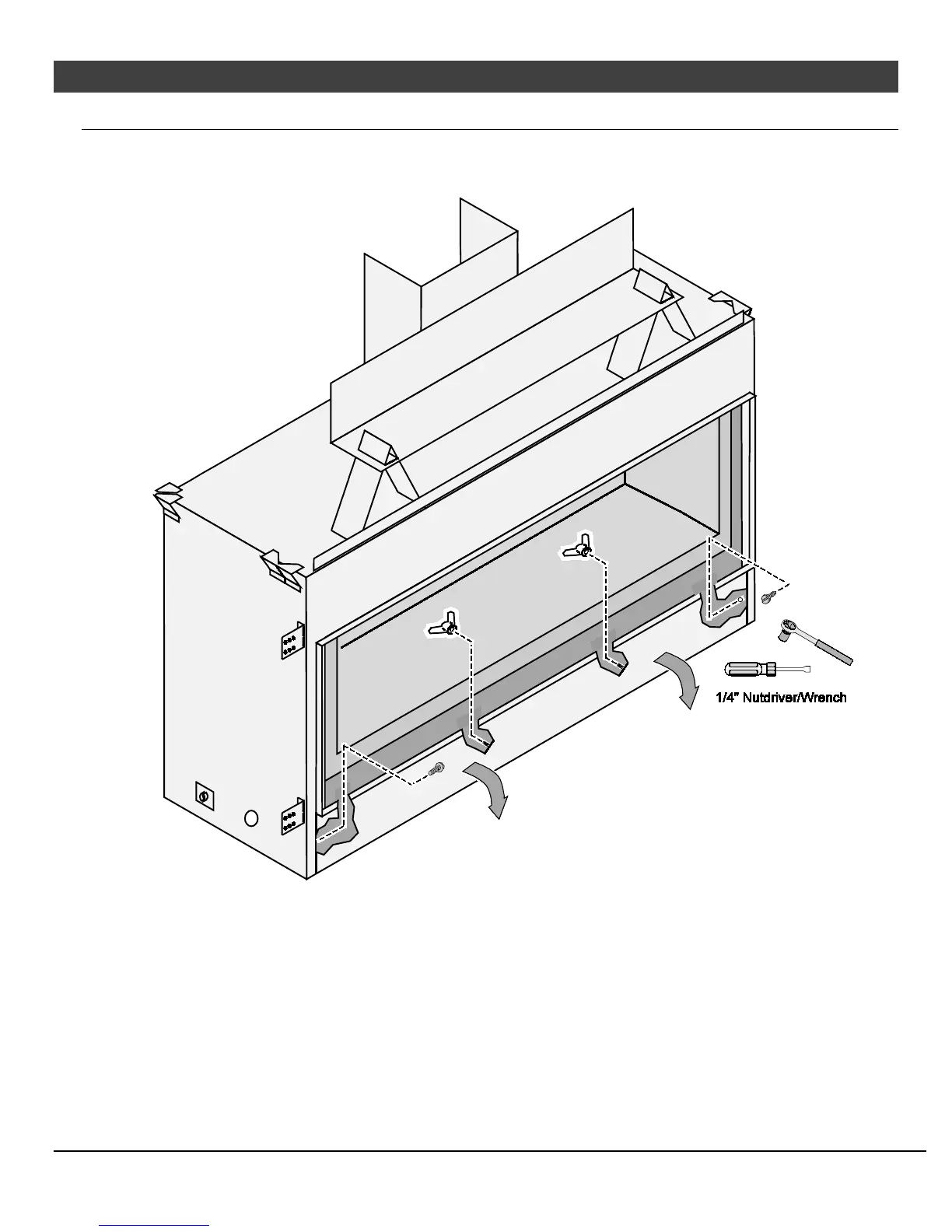
Removing the Front Panel
The front cover may be removed to access the components. This is required when relocating the electrical or gas
inlet location. To remove the front cover
(a) Remove the center wingnuts.
(b) Loosen the two outer screws.
(c) Rotate the front panel down.
(d) Remove the front cover.




 To Next Page