TEW-455APBO High Power Wireless Outdoor PoE Access Point
60
Mode : Supports Static or Dynamic modes on the LAN interface.
IP Address : The management IP of system. By default, it’s 192.168.10.100.
IP Netmask : The network mask. By default, it’s 255.255.255.0.
IP Gateway : The gateway IP address and by default, it’s 192.168.10.1.
Primary DNS : The primary DNS server in service.
Secondary DNS : The secondary DNS server in service.
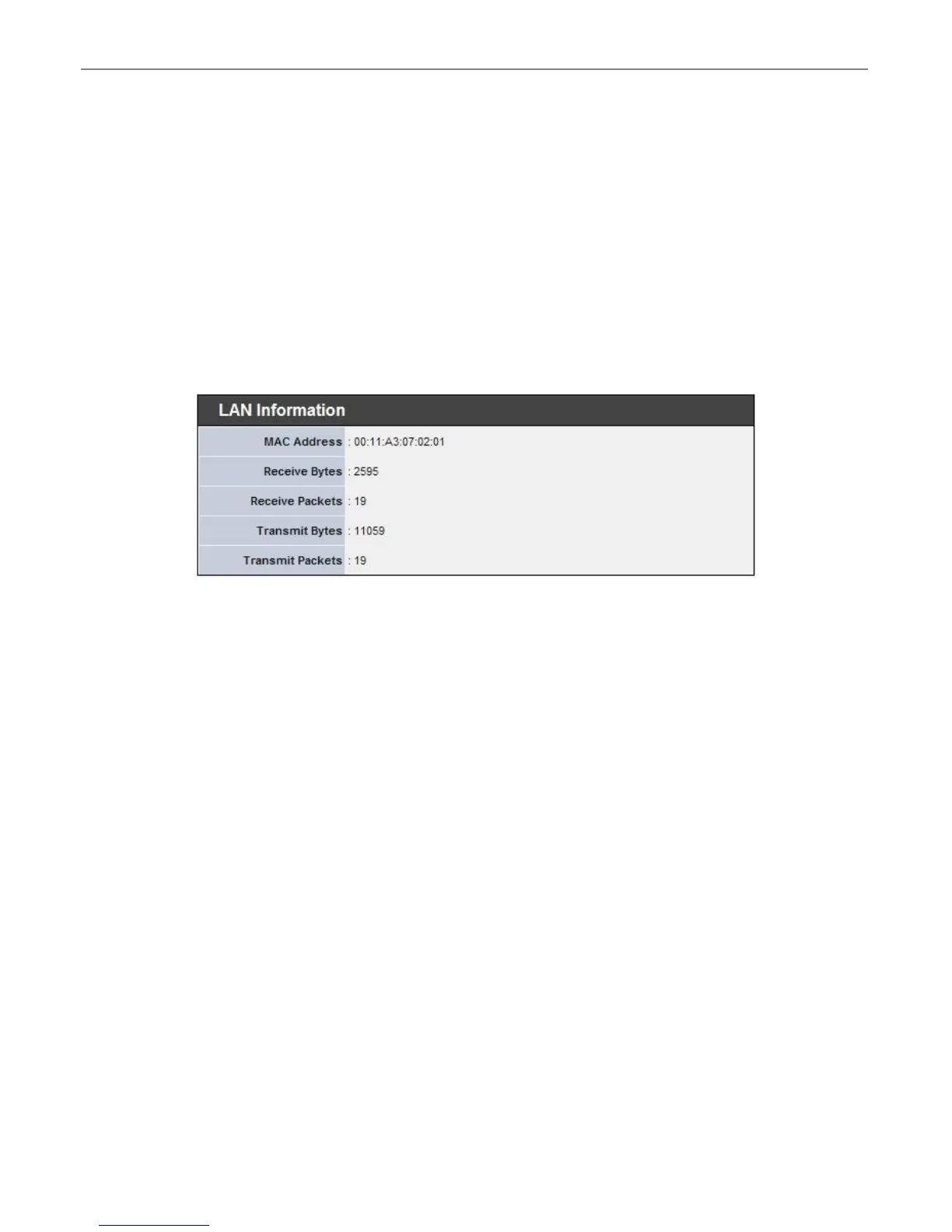
LAN Information : Display total received and transmitted statistics on the LAN interface.
MAC Address : The MAC address of the LAN port.
Receive bytes : The total received packets in bytes on the LAN port.
Receive packets : The total received packets of the LAN port.
Transmit bytes : The total transmitted packets in bytes of the LAN port.
Transmit packets : The total transmitted packets of the LAN port.











 To Next Page