31
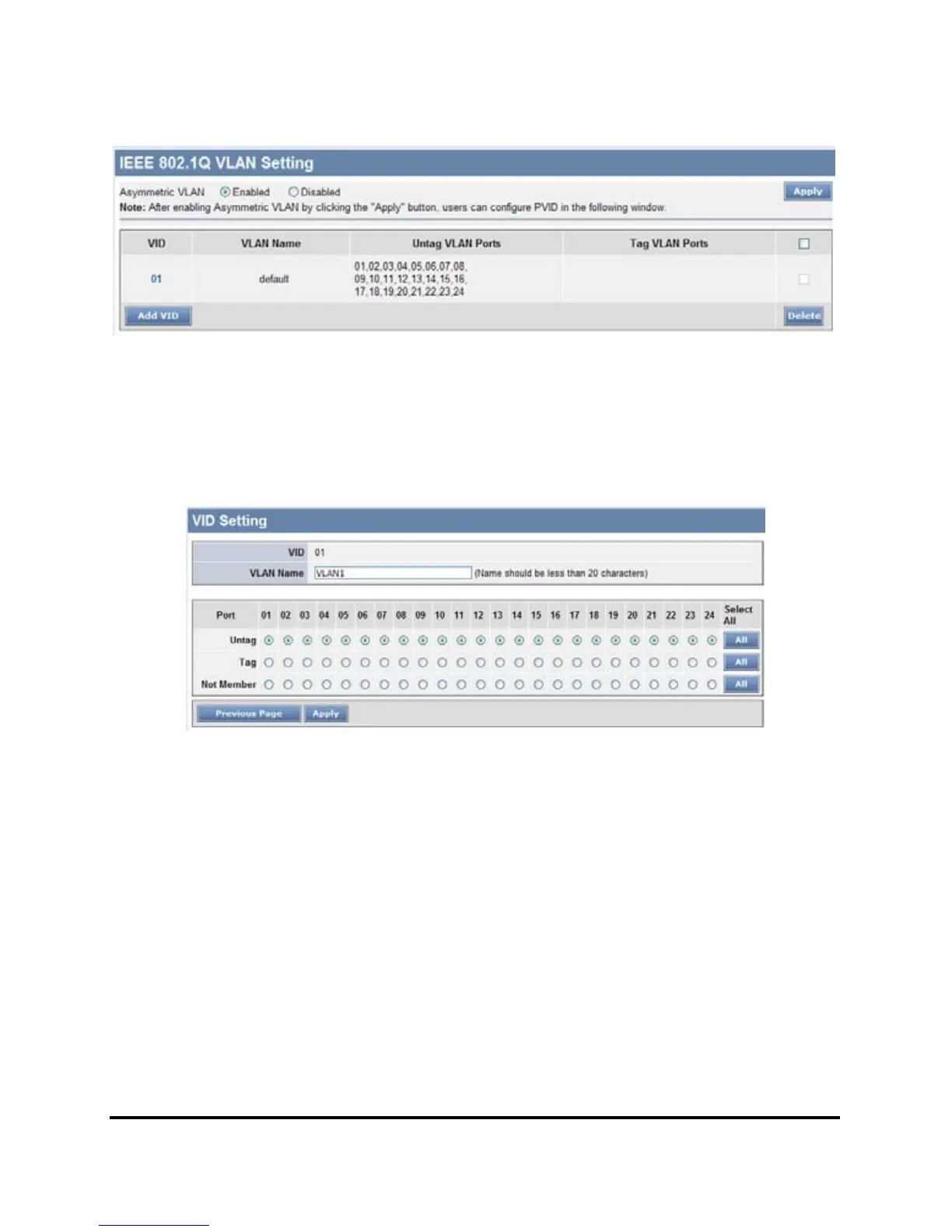
Figure 20. 802.1Q Asymmetric VLAN Setting
Add VID: Click to create a new VID group, assigning ports 1 ~ 24 as
Untag, Tag, or Not Member. A port can be “Untagged” in only one
VID. To save the VID group, press Apply.
Figure 21. Add New VID
VID: A unique VLAN ID.
VLAN Name: A VLAN name is used to associate with the VLAN ID.
Port: The switch port number.
Untag: Outgoing frames without VLAN tag.
Tag: Outgoing frames with VLAN tag.
Not Member: The port number which not to be grouped.
Select All:
Select all ports to be VLAN members or not VLAN
members.
Cancel: To call the modifications off.











 To Next Page