34
Example2:
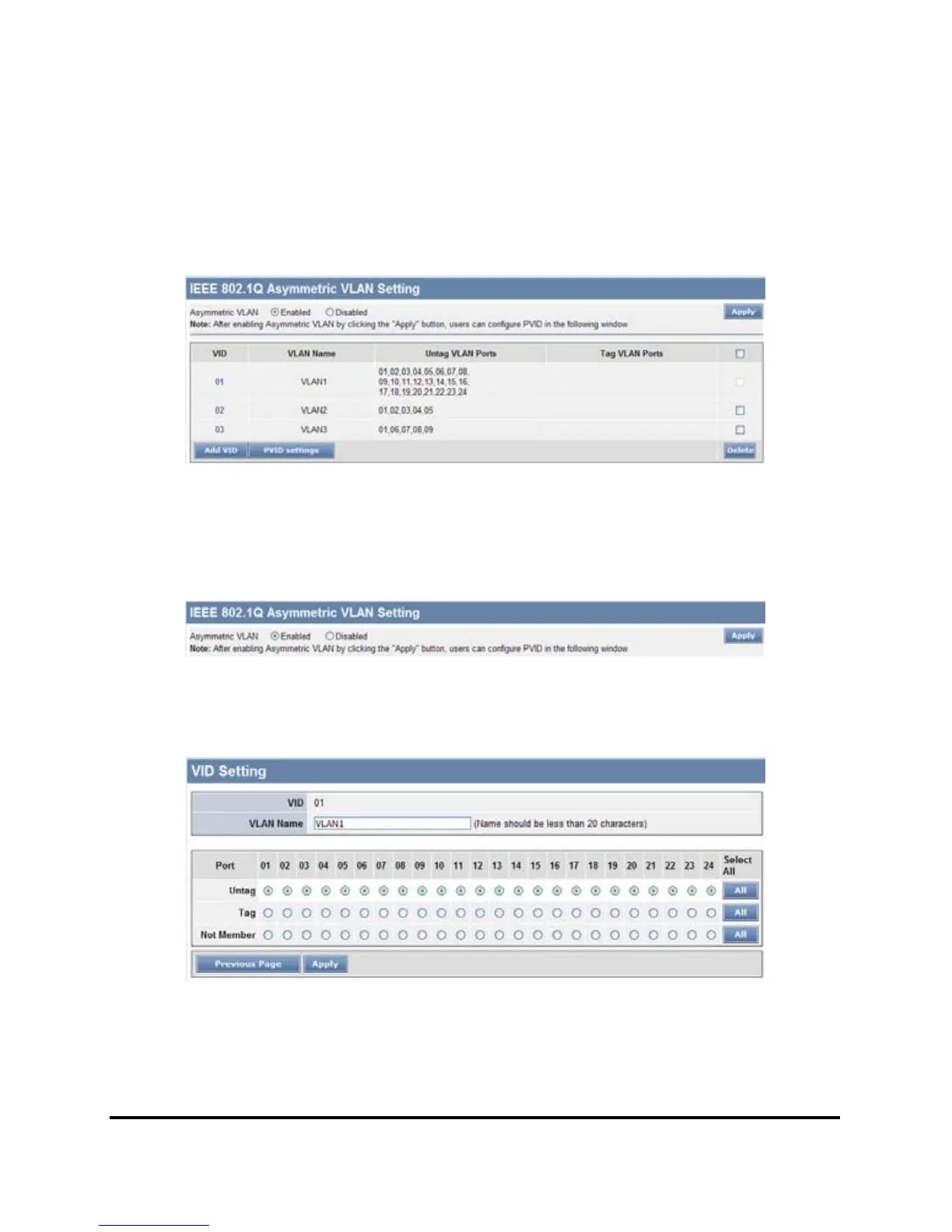
802.1Q Asymmetric VLAN settings example: Port 1~16 in VLAN 1, port1~5
in VLAN 2, port1,6~9 in VLAN 3. All VLAN1~3 have access to Internet via
port 1.
Figure 28.
Note: The multi-need server must be support IEEE 802.1Q VLAN
Step1: Enable Asymmetric VLAN function.
Figure 29.
Step2: Set VLAN1 port 1~24 to “Untag” ports, then apply setting.
Figure 30.











 To Next Page