17
Model Three - Operation Manual
Function Buttons
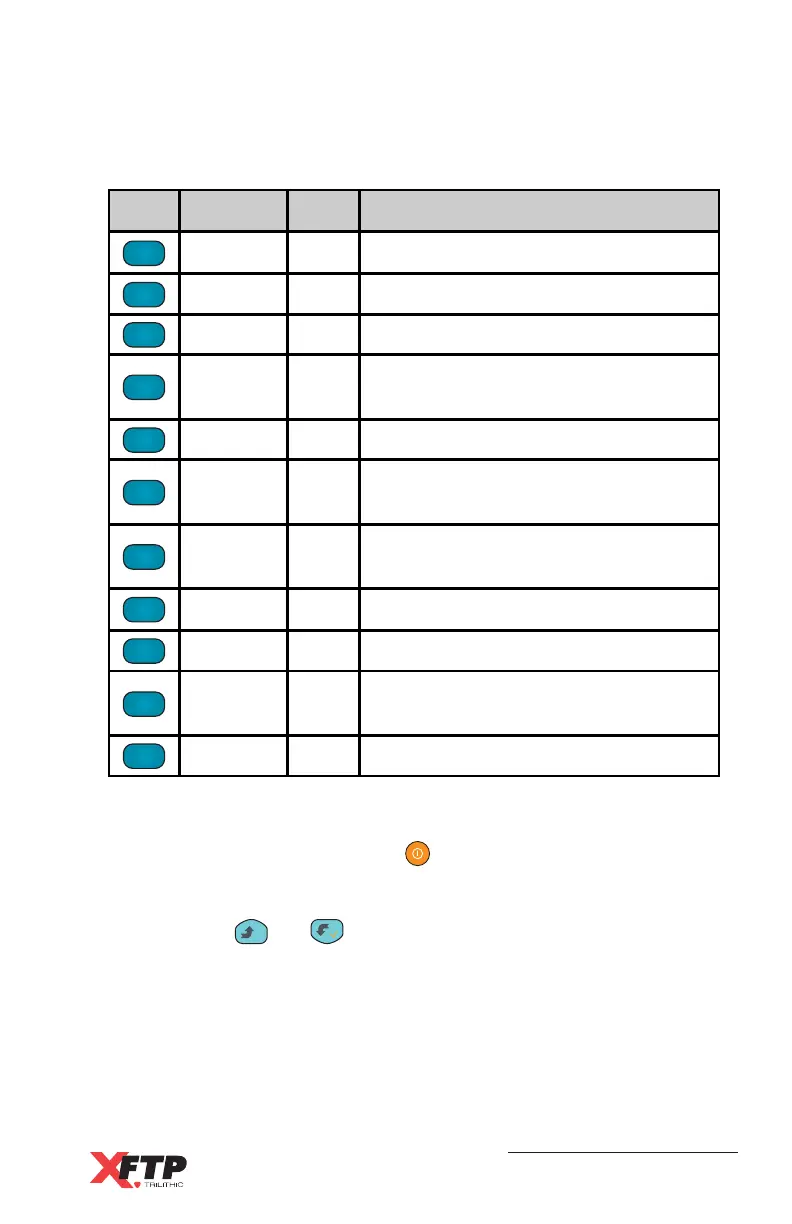
The following is a list of the function buttons:
Power ON / OFF
Use the POWER ON / OFF key to turn the device on and off.
Arrow Buttons
Use the
__
and keys to change values within a function
display.
AUTO
1 ABC
TILT
2 DEF
LIMIT
3 GHI
LEVEL
4 JKL
SCAN
5 MNO
SPECT
6 PQR
SET
7 STU
FILE
8 VWX
HUM
9 YZ*
FCN
0
QAM
.
Key Function # Purpose
AUTO 1 Enter Auto test mode
TILT 2 Enter Tilt measurement mode
LIMIT 3 Enter Limit test mode
LEVEL 4
Enter single channel / frequency
measurement mode
SCAN 5 Enter Channel Scanning mode
SPECT 6
Enter Frequency Spectrum scanning
mode
SET 7
Use for Fast Setup or Main Setup
menu
FILE 8 Save or recall measurement files
HUM 9 Enter Hum measurement mode
FCN 0
Put the key pad into alphanumeric
mode for entering numbers or letters
QAM . Enter QAM measurement mode



 To Next Page