48
Model Three - Operation Manual
The Model Two digital readout can be set to display a LIVE, MAX, or
ΔΔ
ΔΔ
Δ P-P signal level as an aid to troubleshooting. Press the
F
2
key to
select the desired display mode as described below:
• LIVE is the normal operating mode whereby the digital display
indicates the current value of the input signal.
• In the MAX mode, the digital display indicates the maximum
level of the input signal. In this mode, an M is displayed after
the digital reading.
• In the Δ P-P mode, the digital display indicates the variation in
the input signal level. In this mode, a
ΔΔ
ΔΔ
Δ is displayed after the
digital reading.
The analog bar graphs for Audio and Video continue to indicate the
LIVE level in all modes, while the wavy line at the top of each bar
indicates the maximum level of the Audio and Video signals.
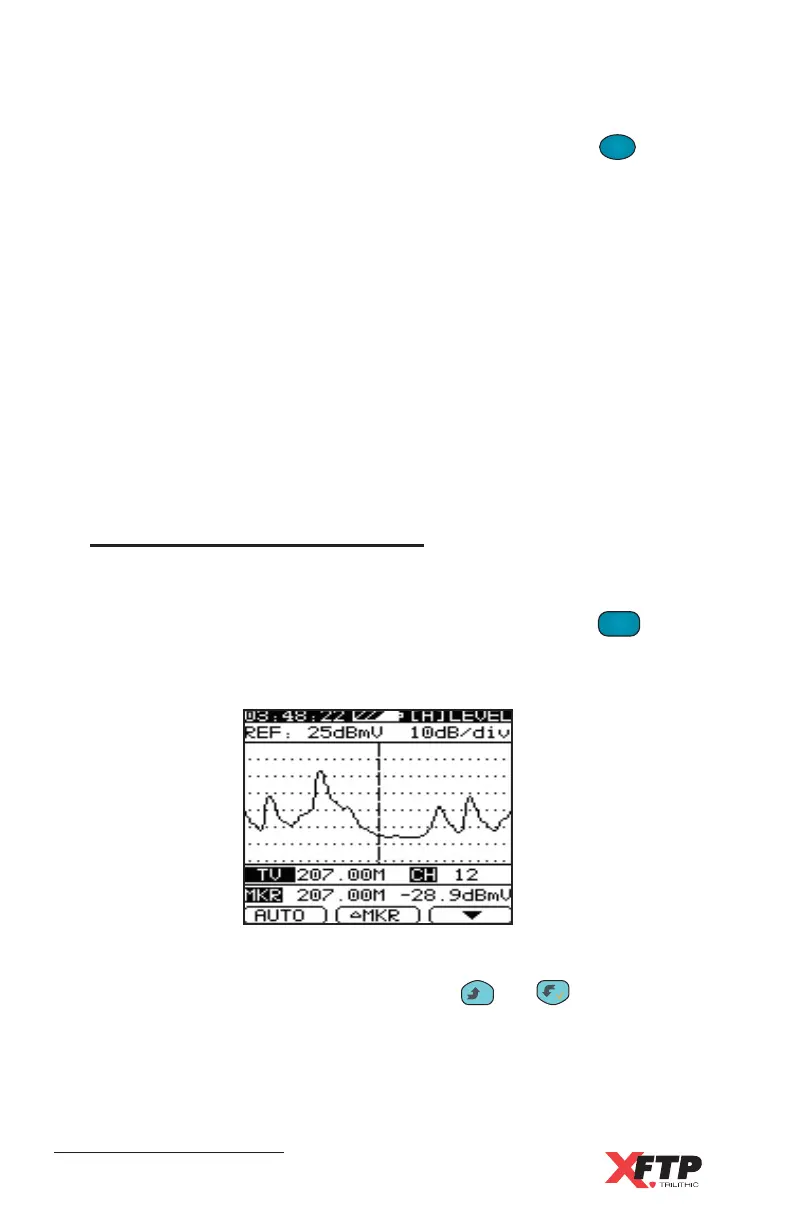
Single Channel Spectrum
The Model Three can scan the spectrum of the designated channel
automatically. This function is particularly useful for CATV
measurements. To scan the channel spectrum, press the
LEVEL
4 JKL
key
again. The Model Three displays the spectrum screen and scans the
channel for data, which it then graphs on the screen.
The Center Frequency and Channel Number are displayed, along with
the Marker Frequency and Level. Use the
__
and keys to move
the Marker Frequency to any position in the channel spectrum.



 To Next Page