53
Model Three - Operation Manual
The level display can be set to display a LIVE or
ΔΔ
ΔΔ
Δ P-P (variation) signal
level by pressing the
F
2
key.
The Scale and Reference shown on the Frequency screen can be adjusted
by pressing the
F
3
(DOWN) key so that the functions of the
F
1
F
1
and
F
2
keys become SCALE and REF. Press the
F
1
F
1
(SCALE) key to vary
the graduation of the scale by 1, 2, 5, and 10 dB per division. Press the
F
2
(REF) key and then press the
__
and keys to increase or
decrease the reference.
Press the
F
3
(UP) key to return to the original soft key functions of
CHAN and
ΔΔ
ΔΔ
Δ P-P so the
__
and keys change frequency (instead of
reference).
Channel Scanning
The Model Three is designed to display the full span of all channels
including video and audio carriers, or digital channels in your system. This
function provides a quick check of your system’s overall flatness and
amplitude.
The Model Three can also be set to display the channels at reduced
frequency spans. Amplitude limits can be imposed on the display, while a
convenient Marker enables you to zoom in on any suspect channels.
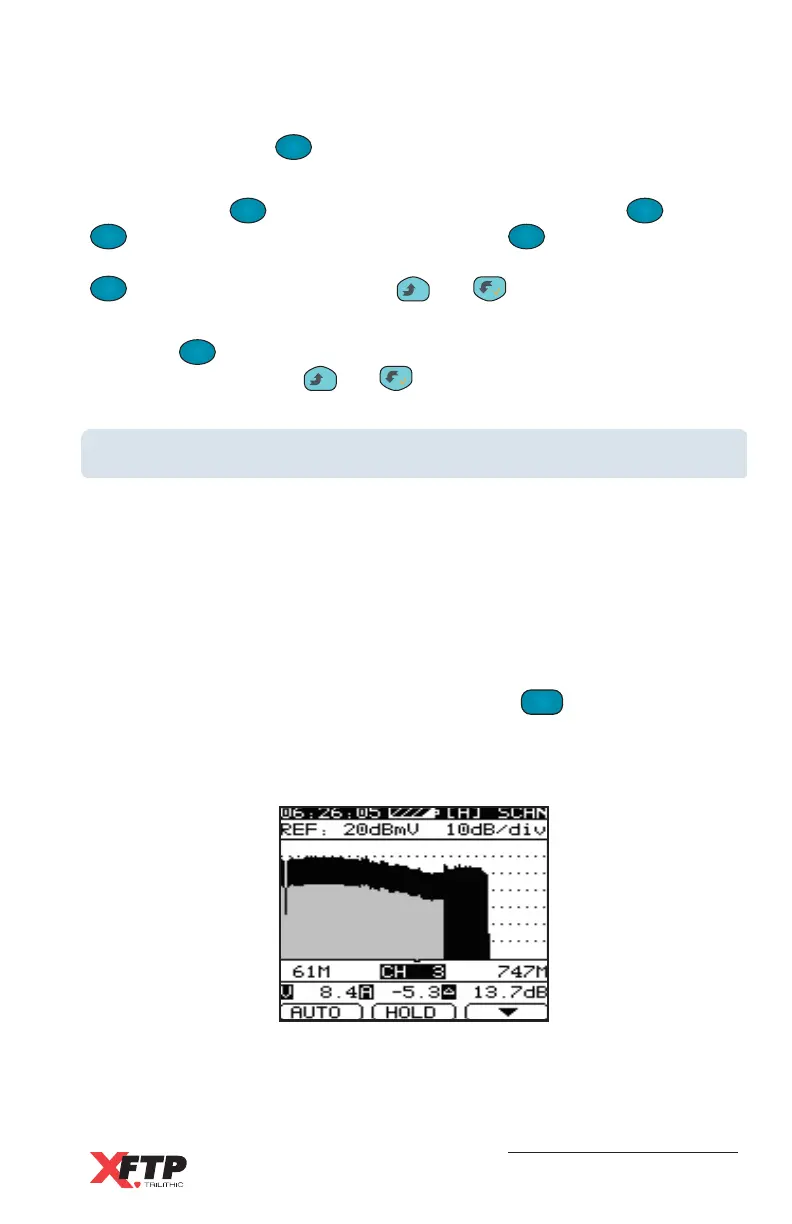
To enter the Channel Scanning screen, press the
SCAN
5 MNO
key. The currently
selected User Channel Plan measurement data is displayed in a graph
with a viewing range of 126 channels (this can be extended to 170 by
adjusting the Scan Marker).
The Audio levels are shown graphically with a light shade, while Video
levels are shown darker. Digital channels (DIGI) and Single Frequency
channels (SNGL) that do not have separate audio and video components
are shown as all dark.



 To Next Page