65
Model Three - Operation Manual
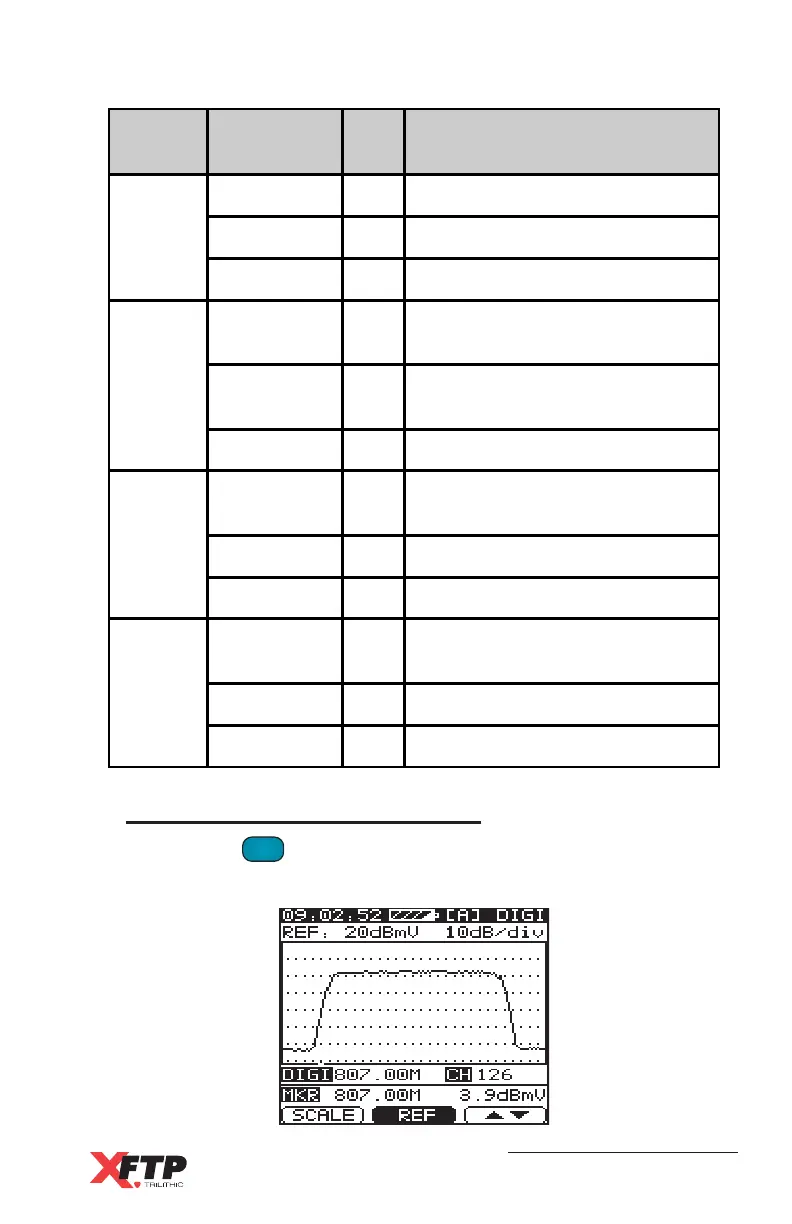
Spectrum Analyzer Display
Pressing the
QAM
.
key a second time will display the spectrum
analyzer screen for the selected channel.
Menu
Number
Display Key Function
1
CHAN F1
Back to channel test mode
RENEW F2
Refresh the measurement
DOWN F3
Turn to Menu number 2
2
MODE F1
Choose Modulation mode
(16 ~ 256 QAM)
RATE F2
Choose Symbol Rate
(1.000 ~ 7.000 Ms / sec)
UP / DOWN F3
Turn to Menu number 3
3
PRE / POST F1
Switch between Pre-BER and
Post-BER
STEP F2
Set the Frequency step
UP / DOWN F3
Turn to Menu number 4
4
STD F1
Choose Modulation Standard
(J-83A / J83-B / J83-C)
NONE F2
None
UP F3
Back to Menu number 1



 To Next Page