69
Model Three - Operation Manual
6. Advanced Operation
Chapter 6
Once you have a general understanding of the Model Three’s basic
features, you can try the advanced features, such as testing for
transmission characteristics, auto-testing, and saving data.
Transmission Characteristic Test
The Model Three enables you to test the transmission characteristics (gain
and tilt) of your CATV distribution system. Maintaining proper gain and tilt
is a necessary step in ensuring the quality of signals delivered to your
customers.
The Model Three enables you to do this by setting a reference at a known
good test point such as the headend’s output test point or a node’s output
test point. This reference can then be compared to the transmission
response at other places in the distribution system to allow proper gain
and tilt adjustments of the distribution system.
To test the transmission characteristics, you first need to enable the
Transmission option.
From Spectrum mode, the MEASUREMENTS SETUP menu, including
Transmission, can be accessed quickly with Fast Setup by pressing the
SET
7 STU
key once. With Transmission selected, press the
F
1
F
1
key to switch
from OFF to ON.
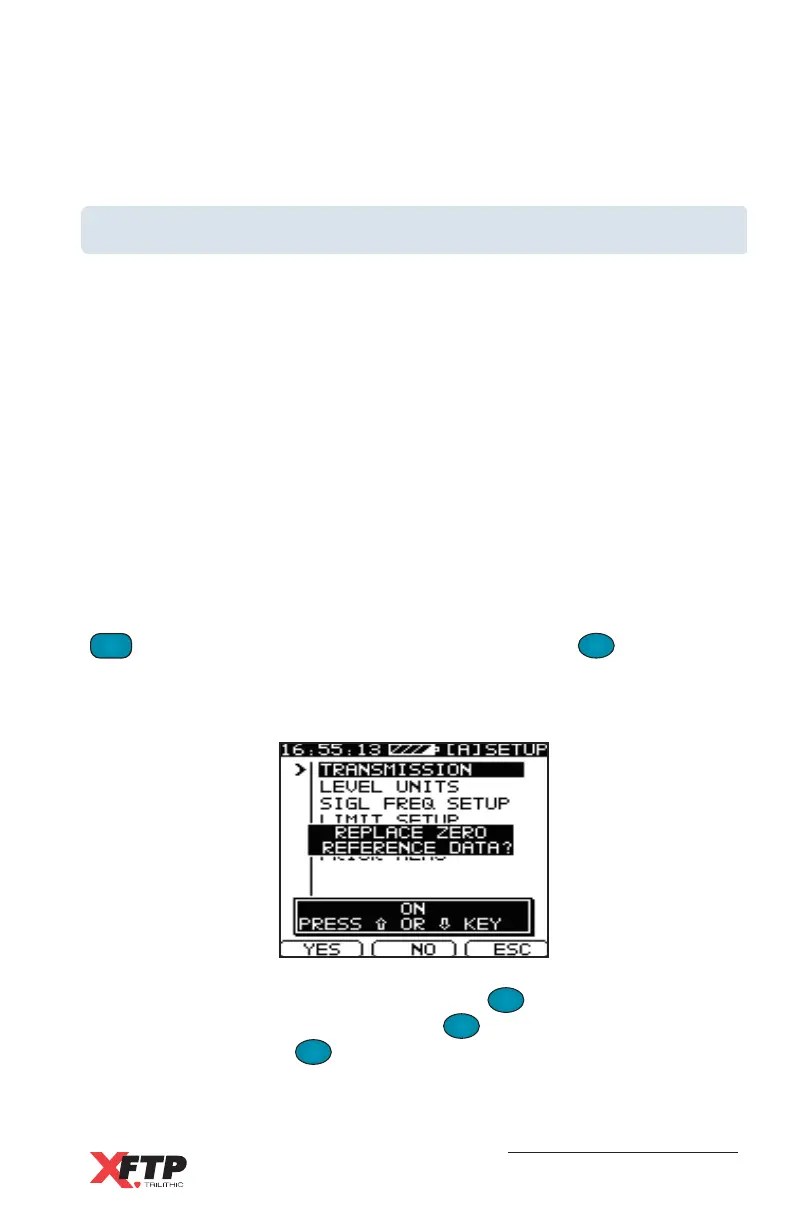
The Model Three asks if you want to replace the zero reference data.
To replace the zero reference data, press the
F
1
F
1
(YES) key. To use the
existing Zero Reference level, press the
F
2
(NO) key. You can exit this
screen by pressing the
F
3
(ESC) key.



 To Next Page