68
Model Three - Operation Manual
Use the
__
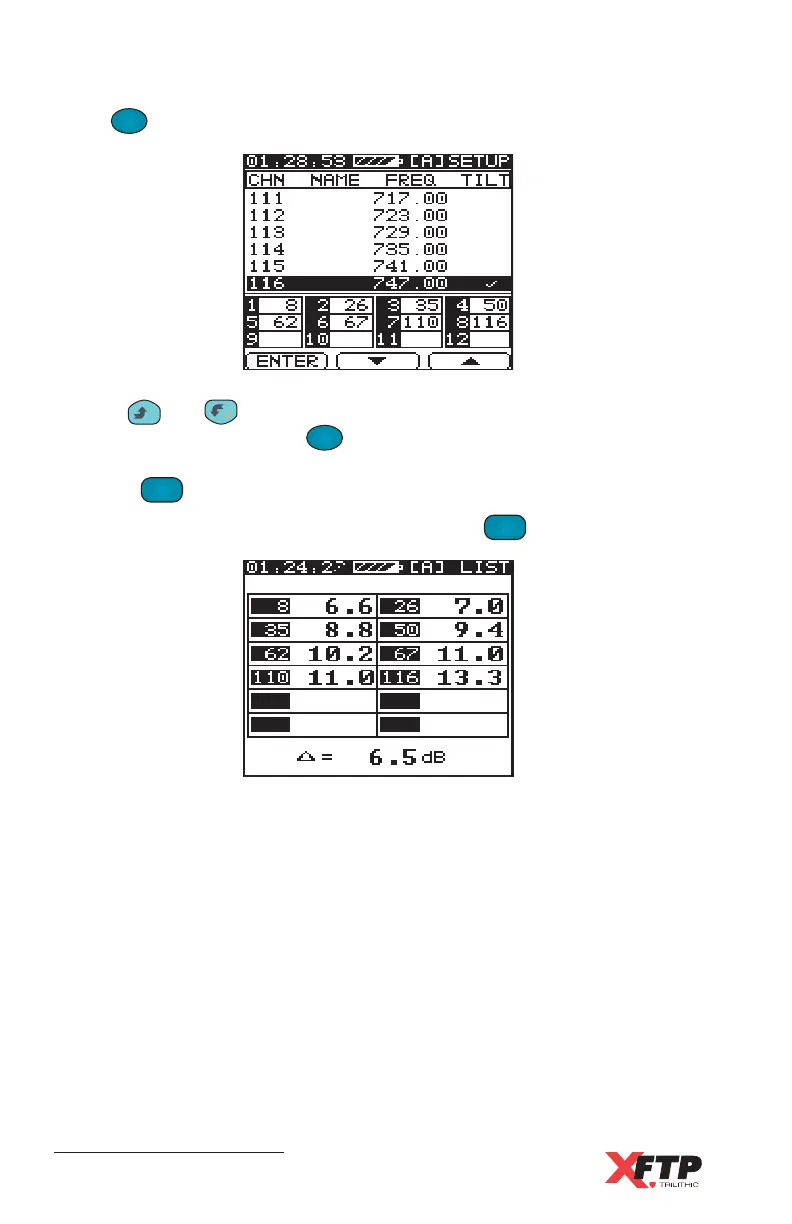
and keys to highlight the channels to be used in the tilt
measurement and press the
F
1
F
1
(ENTER) key to select or deselect the
channel. The enabled channels display a check mark. When finished,
press the
TILT
2 DEF
key to save the changes and return to the tilt display.
To bring up the list of favorite channels, press the
TILT
2 DEF
key again.
The Model Three displays the list of favorite channels with their Video
Carrier Levels or digital power levels and the tilt calculation.
Press
F
1
F
1
(SETUP) to set the tilt channels.



 To Next Page