20
Model Three - Operation Manual
Display Screen Description
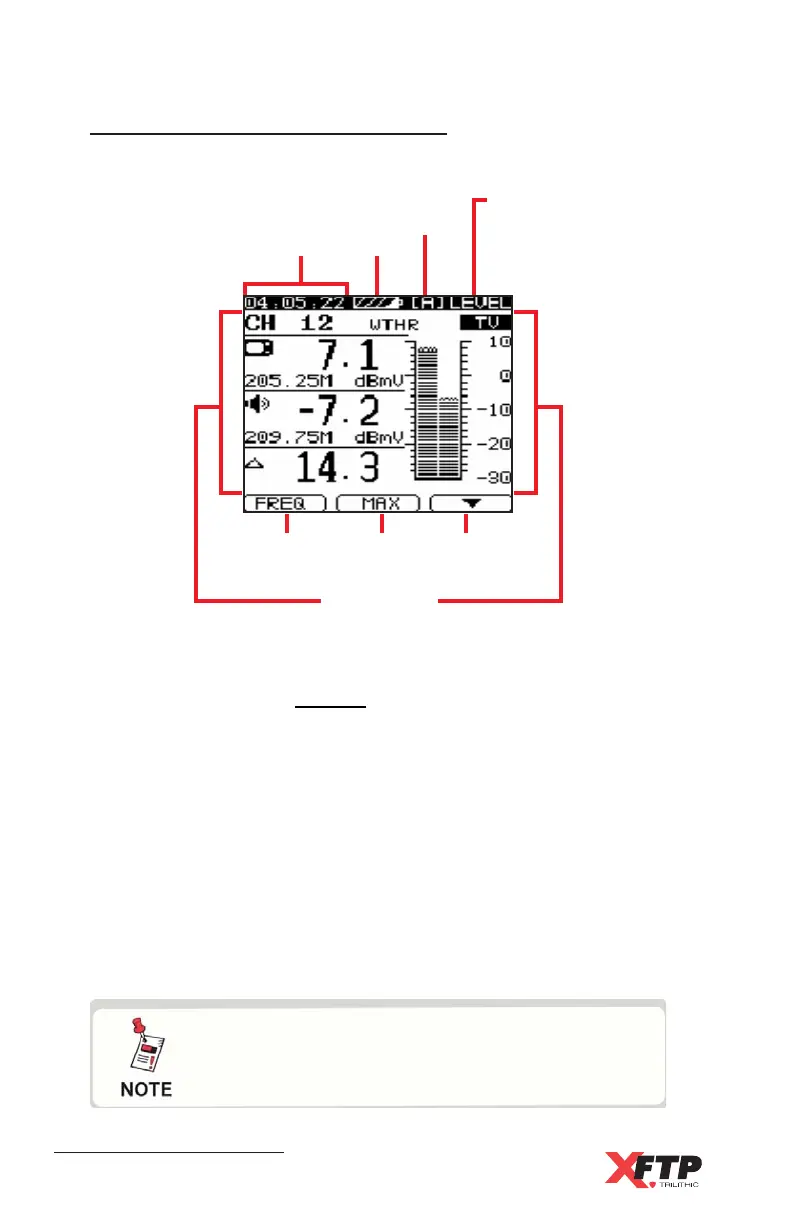
Each display contains the following sections or features.
Time - Displays the device’s time based on time set up parameter,
see Chapter 4: Setup, General, Date and Time.
Battery charge - Shows the approximate percentage of remaining
battery charge. Flashes when the charge drops below 10%.
User Plan - Indicates the selected user channel plan.
Display Indicator - Indicates which function is being used.
Main Display Screen - Displays the parameters and graphs of the
selected function.
F1, F2, F3 - Indicates the function of the soft buttons in the selected
Model Three mode.
Main display
screen
Time
Battery
User
plan
Display
indicator
F1 F2 F3
The soft buttons vary from function to function
on the meter; see the Soft Buttons section
earlier in this chapter.



 To Next Page