33
Model Three - Operation Manual
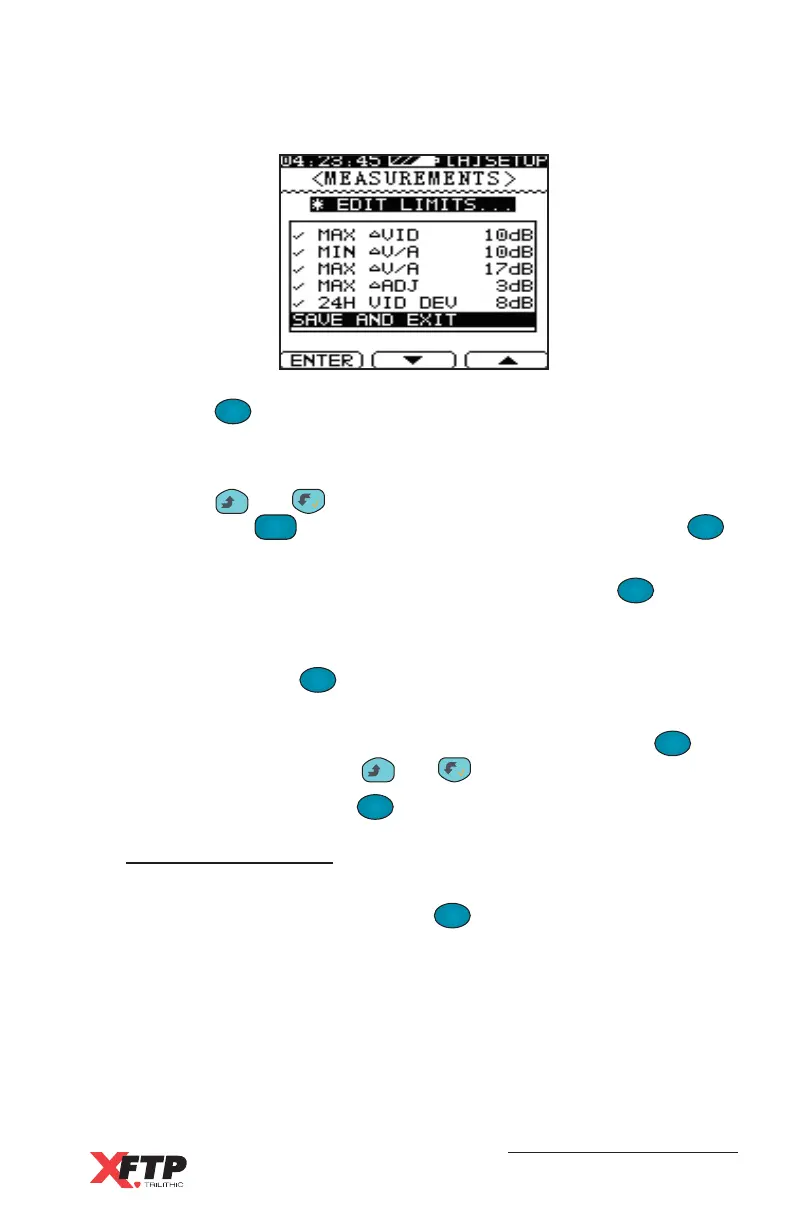
A check mark appears next to each enabled limit parameter.
Press the
F
1
F
1
(ENTER) key to enable or disable a limit parameter.
Disabled limit parameters (indicated with an “X”) are not tested during
a Limit test.
Press the
__
and keys to change each limit value. You may
also press the
FCN
0
key, enter numeric data, and then press the
F
1
F
1
key to change a limit.
You may scroll to SET LIMIT DEFAULTS and press the
F
1
F
1
key to
return all limits to their standard settings.
Once you have set the levels for each parameter, scroll to SAVE AND
EXIT and press the
F
1
F
1
key to return to the previous screen.
MARKER - Use this selection to switch between channel and
frequency indicators for markers in the Scan mode. Use the
F
1
F
1
(ENTER) key, or press the
__
and keys to change the marker.
PRIOR MENU - Press the
F
1
F
1
key to return to the previous menu.
Reset Max Hold
Use this selection to reset the maximum hold value when using Max
hold in Spectrum mode. Press the
F
1
F
1
(ENTER) key to reset the
Spectrum mode data.



 To Next Page