78
Model Three - Operation Manual
Use the
__
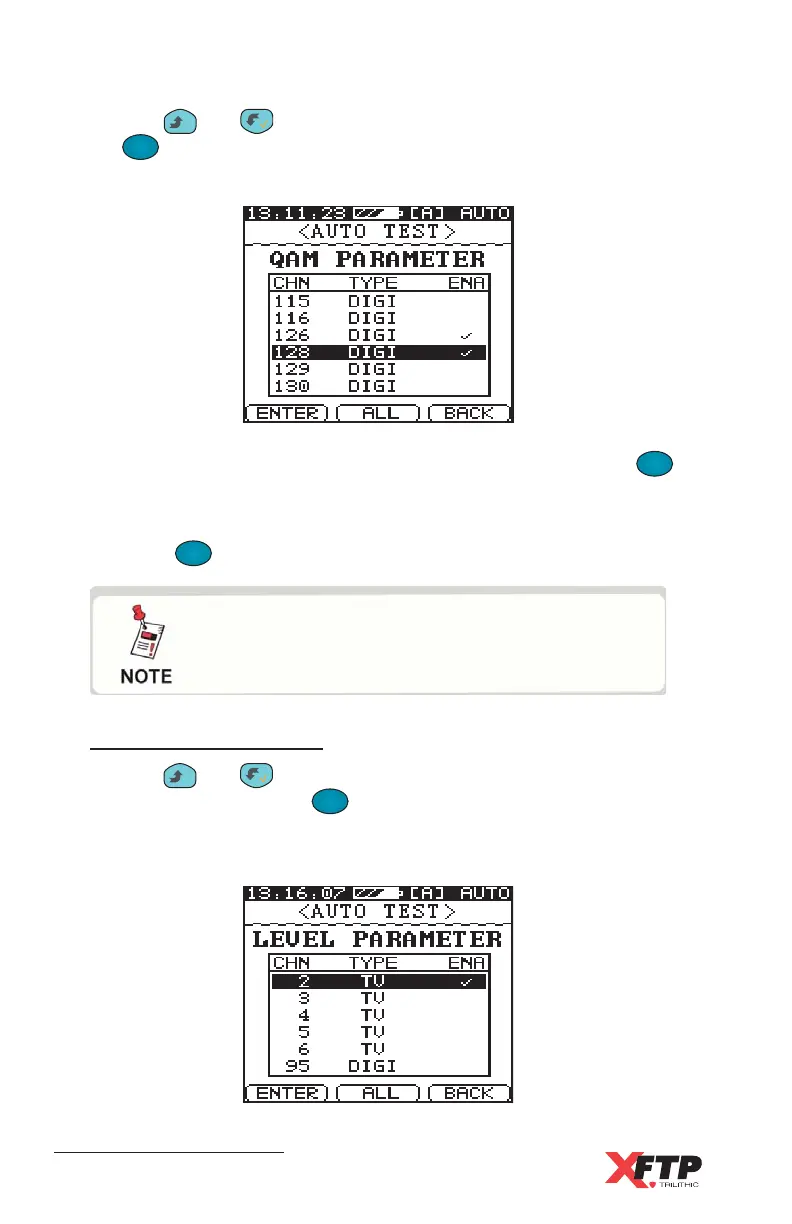
and keys to highlight the channels to test and press
the
F
1
F
1
(ENTER) key to enable the highlighted channel. The enabled
channels for testing are indicated by a check mark.
When all desired QAM channels have been enabled, press the
F
3
(BACK) key to return to the QAM parameter menu.
When the desired QAM measurement parameters have been enabled,
press the
F
3
(BACK) key to return to the Auto test screen for STEP 3.
Level Parameters
Use the
__
and keys to highlight any channel in the selected
user plan, then press the
F
1
F
1
(ENTER) key to enable or disable the
channel for the Level test. An enabled channel displays a check mark
next to it.
To perform QAM measurements, you must
first have digital channels included in the
current user plan.
Test Equipment Depot - 800.517.8431 - 99 Washington Street Melrose, MA 02176
FAX 781.665.0780 - TestEquipmentDepot.com



 To Next Page