32
Model Three - Operation Manual
Type Limit
Minimum Video Level -20 to 59 dBmV (40 to 119 dB V)
Maximum Video Level -19 to 60 dBmV (41 to 120 dB V)
Maximum Video 2 to 30 dB
Minimum Video / Audio
Difference
0 to 15 dB
Maximum Video / Audio
Difference
5 to 30 dB
Maximum Adjacent 0 to 20 dB
24-Hour Video Deviation 0 to 20 dB
DISPLAY LIMITS - Press the
F
1
F
1
key, or press the
__
and
keys to select or deselect viewable Limits in Scan mode. When
DISPLAY LIMITS is activated, the test limit settings for Minimum
Video and Maximum Video can be seen on the display during channel
scanning (see Chapter 5: Basic Operation, Channel Spectrum
Scanning).
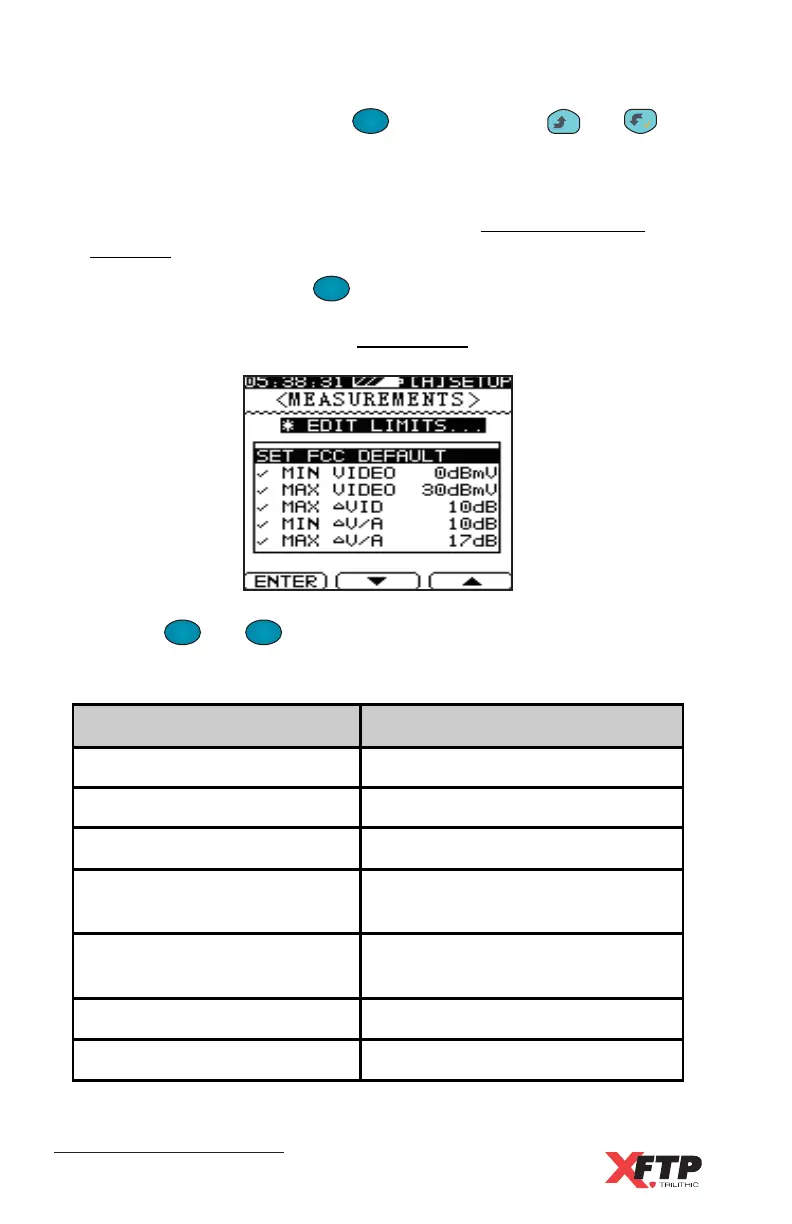
EDIT LIMITS - Press the
F
1
F
1
key to enter the EDIT LIMITS menu.
All parameters used in a Limit test may be set in this menu (see
Chapter 5: Basic Operation, Limit Testing).
Use the
F
2
and
F
3
keys to scroll to each limit parameter.
Select from the following:
Δ
Δ
μ
μ



 To Next Page