gimbal will return to default, Home position Pan 0°, Tilt 0° and Stow position Pan 180°, Tilt 0°. Note
in automatic mode if platform rotations are applied between gimbal and aircraft frames then
SkyLink will automatically change the Home position angles to be looking forward out the nose of
the aircraft at the horizon.
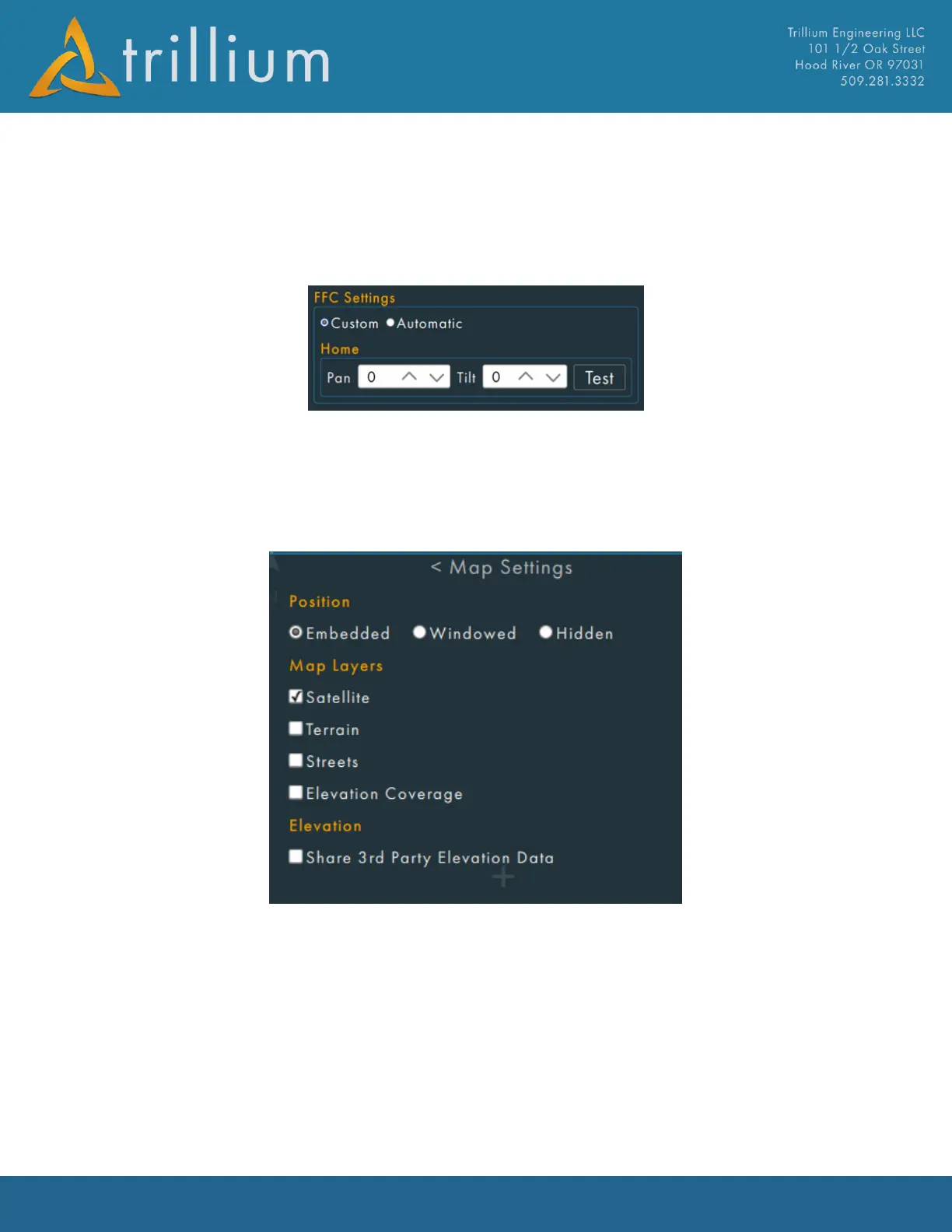
FFC Settings
By checking the custom box, the user can input custom pan/tilt encoder angles to be used during a
camera FFC. The Test button will command the gimbal to the angles entered.
By Checking the Automatic box, the gimbal will used default FFC angles.
2.10.6 Map Settings
Position
Set where the map will appear:
• Embedded – the map will reside in the right-hand side of the main window and can be
toggled on or off.
• Windowed – the map floats in its own separate window, this is useful if maps need to be
displayed on a separate monitor.
• Hidden – the map will not display. This can be useful if the map is causing crashes with
outdated graphics drivers.
Map Layers
Selects which layers to display on the map.



 To Next Page