TRIMBLE TMX-2050 DISPLAY CABLING GUIDE
2 – Connecting the Display Only
14
Manual guidance using SBAS, OmniSTAR HP/G2, or
RTX corrections
SBAS, OmniSTAR® HP/G2, RangePoint™ RTX™, and Centerpoint™ RTX corrections require a GNSS
antenna ❼.
SBAS (Satellite Based Augmentation Systems) includes:
• WAAS (Wide Area Augmentation System), available in the USA
• EGNOS (European Geostationary Navigation Overlay Service), available in Europe
• MSAS (MTSAT Satellite-based Augmentation System), available in Japan
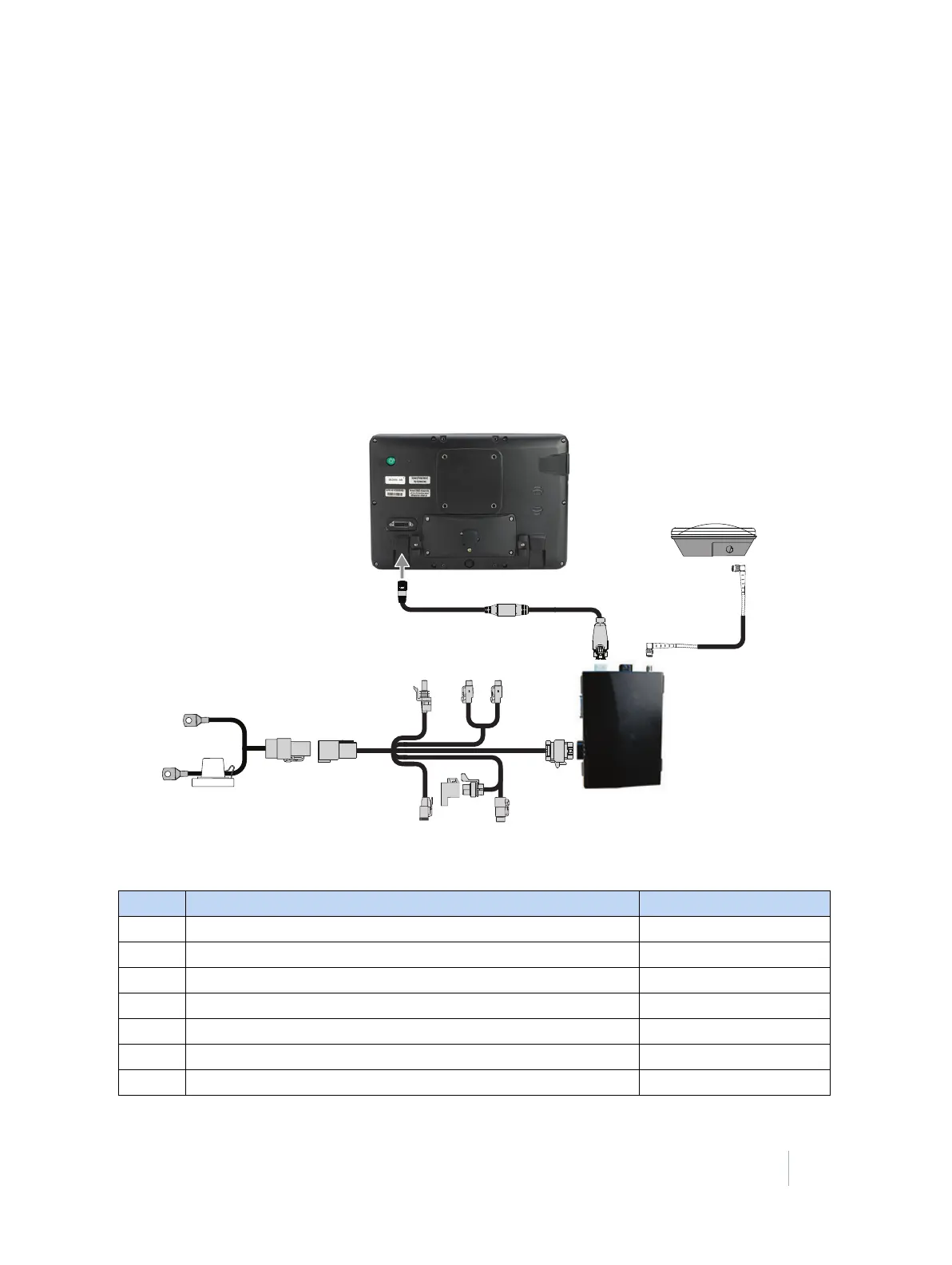
This figure shows how to connect the display to use SBAS corrections:
Item Description Trimble part number
❶ TMX-2050 display 96700-00
❷ TM-200 Module to display cable 93843
❸ TM-200 Module 95060-00
❹ TM-200 Module power and I/O cable connected to Port B 92676
❺ TM-200 Module battery cable 92905
❻ AG-25 GNSS antenna to TM-200 Module cable 50449
❼ AG-25 GNSS antenna 77038-01



 To Next Page