TRIMBLE TMX-2050 DISPLAY CABLING GUIDE
3 – Connecting to the EZ-Steer / EZ-Pilot System
22
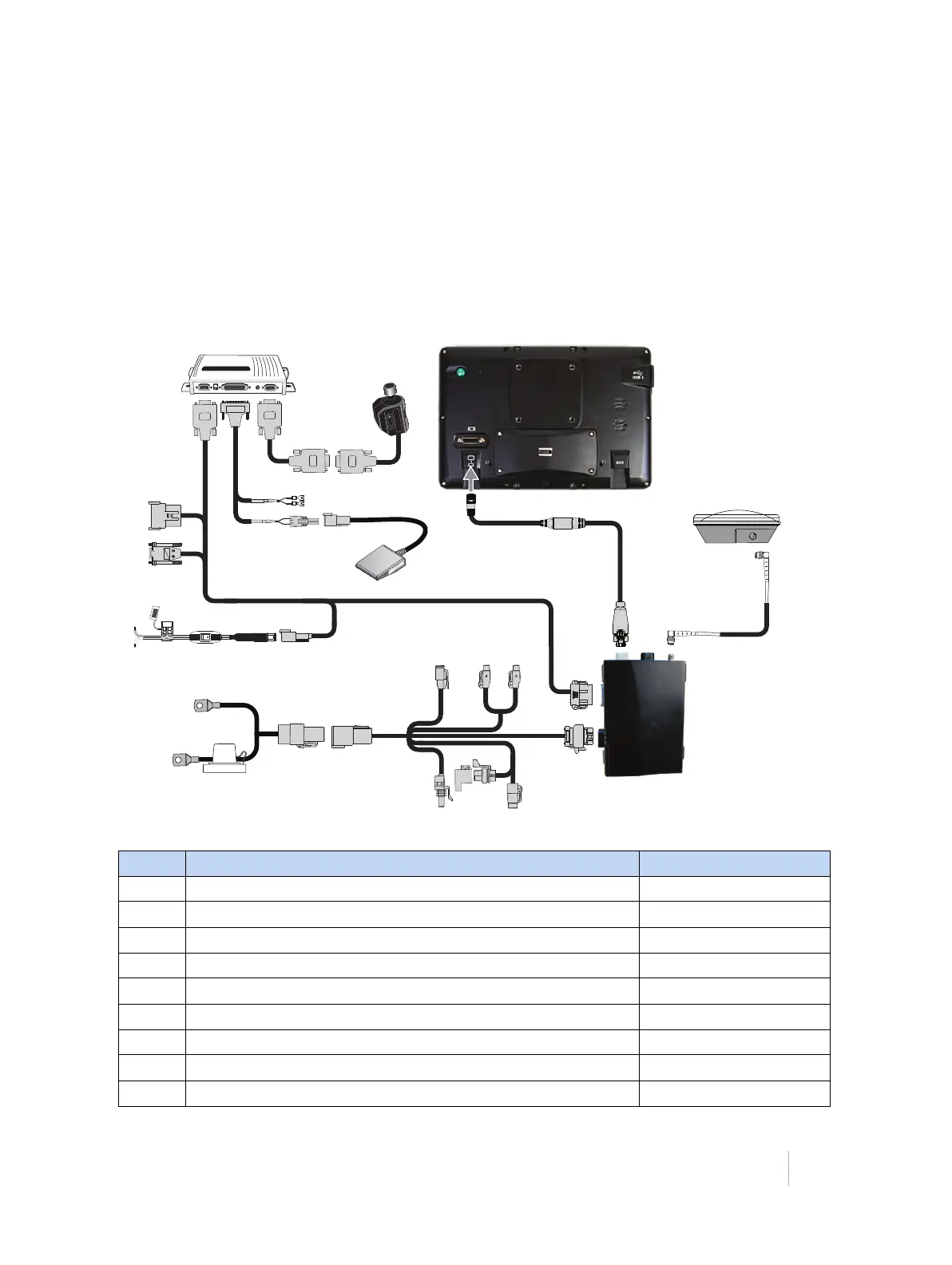
EZ-Steer system using SBAS / RangePoint RTX /
CenterPoint RTX / OmniSTAR corrections with
external power leads
This figure shows an alternative method for connecting the display with the EZ-Steer assisted
steering system, to use WAAS or EGNOS corrections.
The EZ-Steer assisted steering system must have a separate power source (such as the TM-200
Module) to power the EZ-Steer motor
⓬.
Item Description Trimble part number
❶ TMX-2050 display 96700-00
❷ TM-200 Module to display cable 93843
❸ TM-200 Module 95060-00
❹ TM-200 Module power and I/O cable connected to port B 92676
❺ TM-200 Module battery cable 92905
❻ AG-25 GNSS antenna to TM-200 Module cable 50449
❼ AG-25 GNSS antenna 77038-01
❽ FmX / FM-1000 display to EZ-Steer with 2-pin power input 75742
❾ EZ-Steer controller 53348-10



 To Next Page