TRIMBLE TMX-2050 DISPLAY CABLING GUIDE
1 – Components and Cable Configuration Guidelines
7
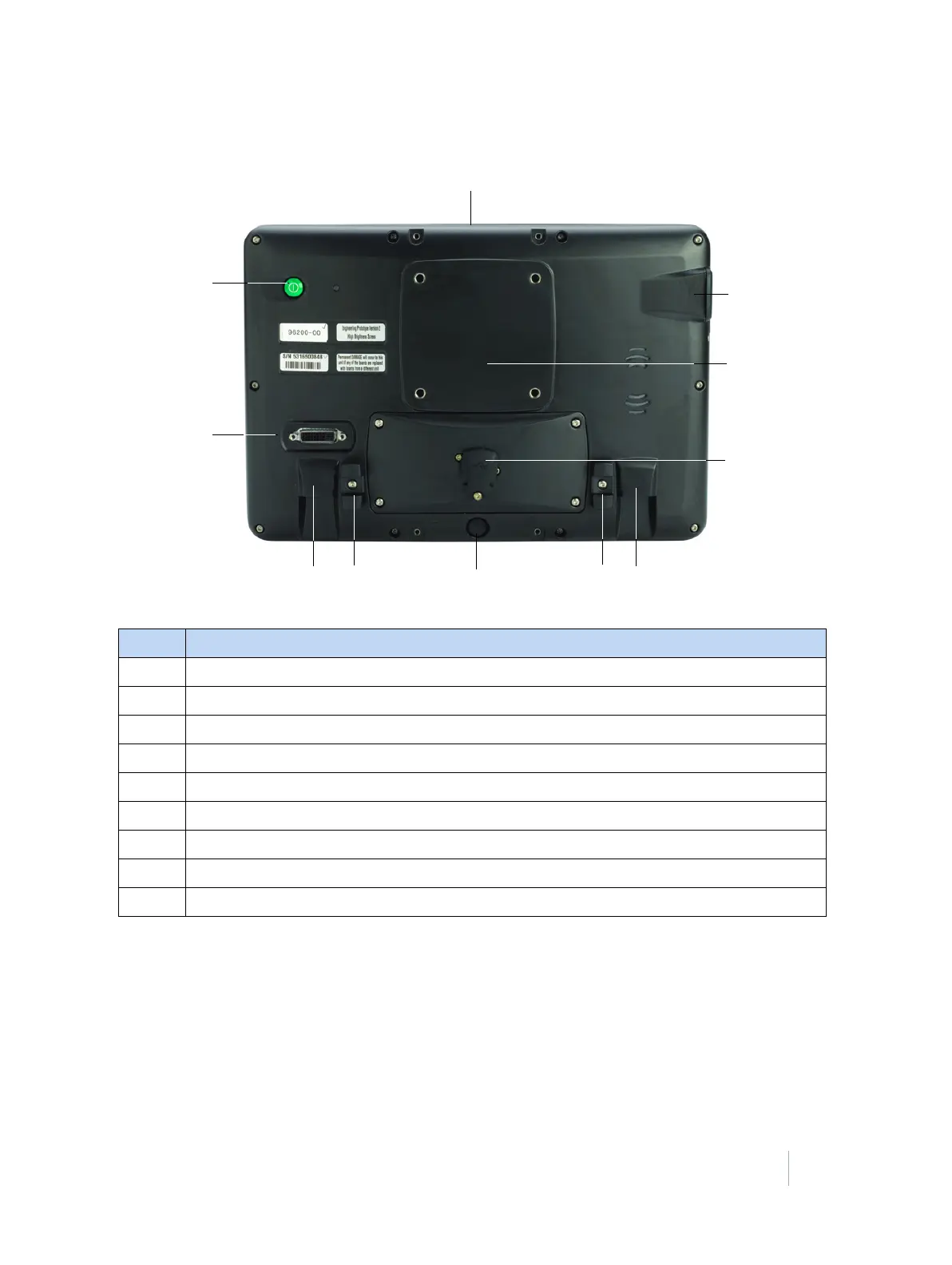
TMX-2050 display—rear view
Item Description
❶ Possible location for mounting Field-IQ switch box (two locations)
❷ USB (side)
❸ Location for Zirkona mount attachment
❹ USB (rear)
❺ RJ11 auxiliary port for future use
❻ Cable clips
❼ RJ45 port for connection to TM-200 Module
❽ HDMI / DVI (not used)
❾ Power



 To Next Page