Conversion Between MicronNav Responder and Transponder MicronNav System
0656-SOM-00001-07 132 © Tritech International Ltd.
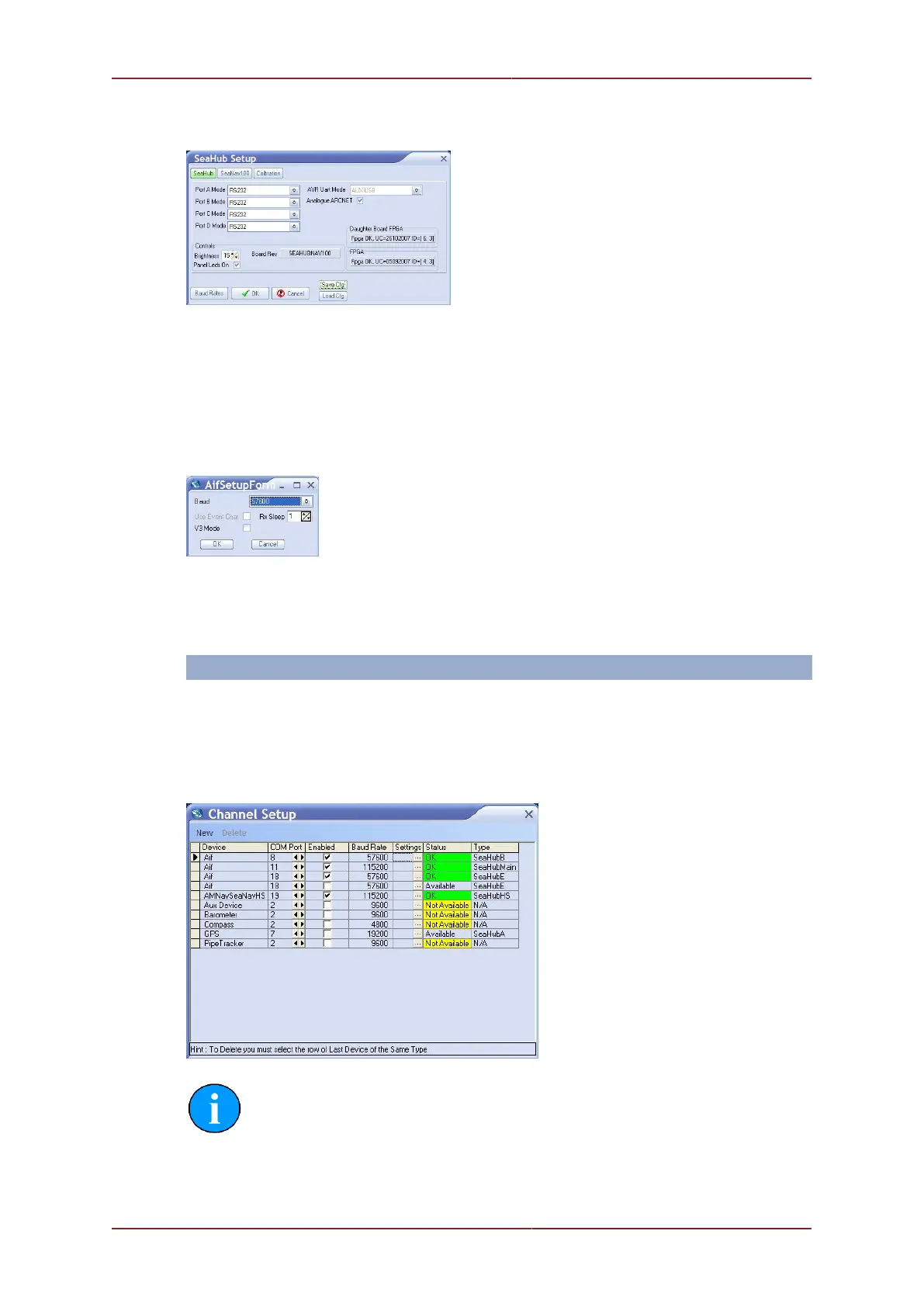
in the SEAHUBNAV100 row followed by Setup from the drop-down menu that appears to
display the SeaHub Setup page. Set Port B to RS232.
Confirm the settings and close the SeaHub Setup page. After a few seconds, the
reprogramming of the unit will be complete and "Node 90, Prog Cfg Done" will be displayed in
the status box. The SEAHUBNAV100 table entry will temporarily disappear from the list while
the unit resets to activate the change.
Configure the baud rate of Port B by selecting Com Setup from the Utilities menu.
Open the Channel Setup page, click on Settings in the SeaHubB row to open the
AifSetupForm and adjust the Baud to 57600.
Confirm the settings and close the AifSetupForm.
The Channel Setup page should now list the enabled ports as follows:
Device Baud Rate Type
Aif 115200 SeaHubMain
AMNavSeaNavHS 115200 SeaHubHS
Aif 57600 SeaHubE
Aif 57600 SeaHubB
Note
If any other devices are set up on the computer they may also be listed, if this is
the case they should not interfere with this operation so should be left alone.
Confirm the settings and close the Channel Setup page.



 To Next Page