Installing the System MicronNav System
0656-SOM-00001-07 15 © Tritech International Ltd.
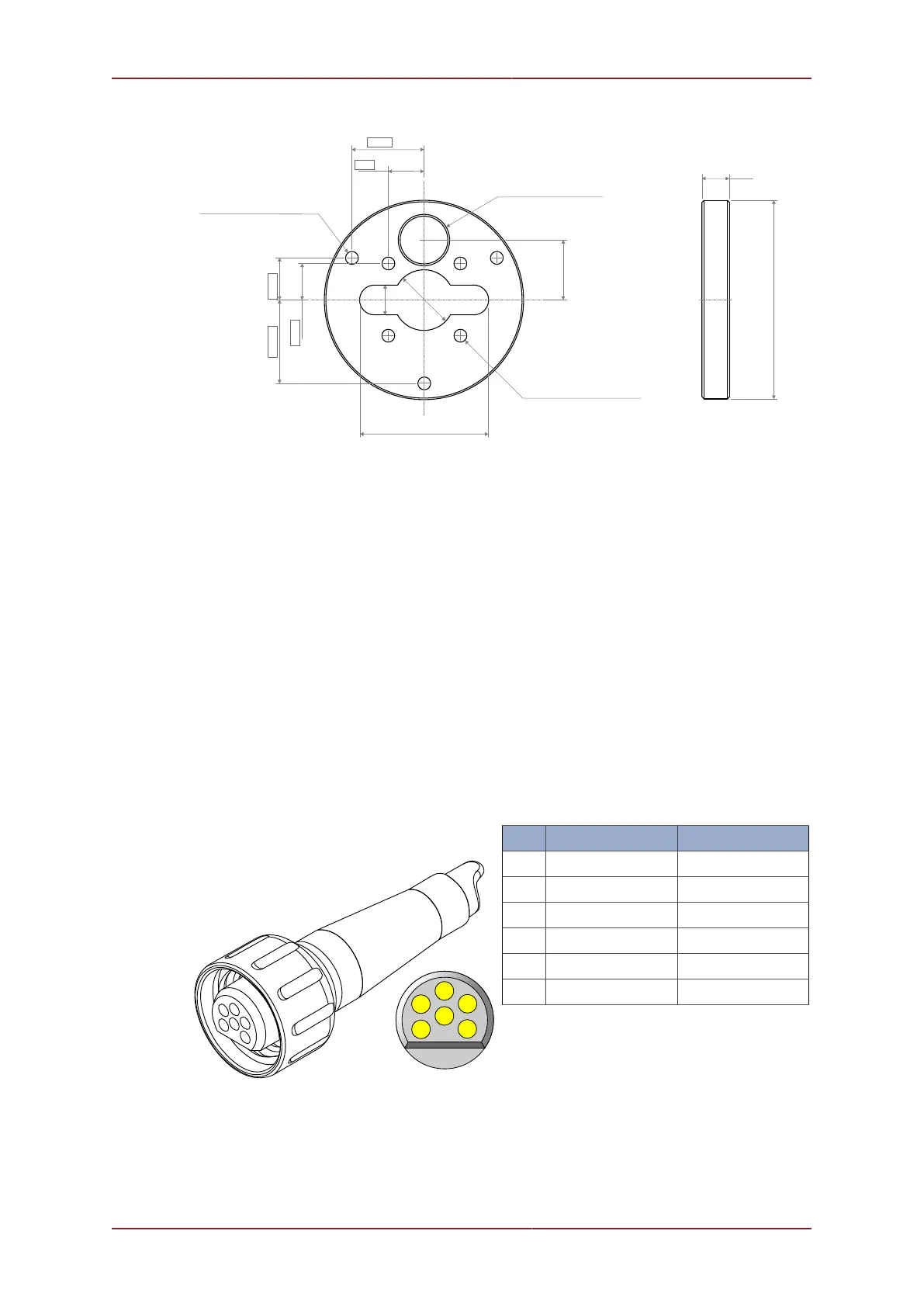
Ø 26.6 THRU ALL
1 1/8" - 14 UNS THRU ALL
33.0
40.05 TYP
20.0 TYP
3 x Ø 6.5 THRU ALL
4 x Ø 6.5 THRU ALL
15.0
46.25 23.13 TYP
20.0 TYP
Ø 110.0
71.0
Ø 33.0
16.0
3.1.4. Electrical Connections to the Subsea Modem Head
Responder Mode
In Responder mode there is no direct connection from the ROV to the sub-sea Modem head
- in this configuration the ROV connects to the Tritech Sonar head (Main port) using the cable
supplied with the Sonar, and the MicronNav sub-sea Modem head (Main port) connects to
the (Auxiliary port) of the Sonar using the Double Ended Interconnect cable supplied with
the MicronNav system.
Transponder Mode
In Transponder mode the MicronNav subsea Modem head only requires power supply
connections - this can be from the ROV, a stand-alone underwater battery pack or from the
Auxiliary port of any of the Tritech subsea heads.
Pin Wire Colour Function
1 Yellow not connected
2 Blue not connected
3 Red Supply +
4 Black Supply Ground
5 Green not connected
6 cable sheath Earth/Screen



 To Next Page