MicronNav System
0656-SOM-00001-07 131 © Tritech International Ltd.
11. Conversion Between MicronNav Responder and
Transponder
11.1. Seanet Setup for Conversion
Connect the MicronNav100 Hub to the USBL Transducer head and computer and ensure
the communications link to the Transponder/Responder is disconnected from Port B on the
MicronNav100 Hub.
Connect power to the MicronNav100 Hub and switch it on.
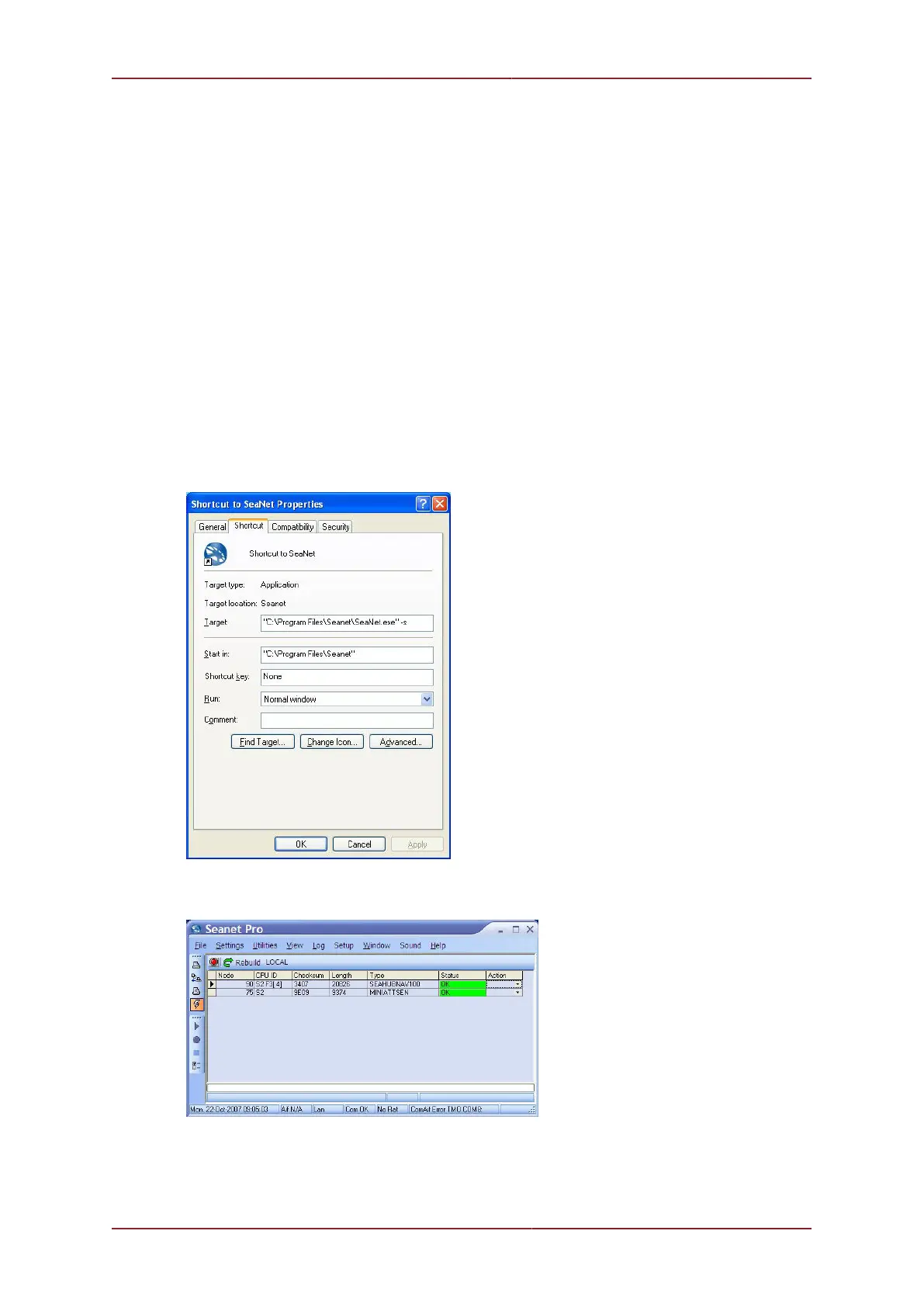
On the computer navigate to C:\Program Files\Seanet and create a shortcut to
Seanet.exe on the desktop called Seanet Pro Supervisor.
Right click on the new desktop shortcut and select properties. After the speech marks in the
target box enter -s ensuring that there is a space between the speech marks and the hyphen.
Open up the new shortcut to Seanet Pro Supervisor and select Setup from the
Applications menu.
The SEAHUBNAV100 and MINIATTSEN device types should be visible in the Setup window.
The MicronNav100 Hub must now be configured to communicate directly to the Transponder/
Responder in order to carry out the conversion. In Seanet Setup click the Action column



 To Next Page