Using the External Computer Data Link MicronNav System
0656-SOM-00001-07 108 © Tritech International Ltd.
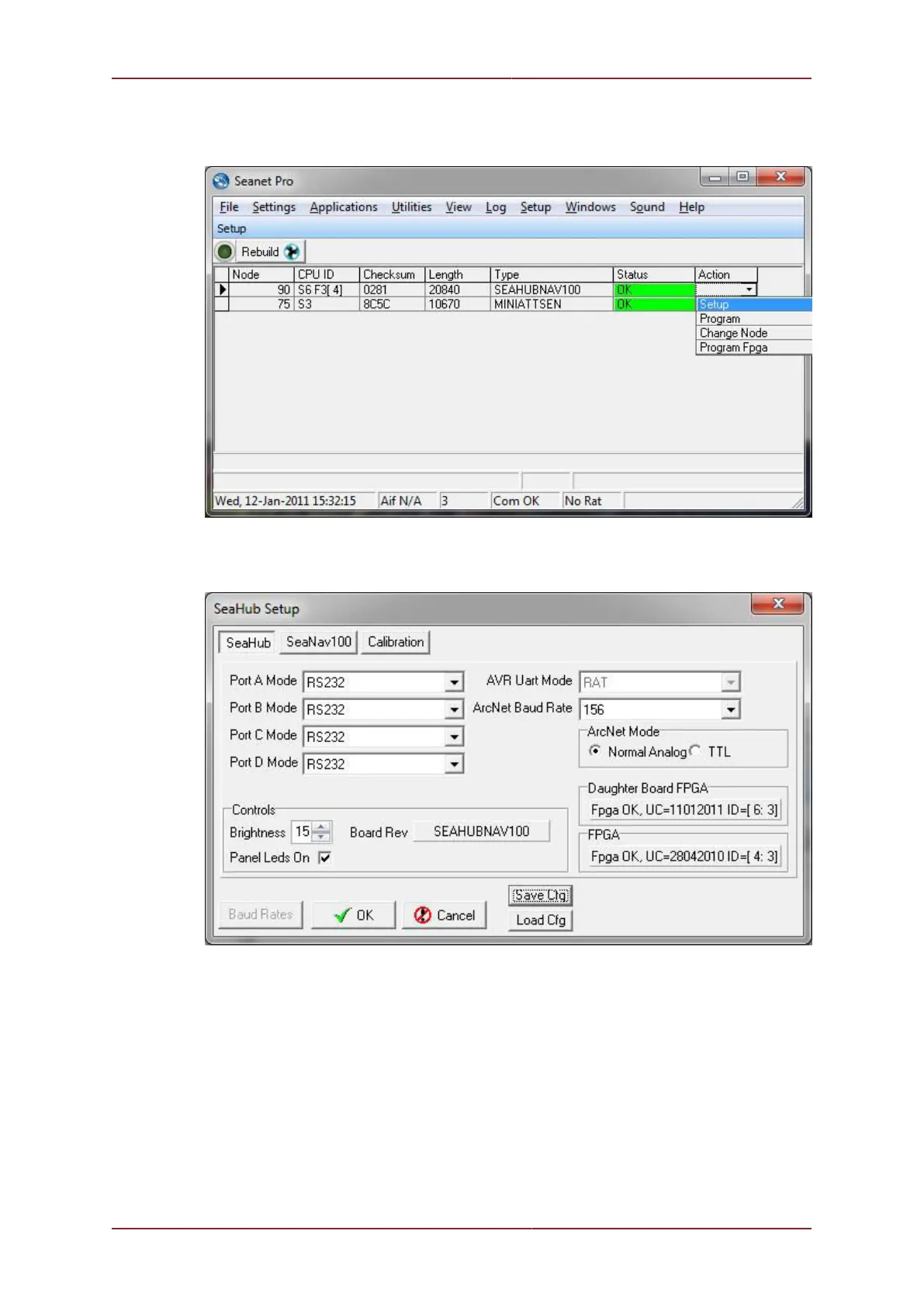
7. This port must then be configured to RS232. To do this you must open the Seanet Setup
program, detect Node 90 and Click on ACTION Setup as indicated below.
8. Configure “Port A Mode” to RS232 using the drop down and press OK to program this
setting into the SeaNav Hub
7.2. List of Current String Formats



 To Next Page