Using the External Computer Data Link MicronNav System
0656-SOM-00001-07 107 © Tritech International Ltd.
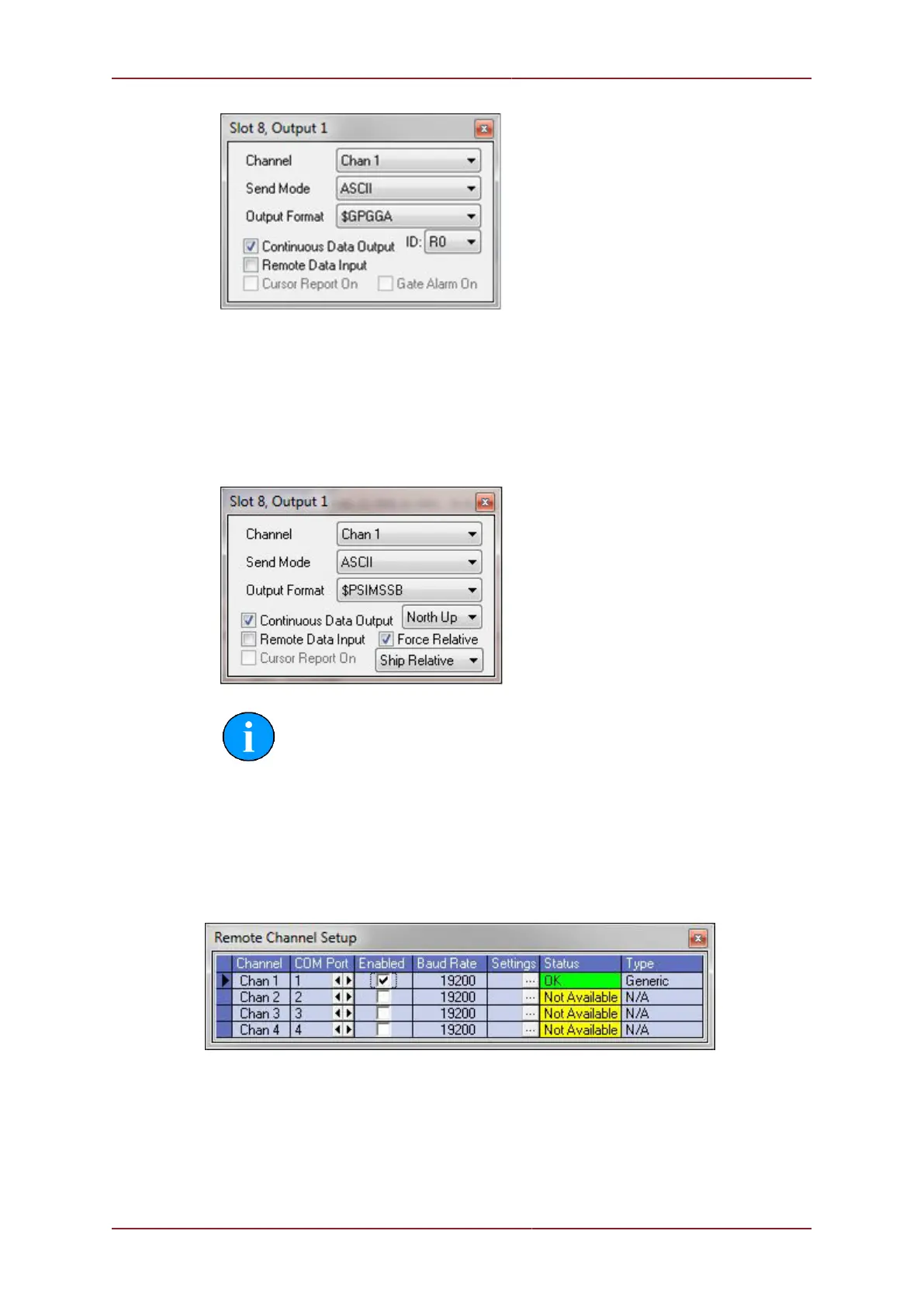
• A 'Force Relative' check-box will appear when ‘Proc XYZ’, ‘TP-2EC’, 'HPR 300P' or
‘PSIMSSB’ Output Format is selected. Ticking the box will force the X, Y output values in
the string to be Relative. If unticked then the X, Y output format will auto toggle between
Relative and (if world position co-ordinates are available) World position formats.
Immediately underneath the 'Force Relative' check-box is a drop-down list where the
Relative X,Y,Z output can be selected to be taken from the Dunking Transducer ('Txdcr')
or Ship datum.
Note
The drop-down list will also appear for the 'HPR410' and '$RATTM' strings
which only have a Relative output format option. ‘Ship Relative’ / ‘Txdcr
Relative’ sets the origin for the Relative Output. ’North Up’ / ‘Hdg Up’
will also change the reference frame for the Relative Output in applicable
strings.
4. Close the ‘Output 1’ page with the ‘X’ button on the top-right of the page. Open the ‘Remote
Channel Setup’ page (‘Settings’ – ‘Channels’) and configure the Channel that was selected
in the step above.
5. To use a Com port from the MicronNav Hub to output the REMV4 data proceed as follows.
(The example below shows the MicronNav Hub Port A being configured for REMV4)
6. “Spin” the COM Port up or down until the Type displays SEAHUB A. Set the baud rate to
match the connecting computer.



 To Next Page