Using the External Computer Data Link MicronNav System
0656-SOM-00001-07 106 © Tritech International Ltd.
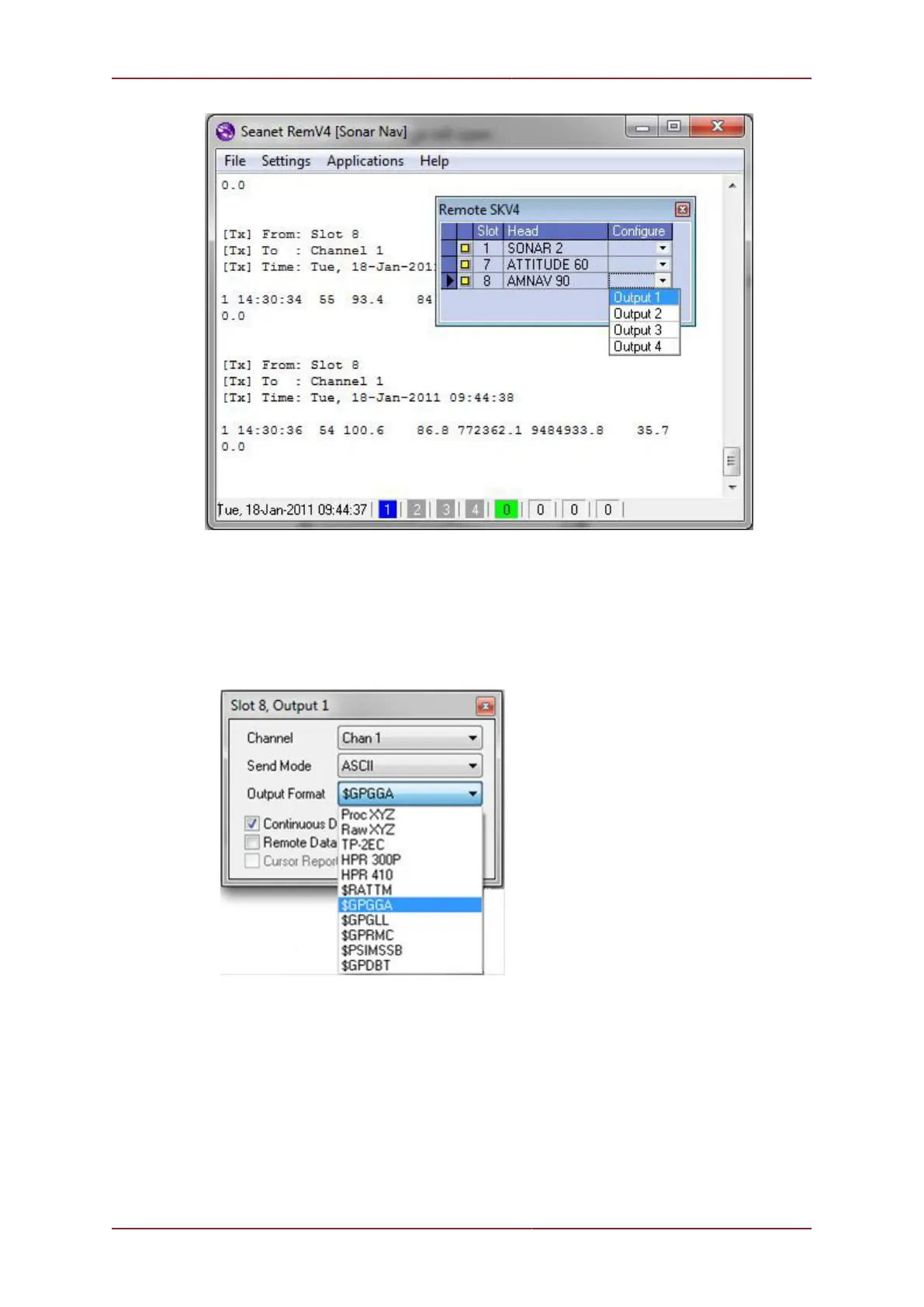
3. The ‘Output 1’ page will open:
• Set the Channel (Chan 1.. Chan 4) for the output string. Note: A COM port will later be
configured for this Channel.
• Set the ‘Output Format’ of string that is required (the drop-down list showing the 11
available strings is shown below).
• Some Output Formats have different ‘Send Mode’ options (e.g. ASCII, Binary, Hex,
CSV) which may also need to be configured.
• Ensure ‘Continuous Data Output’ is enabled.
• An ‘ID:’ drop-down list will appear when ‘GPGGA’, ‘GPGLL’ or ‘GPRMC’ Output Format
is selected. These string formats do not have an ID field and so they must be used with
only 1 beacon. Therefore a beacon ID must be selected from the ‘ID:’ drop-down list for
each format (‘R0’ = Responder, ‘T1’..’T15’ = Transponders, 'INS' = Micron INS, ‘Auto’
= will auto-set to first ID detected).



 To Next Page