Conversion Between MicronNav Responder and Transponder MicronNav System
0656-SOM-00001-07 139 © Tritech International Ltd.
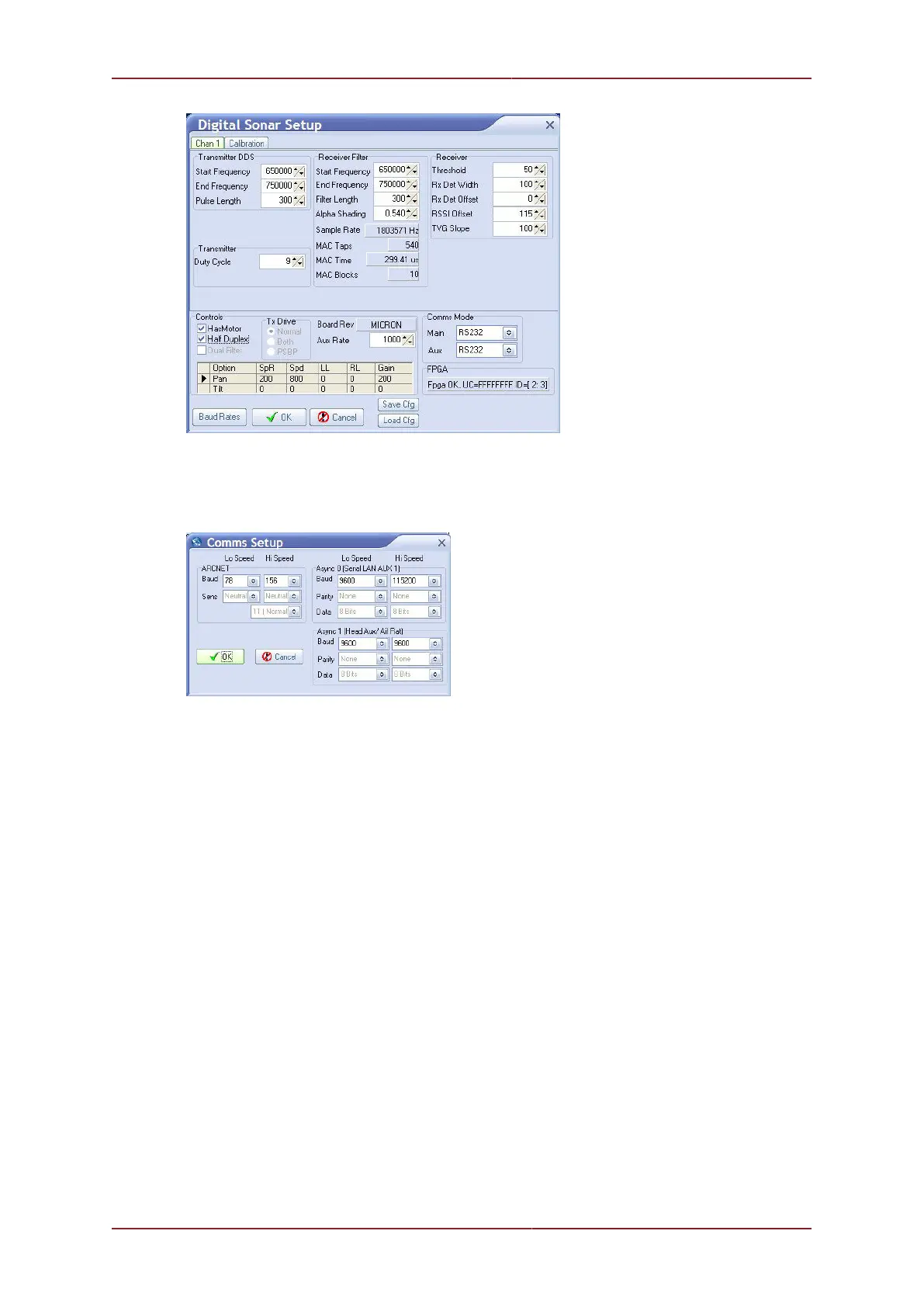
At the bottom-right of the page is the Comms Mode selection panel. Set the Aux to RS232
and click the Baud Rates button at the bottom-left of the page to open the Comms Setup
window. Set the Async 1 [Head Aux/Aif Rat] baud to 9600 (for both Lo Speed and
Hi Speed).
Confirm the settings and close the Comms Setup page and then confirm the Sonar Setup
and return to the Seanet Setup page. Remove power from the Micron Sonar/ROV and
connect the Aux port of the micron Sonar to the Main port of the Responder using an
appropriate interconnect lead.
Switch on power to the Micron Sonar/ROV and check the Micron reappears in the Seanet
Setup page. This complete the installation configuration.
11.3.2. Configure Seanet Pro Responder Mode
Run the Seanet Pro program by clicking on the Seanet Pro shortcut on the desktop. The
following screens should be displayed but if not navigate to the Applications menu and
select Sonar Nav from the list. If video is also required, select Sonar Nav Video



 To Next Page