Installing the System MicronNav System
0656-SOM-00001-07 41 © Tritech International Ltd.
3.2.8. Data Input from an ROV
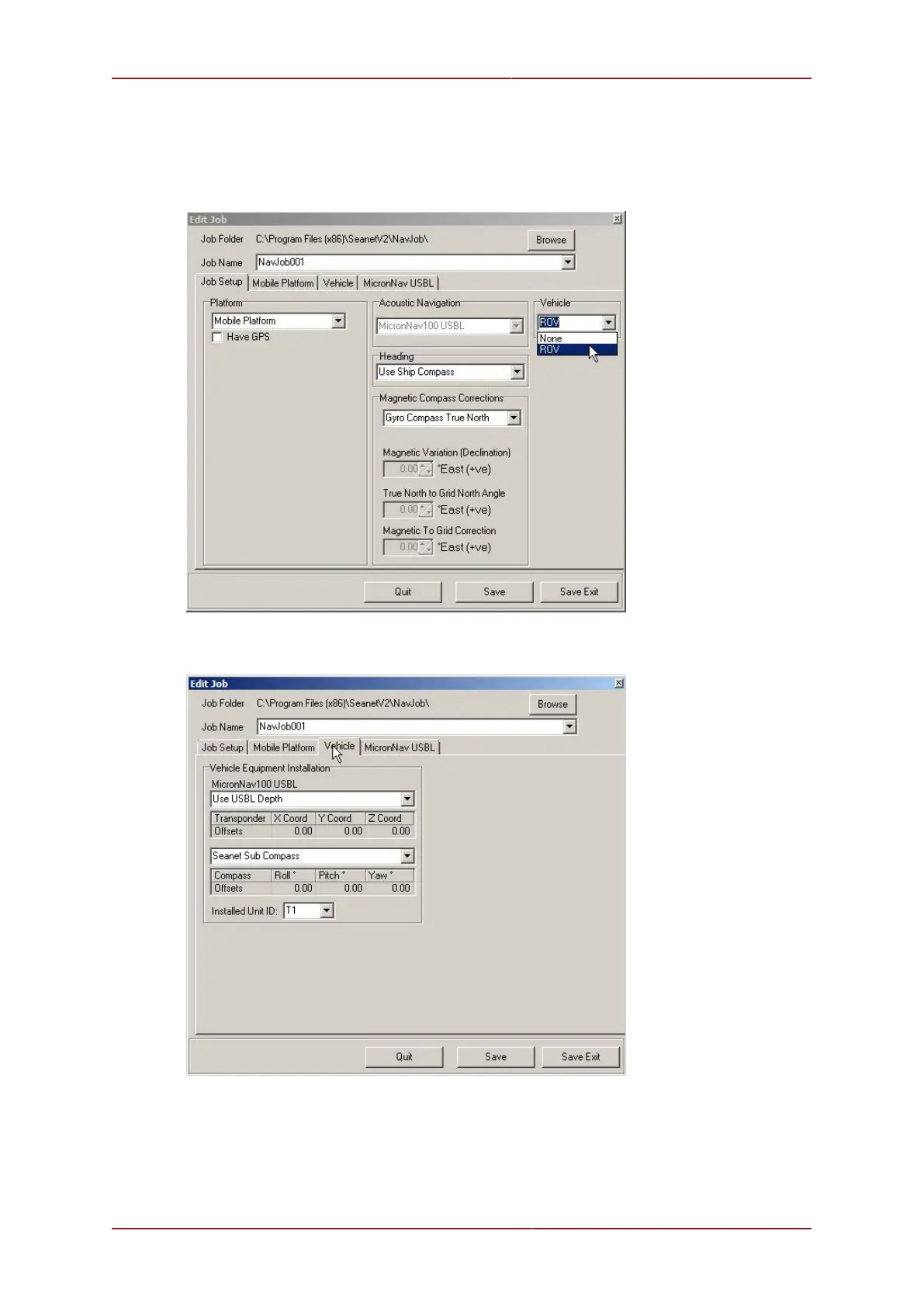
If the ROV option is selected from the Vehicle drop down list in Job Setup the Vehicle
tab will become visible and allow further configuration.
Selecting the Vehicle tab will bring up the following dialog:
The source for the depth data for the ROV can then be configured by selecting from the
drop down menu. Choose between Use USBL Depth, Use Seanet Depth Gauge, Use
SK701/704 Bathy (if a SeaKing 700 Series (Bathy) is available on the system) or INS
Depth (if a Micron INS is avalable).



 To Next Page