Installing the System MicronNav System
0656-SOM-00001-07 42 © Tritech International Ltd.
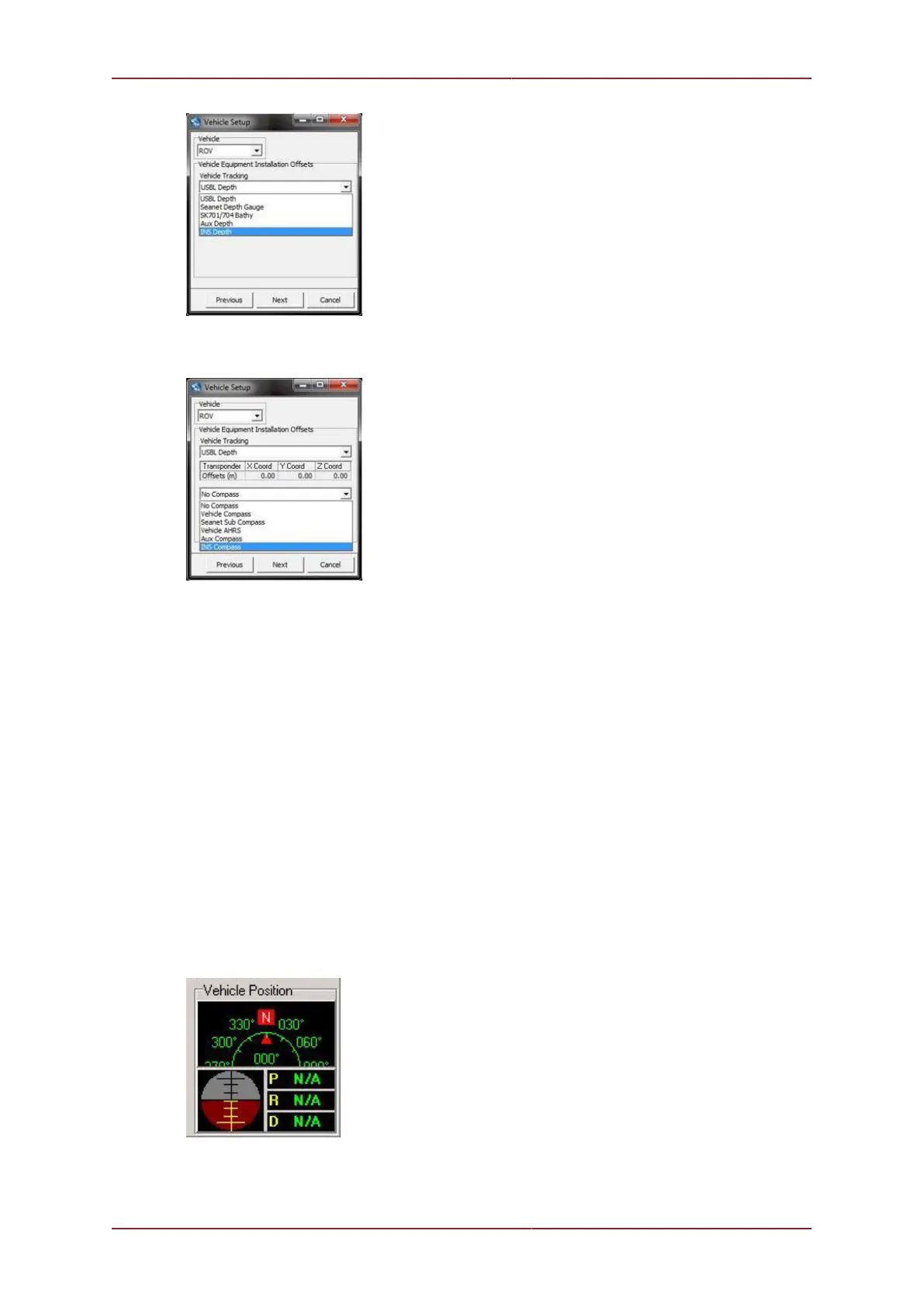
The heading can be set from the drop-down list as follows:
Vehicle Compass– available from any supported vehicle communication input (such as
vLBV).
Seanet Sub Compass is an input device configured through the Com Setup dialog (Utilities
menu -> Com Setup). From within Com Setup navigate to the New menu and select Sub
Compass to add it to the available devices.
Vehicle AHRS – eg from SBG AHRS Input from the Utilities menu # Com Setup.
Aux Compass – from the Aux Device Input selected in the Utilities menu # Com
Setup.
INS Compass – use the compass from an attached Micron INS.
The vehicle data from an ROV can be displayed on a chart display by right-clicking on the
chart and selecting Configuration. From within the Configuration dialog it is possible to
select one or more of the ROV attributes to be displayed (Depth, Heading and Pitch/
Roll) or hide the display completely. When enabled a Vehicle Position display will be
shown in the bottom right of the screen:



 To Next Page