Installing the System MicronNav System
0656-SOM-00001-07 40 © Tritech International Ltd.
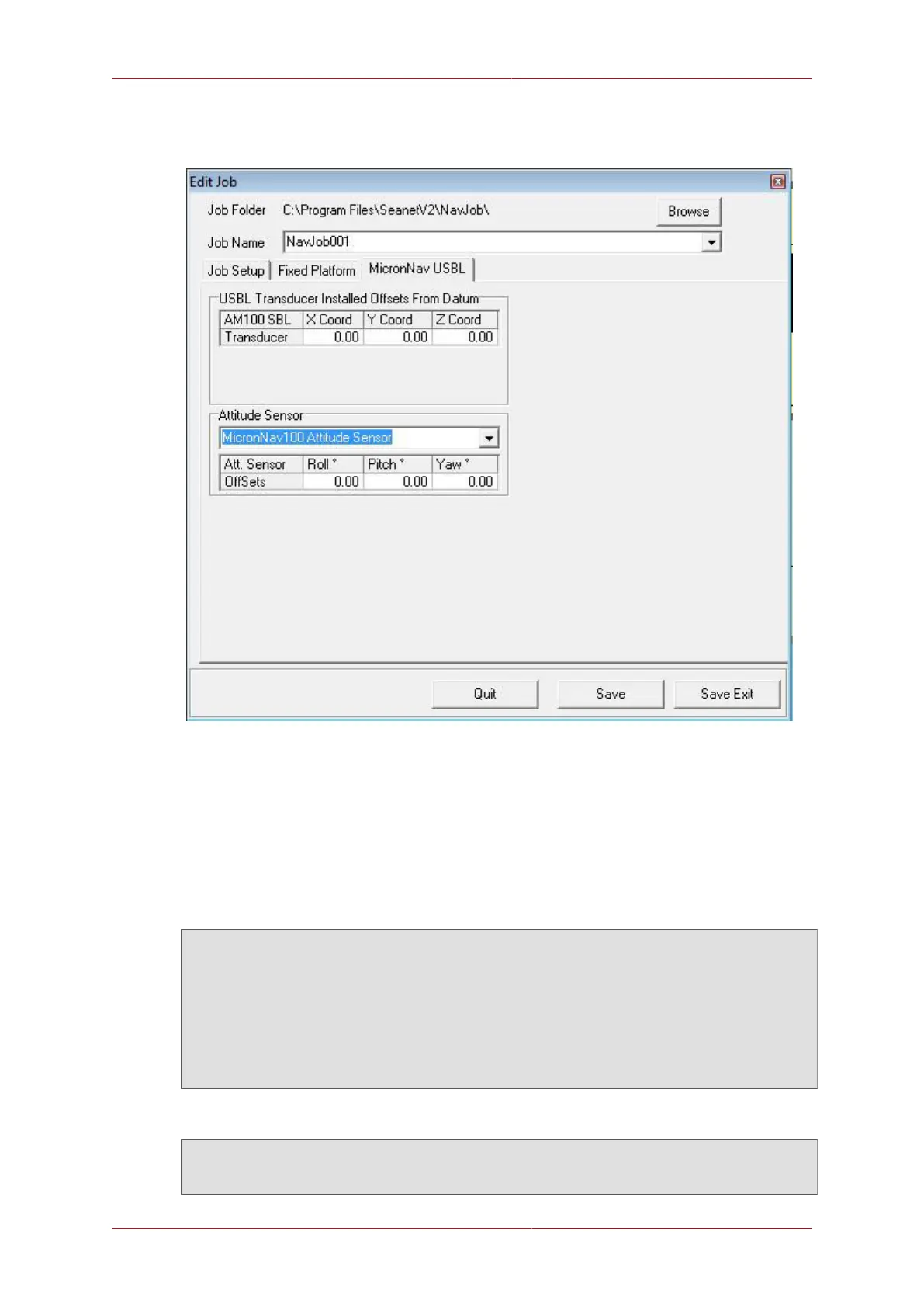
Step 2: Next, in the MicronNav USBL tab-page, ensure the Attitude Sensor drop-down is
set to MicronNav100 Attitude Sensor.
Step 3: Click on Save Exit to immediately update the Job and apply changes. The Integral
Attitude Sensor Pitch/Roll will still be applied and the External Compass data input(s) will
now be used in place of Integral Sensor Compass data.
Heading/Pitch/Roll string compatibility
The following strings are detected and interpreted by Seanet Pro as standard
Compatible Strings with Attitude:
TCM2 $C123.4P12.3R12.3T12.3X123.4Y123.4Z123.4E000*FF<CR><LF>
NMEA ‘TRO’ $--TRO,x.xx,a,y.yy,b*kk<CR><LF>
NMEA ‘TRH’ $--TRH,x.xx,a,y.yy,b,z.zz,c*kk<CR><LF>
CDL1 H123.4P+123.45R+123.45T00.0D00000.0B00.0FR<CR><LF>
MDL H0750P-0019R-0022<CR><LF>
Digilog/OceanTools H0750P-0019R-0022E<CR><LF>
CDL MicroTilt P+12.34R+12.34<CR><LF>
TSS1 :XXAAAASMHHHHQMRRRRSMPPPP<CR><LF>
SMC ‘SMCS’ $PSMCS,±yy.yyy,±xx.xxx,±hh.hh<CR><LF>
SMC ‘SMCD’ $PSMCD,±yy.yy,±xx.xx,±zzz.z,±yv.yv,±xv.xv,±zv.zv*hh<CR><LF>
Compatible Strings with Heading:
HDG $--HDG,x.x,x.x,a,x.x,a*hh<CR><LF>
HDT $--HDT,x.x,T*hh<CR><LF>
HDM $--HDM,x.x,M*hh<CR><LF>



 To Next Page