Operation MicronNav System
0656-SOM-00001-07 65 © Tritech International Ltd.
configured by setting Cog/Sog, Heading display and Set System Time
to None and only selecting a string for the Lat/Lon Display as is shown in
the screen shot.
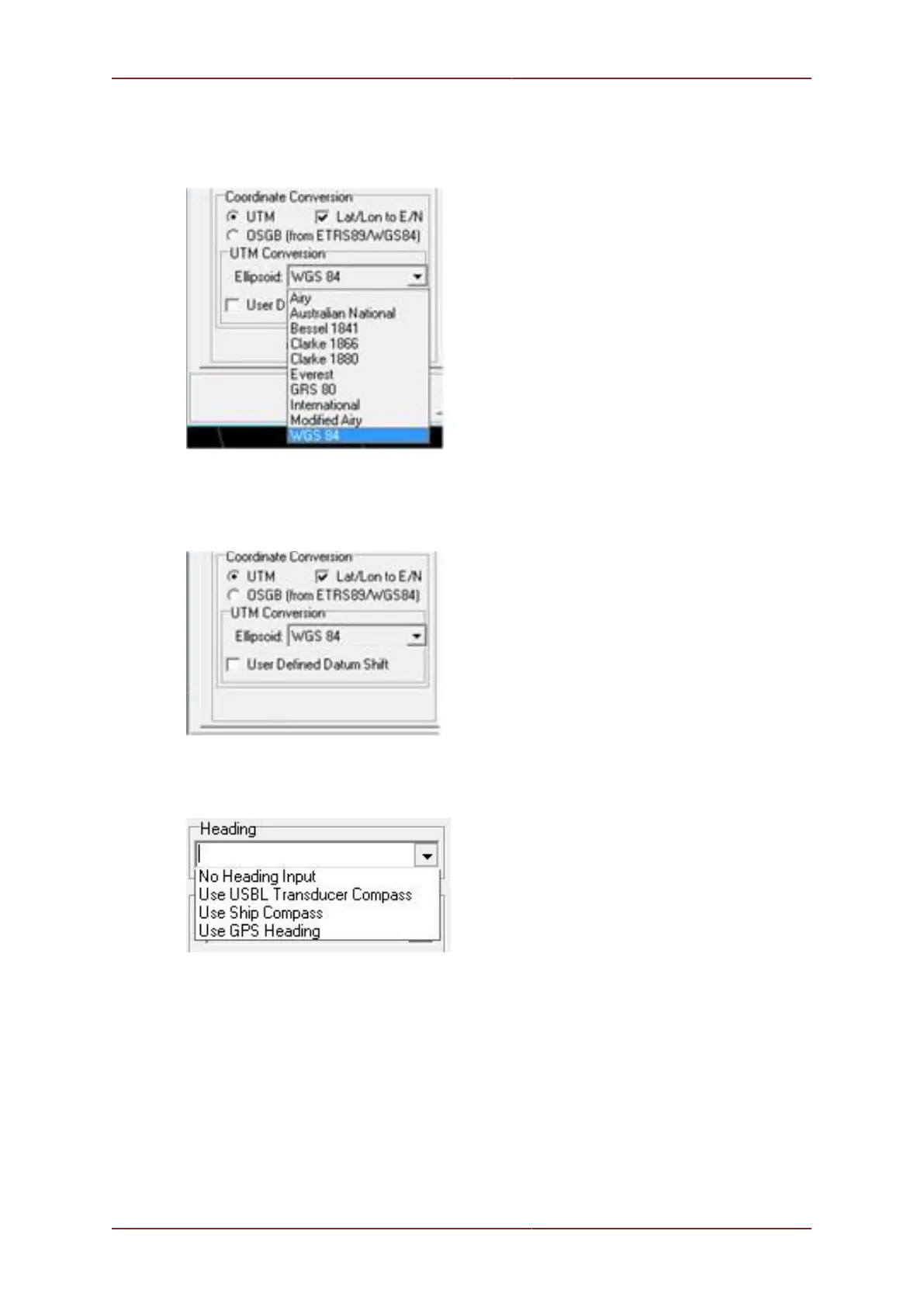
If it is necessary to display the position in Metric co-ordinates rather than Geogs, the Lat/
Lon to E/N box must be checked and parameters set up accordingly. If using UTM then
a range of ellipsoids are available.
Click on User Defined Datum Shift to apply a Geodetic datum shift to the reference
co-ordinates.
A Heading Input is used to orientate the USBL head with the ship and tie in any offsets
between the GPS and Dunking transducer in order to calculate and display the world position.
The source of the heading data must be selected from the drop down menu. To use the
integral USBL Dunking Transducer compass Use USBL Transducer Compass should
be selected. The USBL compass, however, is a magnetic type and will easily be disturbed
especially if operated from a steel vessel. If the USBL compass proves unusable then an
external compass should be selected by choosing Use Ship Compass. See Section 3.2.7,
“Connecting optional third party High Accuracy Heading/Pitch/Roll MRU Sensors” for more
details on how to configure an external compass.



 To Next Page