Operation MicronNav System
0656-SOM-00001-07 71 © Tritech International Ltd.
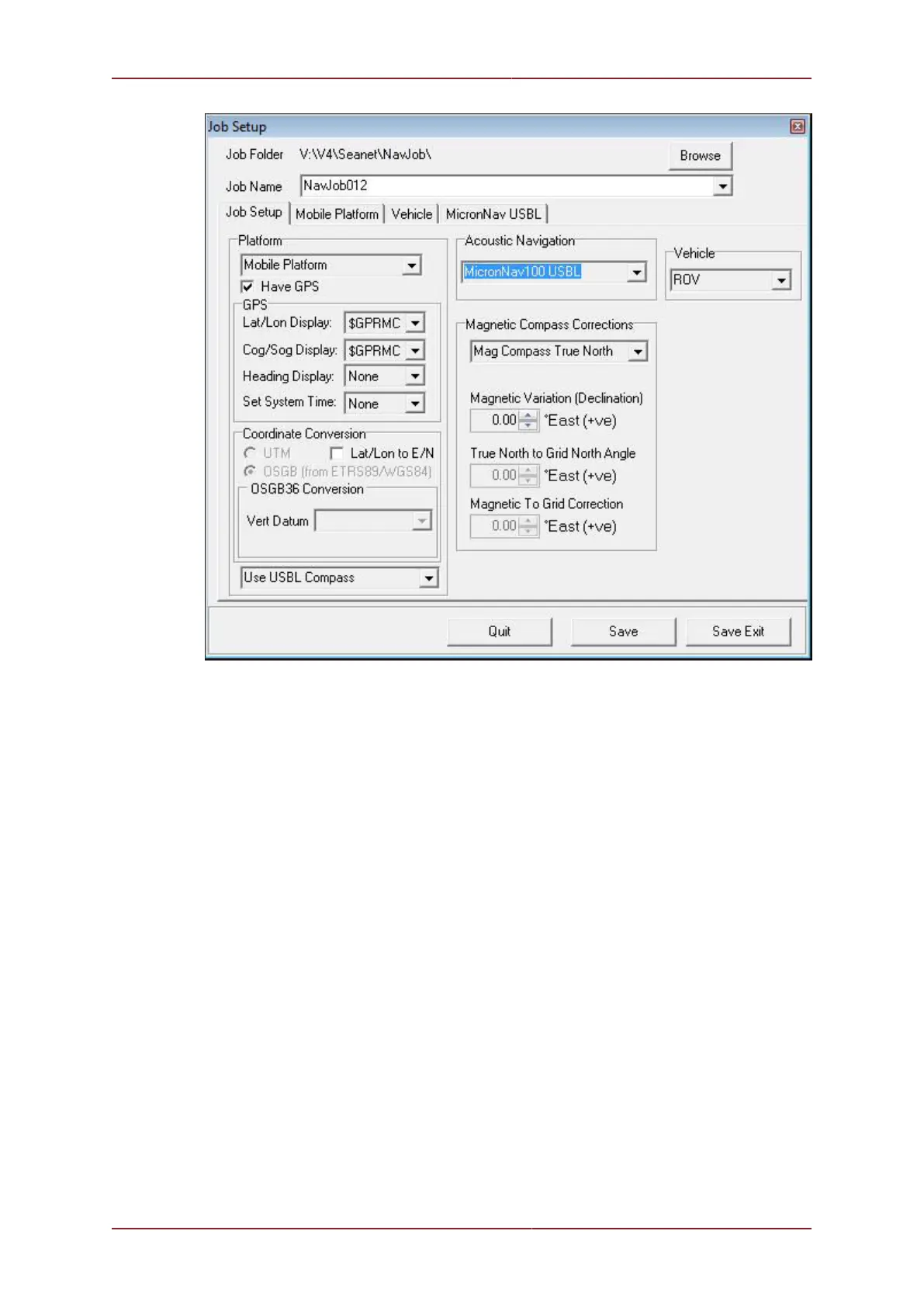
4. In the Coordinate Conversion’ panel below that, configure this according to how position
data should be displayed on-screen (and sent remotely). This can be in either Lat/Lon or
Easting/Northing format. In E/N format, a UTM or OSGB projection can be performed with
several Ellipsoids available for selection (with the UTM conversion).
5. Ticking the ‘User Defined Datum Shift’ tick-box will apply a datum correction to the
incoming GPS Lat/Lon data. This will be applied in the UTM E/N data output – ensure the
correct Ellipsoid is selected for this.
Example 1
In this Example, the incoming GPS WGS84 Lat/Lon position data is corrected with a Datum
shift (“Aratu ES”) specific to a region in Brazil (UTM Zone 24S). The output co-ordinates are
Aratu ES corrected WGS84 Lat/Lon. Here is quick procedure:
In the ‘Job Setup’ page, the ‘User Defined Datum Shift’ tick-box is ticked



 To Next Page