50
General Information
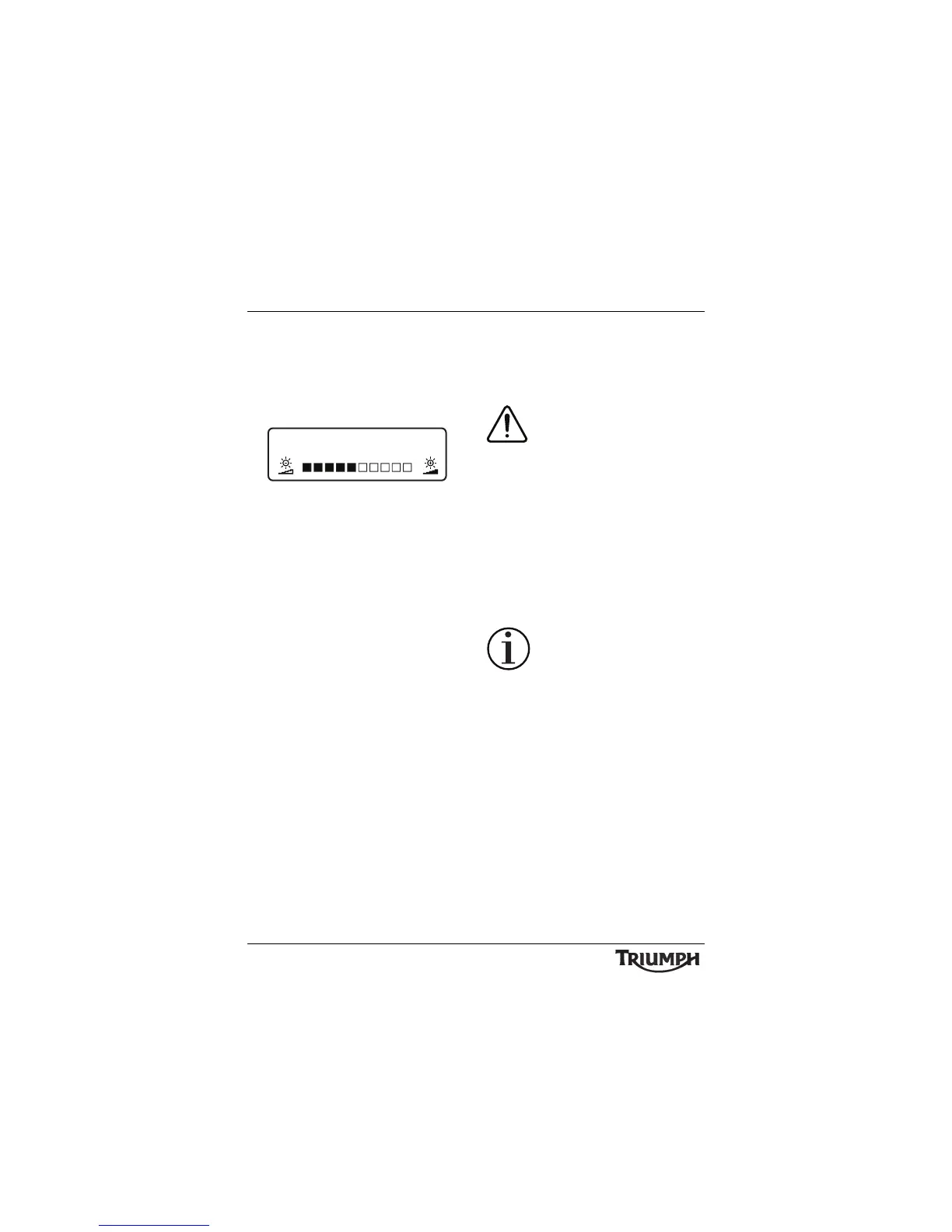
• BRIGHTNESS - press the SCROLL
button to adjust the instrument
brightness using the adjustment slider
between levels 1 (lowest) to 10 (highest).
Press the SELECT button to save the
selection and exit.
Brightness Adjust
The instruments are also fitted with an
ambient light sensor which adjusts the
instrument brightness to an optimal level for
all riding conditions. This allows the rider’s
preferred setting to be adjusted automatically
to suit riding in daylight, dusk and night-time
conditions.
Note:
• Setting the brightness under artificial
lighting (in a garage for example)
may produce unpredictable results.
Always adjust the brightness setting
under natural light.
Lower Message Area
This area displays warning and information
messages, using different layouts depending
upon the message type.
Warning Messages
The following Warning messages
may be displayed if a fault is
detected:
• COOLANT TEMP HIGH (see page 27);
• OIL PRESSURE LOW (see page 27)
• BATTERY LOW (see page 27);
• ABS SYSTEM DISABLED (see page 29);
• CHECK MANUAL - TES SYSTEM (see
page 58);
• TTC SYSTEM DISABLED (see page 55);
• FRONT/REAR TIRE PRESSURE LOW
(see page 52).
Information Messages
The following information
messages may be displayed:
• PLEASE WAIT - TES SYSTEM
CALIBRATING (accompanied by a 'wait'
icon) (see page 58);
• PLEASE WAIT - TES SYSTEM
ADJUSTMENT IN PROGRESS
(accompanied by a 'wait' icon) (see
page 58);
• TES SYSTEM ADJUSTMENT
COMPLETE (see page 58);
•TPMS - BATTERY LOW FRONT/REAR
TIRE (see page 52);
• CHECK MANUAL - TPMS SYSTEM
FAULT - SENSOR SIGNAL (see
page 52);
• CHECK MANUAL - CRUISE
CONTROL DISABLED (see page 59);
BRIGHTNESS








 To Next Page