92
Close button
Pressing this button will close 'Calibration' window and display main XPCS
window.
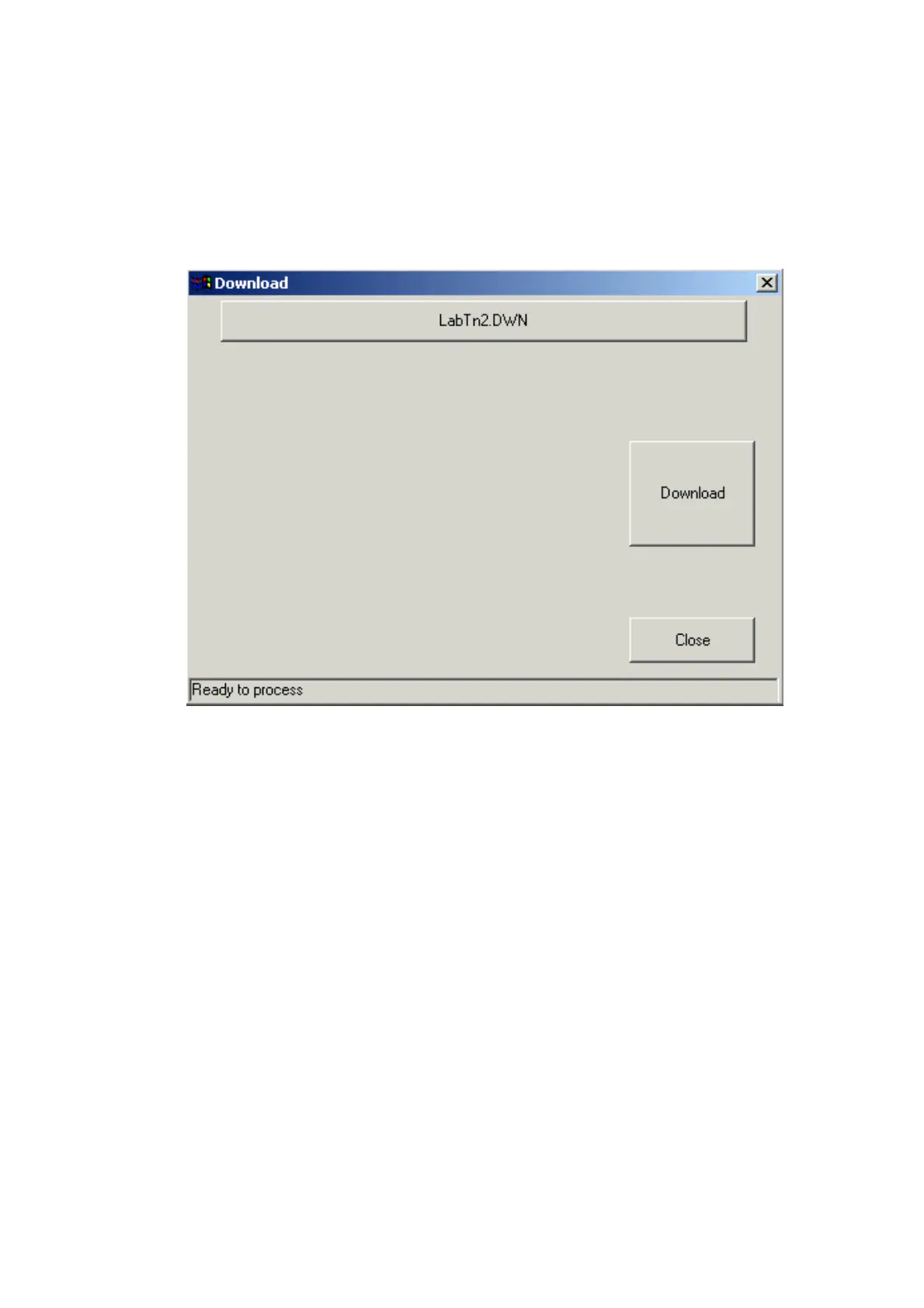
Download window
This window allow download PCS code file.
Type file button
Press this button to select requested file to download. The PCS Downloadable
file type is: *.DWN. The names of the selected file are displayed on the button.
Note: No need to select type file, if requested file name already displayed on
the button (In example: "LabTn2.DWN").
Status Bar
The status bar at the bottom of the window, displaying current downloading
process status (In Example: "Ready to process").
'Download' Button
Press this button to perform download with selected file. When download
performing, the program displaying on the window downloading process
progress messages. After download process are finished, the status bar
displaying "Download Finished".


 To Next Page
 Loading...