EasyManua.ls Logo

Tuttnauer EA - Description of Front Panel Keyboard

Tuttnauer EA
72 pages
Print Icon
To Next Page IconTo Next Page
To Previous Page IconTo Previous Page
Loading...
(5)
(6)
(7)
(8)
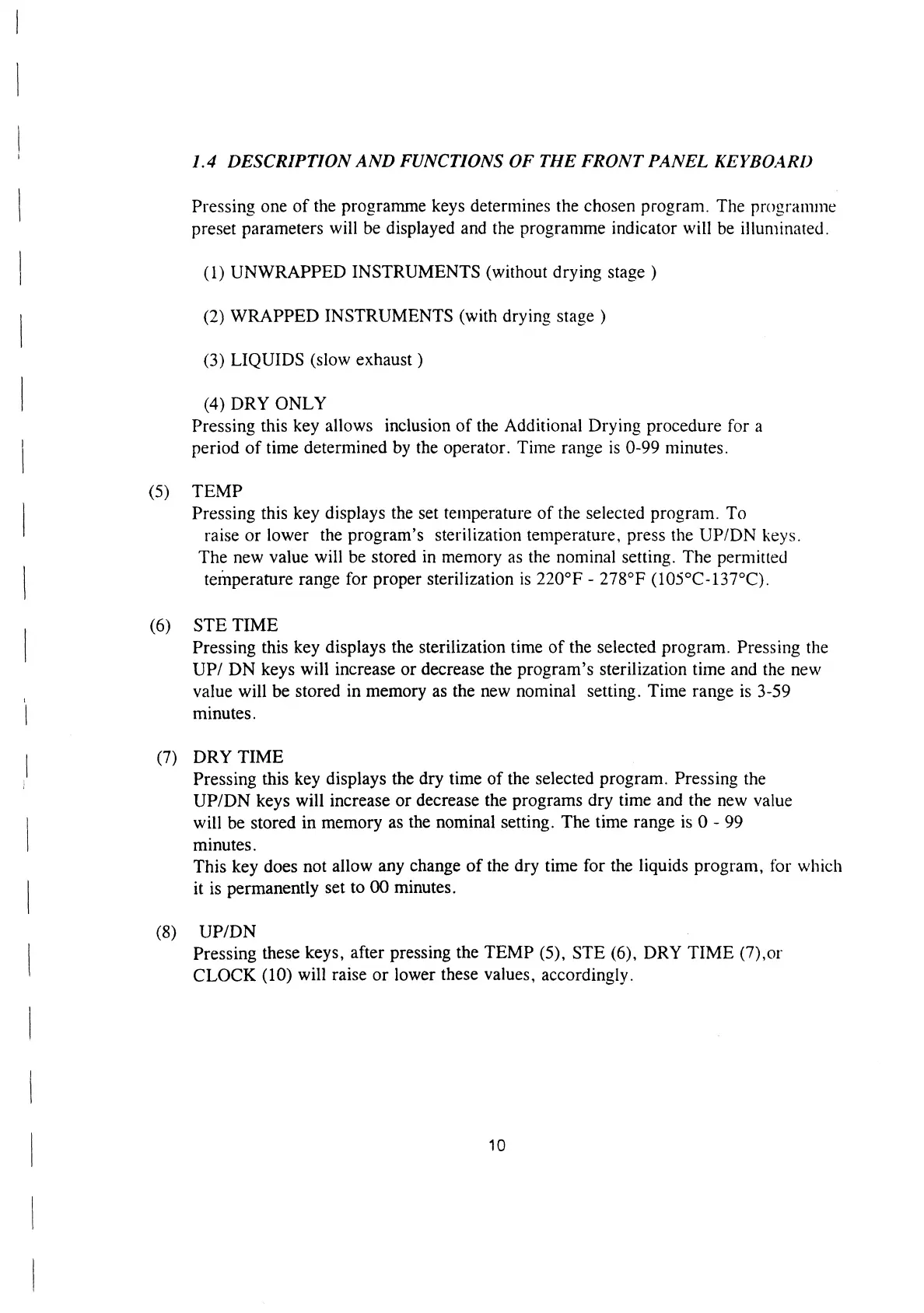
1.4
DESCRIPTION
AND
FUNCTIONS
OF
THE
FRONT
PANEL
KEYBOARD
Pressing
one
of
the
programme
keys
determines
the
chosen
program.
The
programme
preset
parameters
will
be
displayed
and
the
programme
indicator
will
be
illuminated.
(1)
UNWRAPPED
INSTRUMENTS
(without
drying
stage
)
(2)
WRAPPED
INSTRUMENTS
(with
drying
stage
)
(3)
LIQUIDS
(slow
exhaust
)
(4)
DRY
ONLY
Pressing
this
key
allows
inclusion
of
the
Additional
Drying
procedure
for
a
period
of
time
determined
by
the
operator.
Time
range
is
0-99
minutes.
TEMP
Pressing
this
key
displays
the
set
temperature
of
the
selected
program.
To
raise
or
lower
the
program’s
sterilization
temperature,
press
the
UP/DN
keys.
The
new
value
will
be
stored
in
memory
as
the
nominal
setting.
The
permitted
temperature
range
for
proper
sterilization
is
220°F
-
278°F
(105°C-137°C).
STE
TIME
Pressing
this
key
displays
the
sterilization
time
of
the
selected
program.
Pressing
the
UP/
DN
keys
will
increase
or
decrease
the
program’s
sterilization
time
and
the
new
value
will
be
stored
in
memory
as
the
new
nominal
setting.
Time
range
1s
3-59
minutes.
DRY
TIME
|
Pressing
this
key
displays
the
dry
time
of
the
selected
program.
Pressing
the
UP/DN
keys
will
increase
or
decrease
the
programs
dry
time
and
the
new
value
will
be
stored
in
memory
as
the
nominal
setting.
The
time
range
is
O
-
99
minutes.
This
key
does
not
allow
any
change
of
the
dry
time
for
the
liquids
program,
for
which
it
is
permanently
set
to
00
minutes.
UP/DN
Pressing
these
keys,
after
pressing
the
TEMP
(5),
STE
(6),
DRY
TIME
(7),or
CLOCK
(10)
will
raise
or
lower
these
values,
accordingly.
10

Related product manuals