EasyManua.ls Logo

Tuttnauer EA - Printer Handling

Tuttnauer EA
72 pages
Print Icon
To Next Page IconTo Next Page
To Previous Page IconTo Previous Page
Loading...
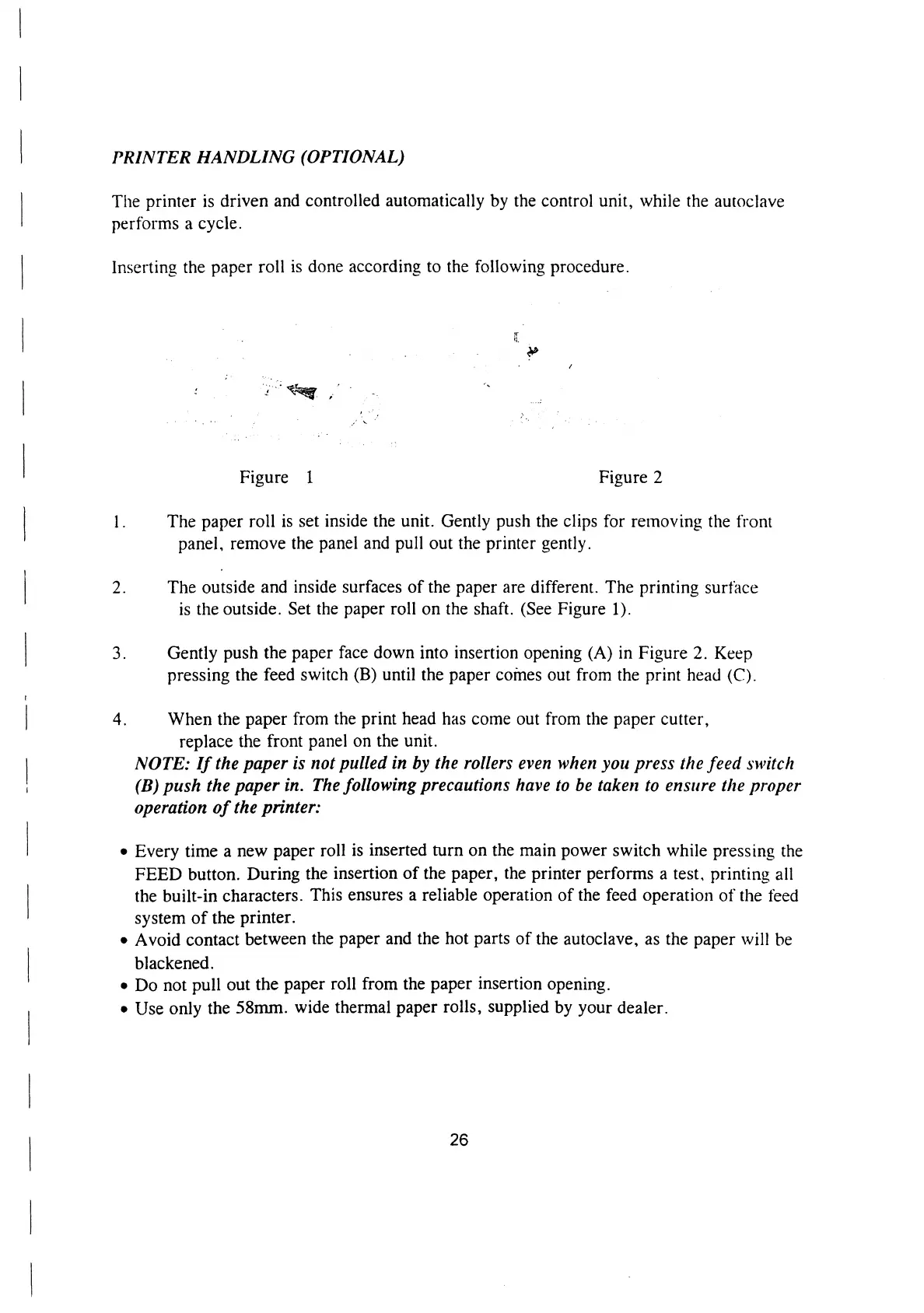
PRINTER
HANDLING
(OPTIONAL)
The
printer
is
driven
and
controlled
automatically
by
the
control
unit,
while
the
autoclave
performs
a
cycle.
Inserting
the
paper
roll
is
done
according
to
the
following
procedure.
»
Figure
1
Figure
2
1
.
The
paper
roll
is
set
inside
the
unit.
Gently
push
the
clips
for
removing
the
front
panel,
remove
the
panel
and
pull
out
the
printer
gently.
2.
The
outside
and
inside
surfaces
of
the
paper
are
different.
The
printing
surtace
is
the
outside.
Set
the
paper
roll
on
the
shaft.
(See
Figure
1).
3.
Gently
push
the
paper
face
down
into
insertion
opening
(A)
in
Figure
2.
Keep
pressing
the
feed
switch
(B)
until
the
paper
comes
out
from
the
print
head
(C).
4.
When
the
paper
from
the
print
head
has
come
out
from
the
paper
cutter,
replace
the
front
panel
on
the
unit.
NOTE:
If
the
paper
is
not
pulled
in
by
the
rollers
even
when
you
press
the
feed
switch
(B)
push
the
paper
in.
The
following
precautions
have
to
be
taken
to
ensure
the
proper
operation
of
the
printer:
e
Every
time
a
new
paper
roll
is
inserted
turn
on
the
main
power
switch
while
pressing
the
FEED
button.
During
the
insertion
of
the
paper,
the
printer
performs
a
test,
printing
all
the
built-in
characters.
This
ensures
a
reliable
operation
of
the
feed
operation
of
the
feed
system
of
the
printer.
e
Avoid
contact
between
the
paper
and
the
hot
parts
of
the
autoclave,
as
the
paper
will
be
blackened.
e
Do
not
pull
out
the
paper
roll
from
the
paper
insertion
opening.
e
Use
only
the
58mm.
wide
thermal
paper
rolls,
supplied
by
your
dealer.
26

Related product manuals