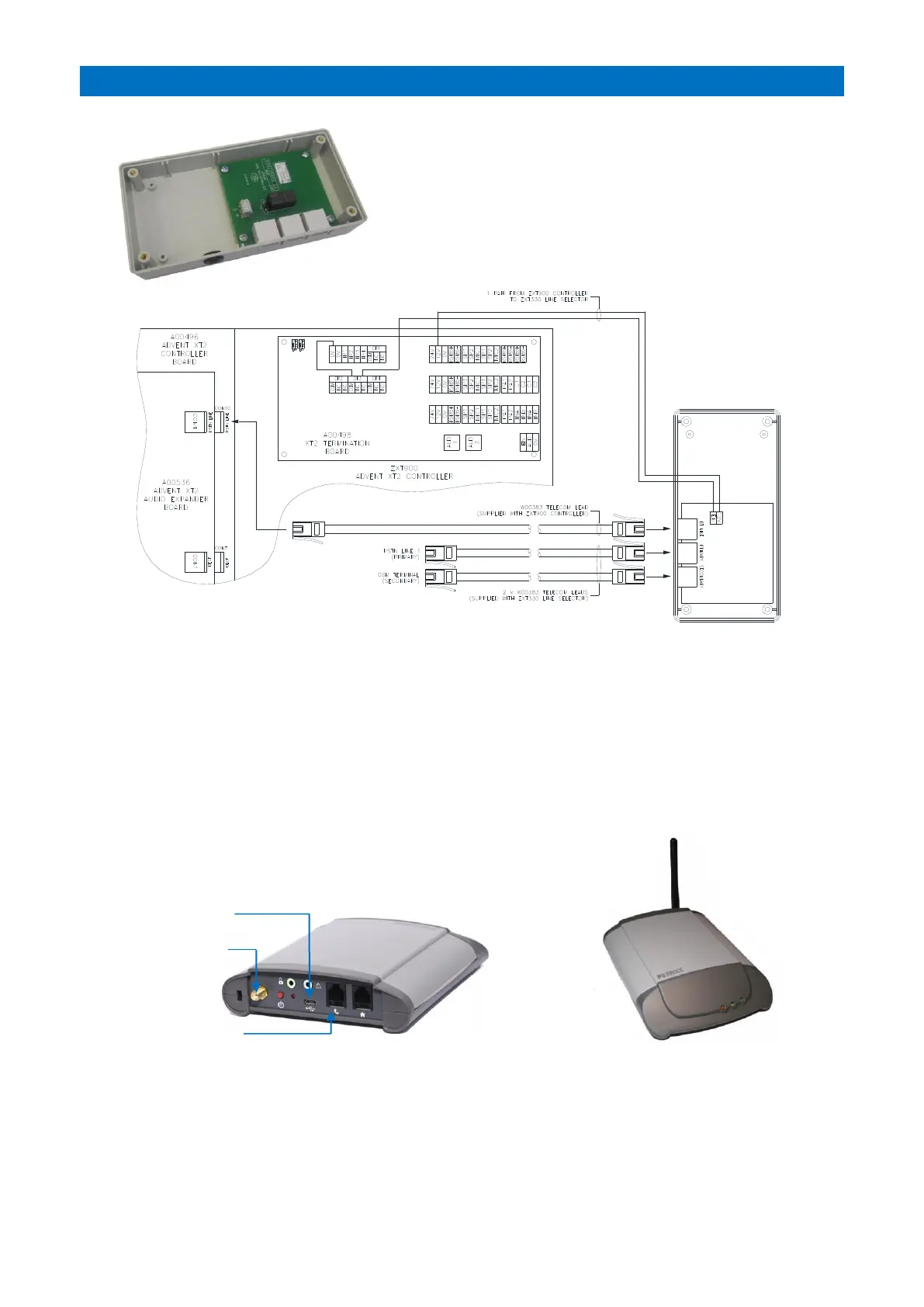
The Line Selector (Tynetec P/No. ZXT330) can be connected to
the Advent XT2 controller if a GSM cellular terminal is specified
for fail safe operation.
If the land line fails, then the GSM terminal will automatically be
selected. Once the land line is restored the system will
automatically switch back.
INSTALLATION
Wire the Line Selector 12V & EN terminals to the Advent XT2 termination board as shown above.
Use a Telecom Lead to connect the Advent XT2 controller PSTN LINE (CON10) to the Line Selector BT LINE socket.
Use a Telecom Lead to connect the Telephone Line Master Socket to the Line Selector PRIMARY socket.
Use a Telecom Lead to connect the GSM Cellular Terminal to the Line Selector SECONDARY socket.
PROGRAMMING
DTMF Relay 3 must be disabled (FF) in the Inputs & Outputs programming.
GSM Enable must be set in the Offsite PSTN Setup programming.
See the Advent XT2 Programming Manual (Doc No. FM0815).
GSM CELLULAR TERMINAL
The GSM Cellular Terminal (Tynetec P/No. W02121) is connected to the SECONDARY
output of the Line Selector using the Telecom lead and RJ11/BT adapter - see below.
USB Charger Socket
Antenna Socket
TEL Socket
Plug the RJ11/BT adapter provided with the GSM module into the TEL Socket then connect to Line Selector
SECONDARY Socket using the Telecom lead.
Connect the USB Charger and antenna provided with the GSM module then plug into a mains supply.
Refer to the Burnside Telecom TX-2LR user guide for setup details.



 To Next Page