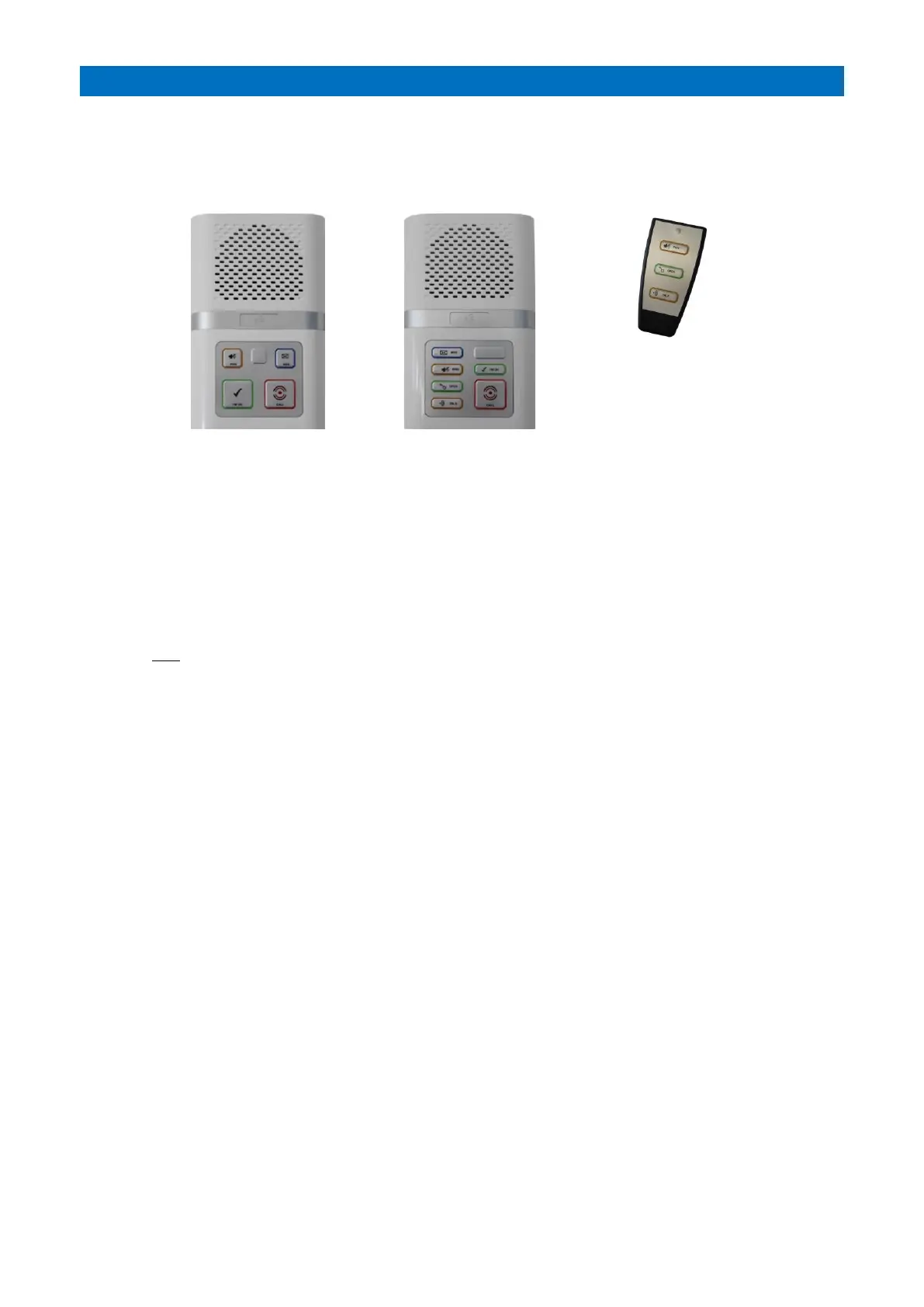
There a two types of Advent XT2 intercom; standard with warden call features only, or the door entry type with an
additional 2 buttons to answer a call from the door entry panel and release the electric door lock.
INTERCOM BUTTON FUNCTIONS
Press the CALL button (or pull the ORANGE alarm pullcord) on the intercom to make an alarm call. The CALL LED will
illuminate STEADY RED when an alarm call is made, it will be FLASHING RED when the intercom is awaiting Extracare
cancellation. In standby mode the CALL button will normally be DIM RED, this can be turned on/off by pressing the
I’M OK button. Note: the alarm button will always illuminate bright red when an alarm call is made.
Press the PRIV button to toggle privacy on/off; when privacy is ON the LED will illuminate AMBER and the microphone
in the intercom is turned off, i.e. the Manager (or ARC) cannot listen-in to the resident. On a door entry intercom
having privacy mode ON will also stop any calls being received from the door entry panel. Note; any alarm call will
automatically override privacy mode for about 15 minutes.
Press and hold the PRIV button to select away mode; when away mode is enabled a series of tones will sound and the
LED will be FLASHING AMBER. I’m OK and activity monitoring will be disabled.
If the I’M OK LED is FLASHING GREEN and 2 tones sound every 20 seconds (note: beeps can be turned on/off globally)
the resident can press the I’M OK button to let the manager know they are OK.
If the MSG LED is FLASHING BLUE and a series of tones sound every 60 seconds then there’s a message waiting.
The message can be played by pressing the MSG button.
The white SPANNER symbol button is used to enter Test Mode to check the operation of ceiling pullcords, personal
pendants, PIR’s etc. without activating an alarm call on the system. See section 17 for details.
When a door entry call is made the intercom will sound a ring tone and the TALK LED will be FLASHING AMBER, press
the TALK button once to answer the door entry call and the TALK LED will be STEADY AMBER during speech to the
door. Press the PRIV button to end the call without letting the visitor in.
To allow the visitor in press the OPEN button, the LED will illuminate STEADY GREEN for 5 seconds. If the OPEN LED is
FLASHING GREEN the door has been left open.
PRIVACY MODE
Privacy can be set independently for warden call and door entry mode as on/off or with a timed auto-reset in the
Tenants Units Create/Edit and Tenants Door Entry Setup programming respectively - see the Advent XT2
Programming Manual (Doc No FM0815).
OPTIONAL REMOTE CONTROL
During a door entry call the Remote Control TALK, OPEN & PRIV buttons operate as described above.
With no door entry call in progress the TALK button can be used to acknowledge I’M OK or play a Message.
With no door entry call in progress the PRIV button will toggle privacy mode on/off.
Note: changing the privacy mode also acknowledges “I’m OK” as it is seen as resident activity.
If the battery in the remote control is running low the light the SPANNER button will be FLASHING WHITE.
Remove the screw from the rear of the Remote Control and replace the 3.6V ½ AA Lithium battery.
Press any button on the Remote Control to clear the flashing white light.



 To Next Page