Doc No. FM0804 issue 4 Page 23
15. INTERCOM UNIT DIL SWITCHES & LINK SETTINGS
Each intercom must be setup with a unique Address and the Options switches/links must be set depending on the
type of intercom, how it is being used and what auxiliary devices are connected.
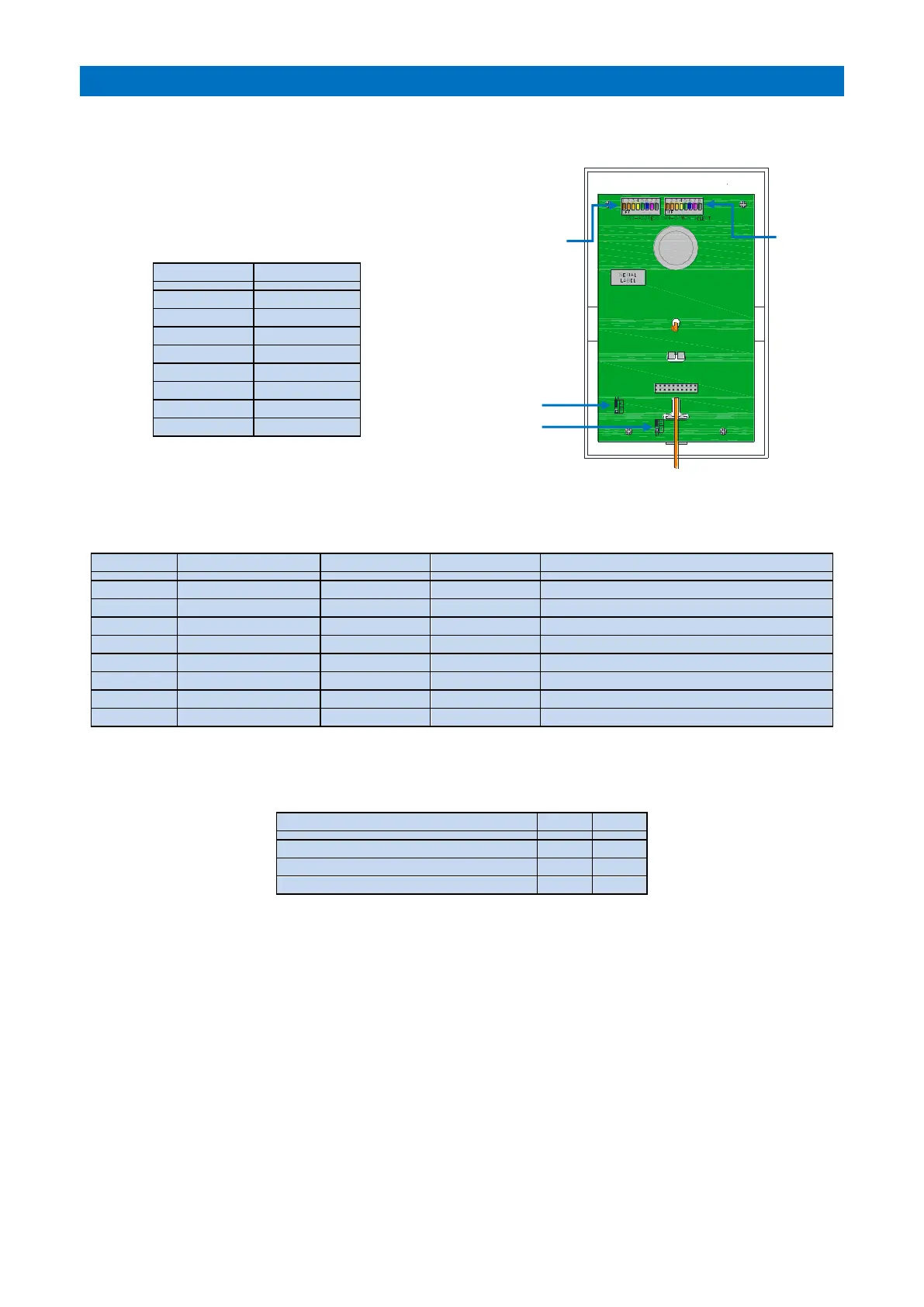
INTERCOM “ADDRESS” DIL SWITCH
The intercom Address must be set sequentially using an 8 bit binary
code starting from “1” in the lowest flat number on the site.
Note: binary “0” (all DIL switches set OFF) is not used.
INTERCOM “OPTION SELECT” DIL SWITCH
The intercom type i.e. standard or door entry, and any additional equipment connected to an intercom must be
enabled via the Option Select DIL switch.
ON if a ZXT925 I/O Expander is connected
ON if it is a ZXT930/31 Door Entry Intercom
ON if a ZXT955 Telephone is connected
ON if connected as an Extension Intercom
ON if a ZSL060 Strobe is connected
ON if normally closed Pullcords are connected
ON to disable PA speech & fire tone
INTERCOM LINKS LK1 & LK2
The intercom links will normally be both set in position “A” unless an Extension intercom is connected.
Intercom with no extension connected
Intercom with an extension connected
Intercom connected as an extension
RELAY OUTPUT
A relay output can be activated by the Manager/ARC when a speech channel is open to the intercom.
The normally open contacts are on terminals 16 & 17 - contact rating: 30VDC @ 1A.
PROGRAMMING
The total number of intercom units is set in the RS485 Network Setup programming and their ID’s must be set in the
Tenants Units Create/Edit programming – see the Advent XT2 Programming Manual (Doc No FM0815).
BEEPING INTERCOMS
If an intercom “beeps” every 10 seconds, then its ID has been set greater than the number of intercoms set in the
system programming. If an intercom beeps every few minutes, it is not receiving data (or the data is corrupt).



 To Next Page