Removing/Inserting the bobbin case
Danger of injury if the machine
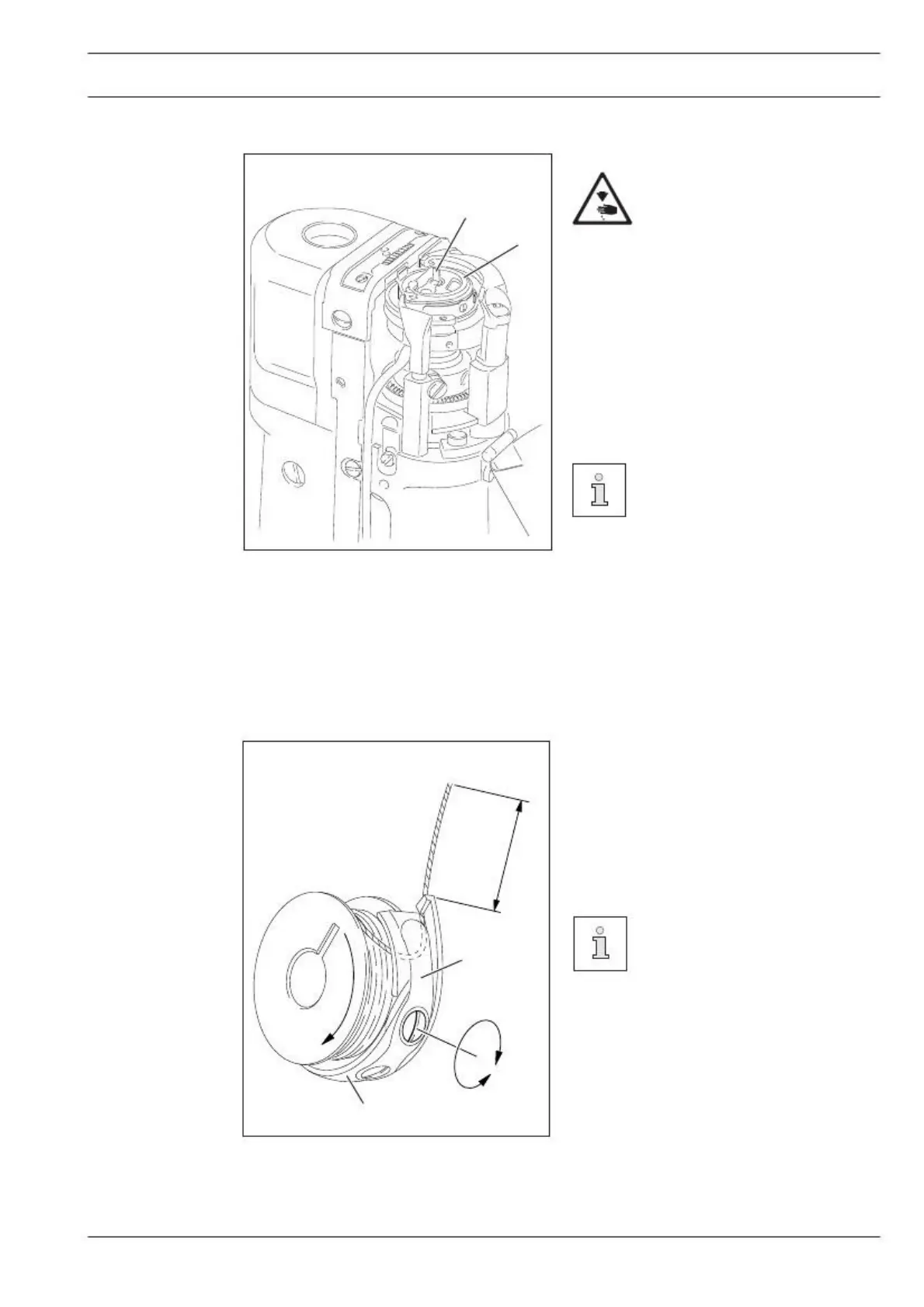
Removing the bobbin case:
● Open the post cap.
● Raise latch 1 and remove bobbin case 2.
Inserting the bobbin case:
● Insert bobbin case 2.
● Close the latch and close the post cap.
574 is shown in Fig. 9 - 03.
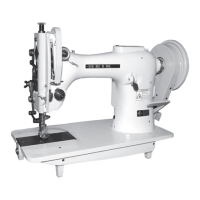
Threading the bobbin case/Adjusting the bobbin thread tension
● Insert the bobbin into the bobbin case 1.
● Pass the thread through the slot under
spring 2.
● Pass the thread through the notch.
● Adjust the thread tension by turning
screw 3.
When the thread is pulled, the
bobbin must rotate in the direc-
tion of the arrow.


 To Next Page