16
UltiMaker S8 Installation and user manual
Print recommendations
Each material requires different settings for optimal results. When using UltiMaker Cura and UltiMaker materials, the
print settings are automatically updated based on the selected print cores and material(s).
Tip: For detailed instructions on which settings and adhesion methods to use per UltiMaker material, visit the
material support pages on support.ultimaker.com.
When using third-party materials, check the UltiMaker Marketplace for the latest print profiles. Synchronize installed
profiles with your printer via Digital Factory or USB.
For the UltiMaker S8 Pro Bundle setup (with Material Station:
To benefit from the automatic material switching during a print when a spool runs out, it is recommended to
have at least two spools of the same material loaded into the Material Station.
4.3 Print cores
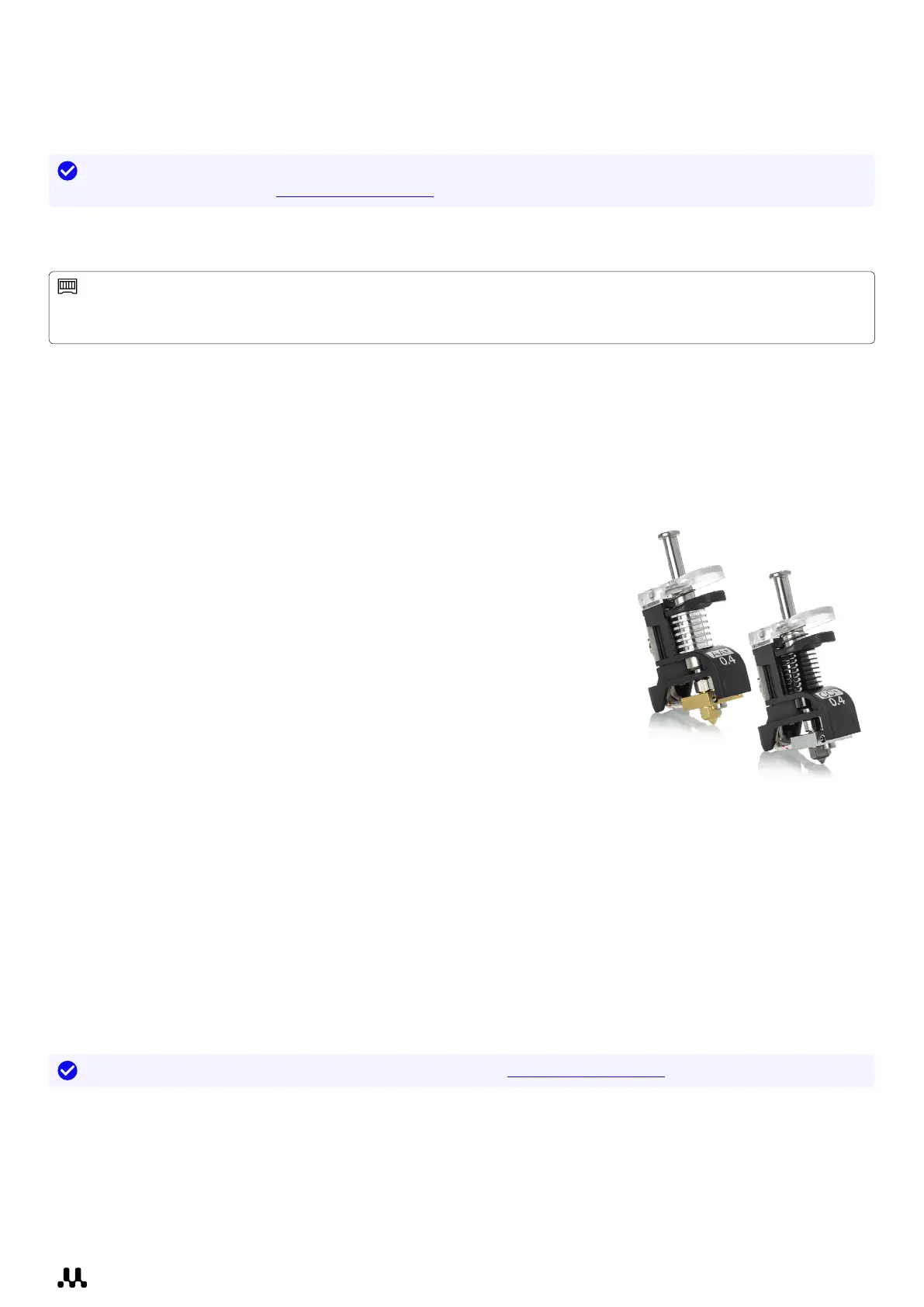
The UltiMaker S8 uses two print cores in the print head, which can easily be changed. There are different types of
print cores. See which types are supported on the UltiMaker S8 in the overview below:
Supported
• Print core AA+: Designed for high-speed, high-flow printing, the AA+ print
core increases productivity and ensures reliable, high-accuracy prints
across a wide range of materials.
• Print core CC+: Featuring a wear-resistant hardened steel nozzle and
optimized melt zone, the CC+ print core is engineered for printing abrasive
composite materials at high speeds.
• Print core BB: This print core is optimized for printing support materials,
including PVA and Breakaway.
• Print core DD: This core is used specifically for printing Ultrafuse® Support
Layer material in combination with the Metal Expansion Kit (only available
in selected regions).
Not supported
• Print core AA: Compatible with a wide range of (build) materials, but not optimized for high flow.
UltiMaker Cura does not support this configuration.
This print core can be used on S8, but only for pre-sliced print jobs (S7).
• Print core CC: Intended for abrasive composite materials, but not optimized for high flow.
UltiMaker Cura does not support this configuration.
This print core can be used on S8, but only for pre-sliced print jobs (S7).
• Print core HT: Intended for high-temperature materials such as UltiMaker PPS CF (only for Factor series).
The print cores contain information on a small chip so that the printer always knows which print cores are installed
and which materials can be used with these cores.
Tip: Learn more about print cores and their compatibility on support.ultimaker.com.














 To Next Page