27
UltiMaker S8 Installation and user manual
5.4 Flexible build plate maintenance
Keep the surface of the flexible build plate clean for the best results. Clean the surface of the flexible build plate
using a (microfiber) cloth and > 95% isopropyl alcohol (IPA). Always let the plate cool down before cleaning.
Caution: IPA (CAS nr. 67-63-0) is a hazardous, highly flammable substance. Keep away from heat, sparks, static
discharge, and other potential ignition sources. Ensure good ventilation and avoid inhaling vapor. Read the SDS
from your IPA supplier to learn more about the risks and safety precautions.
Important notes for cleaning:
• Do not use other cleaning agents, such as acetone, petrol, or thinner for cleaning. This will permanently damage
the surface of the flexible build plate.
• Do not clean the flexible build plate with water. Thoroughly dry the plate with a (microfiber) cloth if it has come
into contact with water.
• Do not use scouring pads or other tools that may scratch the surface of the flexible build plate.
Tip: For more information about the flexible build plate, including handling and maintenance, go to
ultimaker.com/flexplate.
5.5 Print core maintenance
UltiMaker print cores should be cleaned periodically for optimal print results. Material can sometimes get stuck
inside the nozzle and degrade. This can cause extrusion problems, or even completely block the print core. Some
materials are more prone to degradation and blocking the nozzle, such as PVA and composite materials.
Tip: The recommended frequency for cleaning the print cores depends on the type of core and the materials
used. For an overview per print core type, visit support.ultimaker.com.
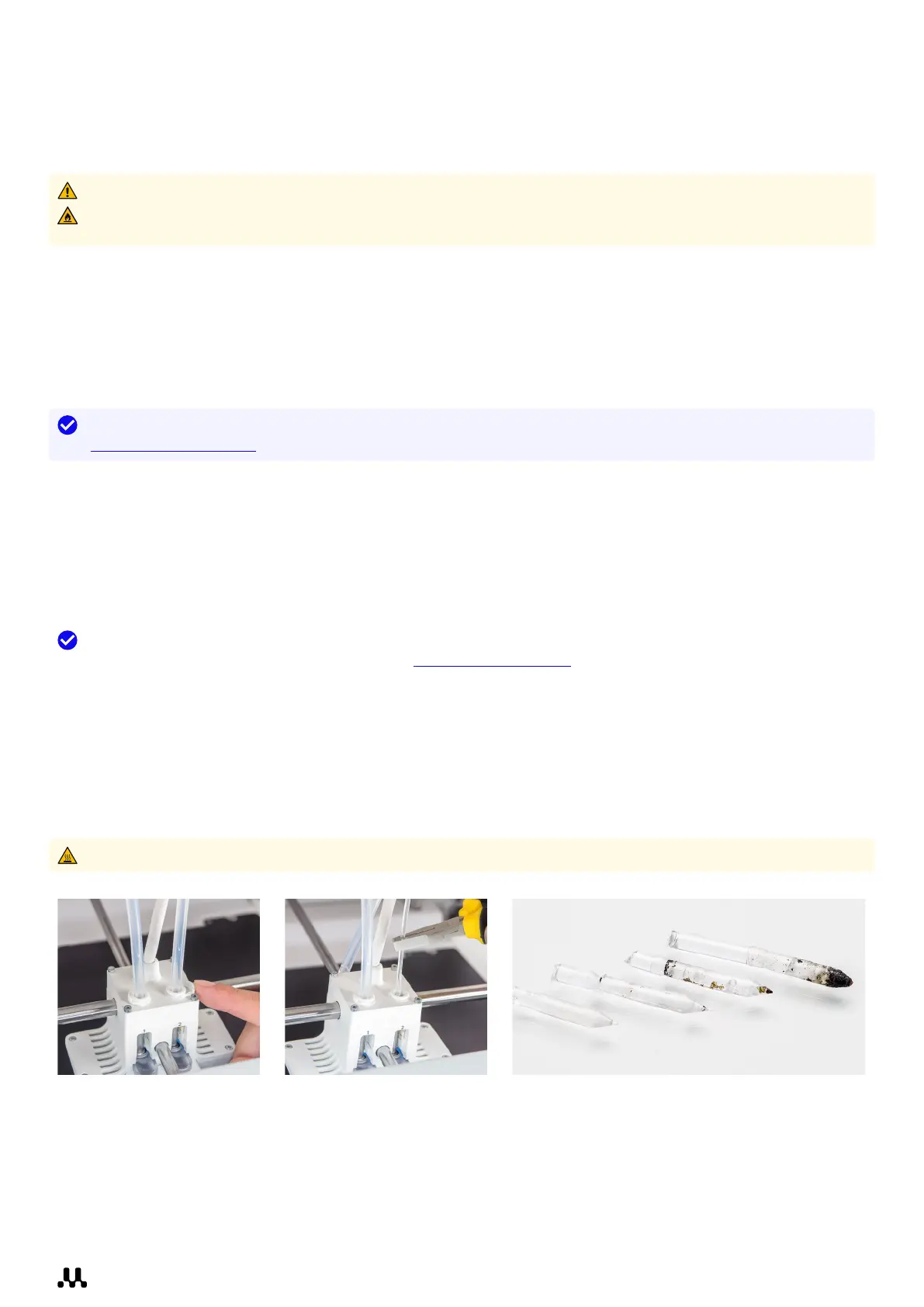
The printer contains a guided process for cleaning the print core. This is also referred to as the ‘hot and cold pull’
process. During the cleaning steps, you will remove the Bowden tube, manually insert filament into the print core,
and pull out any dirt and carbonized material from the top.
You will need UltiMaker cleaning filament (alternatively, you can use PLA), pliers, and wire cutters. In the
Options menu, navigate to Maintenance → Print head → Print core cleaning to get started. Follow the
instructions on the display.
Hot surface warning: Do not touch the nozzles during this process as they will become hot.














 To Next Page