24
UltiMaker S8 Installation and user manual
Lift switch calibration
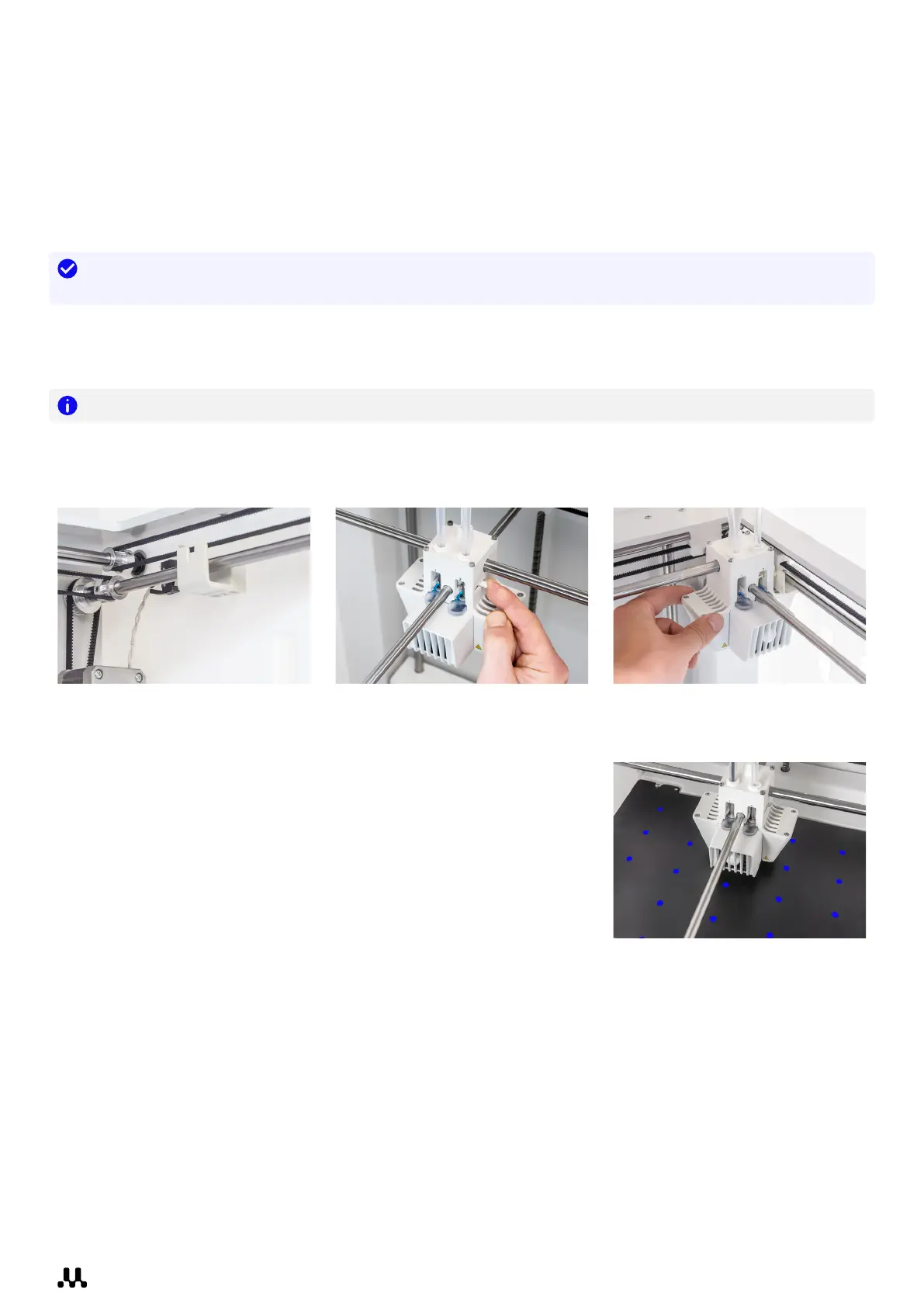
The switch bay is located in the back right corner. It enables the second print core to be lifted and lowered. During
nozzle switching, the print head will move toward the switch bay and move the lift switch at the side of the print
head either forward (to lift print core 2) or backward (to lower print core 2).
It is important that print core switching functions well for active leveling and a correct nozzle alignment
in dual-extrusion prints. The lift switch is already calibrated at the factory, but calibration can also be
performed manually if needed.
Tip: You can recalibrate the lift switch after making changes (repairs or maintenance) to the print head or
gantry, or as a troubleshooting option in case of problems with active leveling or layer shifts.
1. In the Options menu, go to Maintenance → Print head → Calibrate lift switch and select Start calibration.
2. Move the lift switch on the side of the print head forward (toward you). Select Confirm to continue.
3. Move the print head so that the lift switch fits in the switching bay. Select Confirm when completed.
Note: For successful and reliable switching, ensure that the lift switch fits firmly in the switch bay.
4. Wait for the print head to go to the home position and test the lift switch. Carefully observe.
5. Did the lift switch lower and raise the print core? If so, press Yes to complete the calibration. If not, select No to
perform the calibration again.
Active leveling
The UltiMaker S8 does not require manual build plate calibration, as the
build plate is fixed in place. To maintain an accurate distance between the
nozzle and the flexible build plate across its entire surface, the UltiMaker S8
uses an active leveling process, automatically performed at the start of each
print. This ensures optimal adhesion on the large build surface.
During the active leveling process, which is part of the print preparation,
the print cores probe the build plate at multiple points to create a detailed
height map. The following information is captured:
• The vertical (Z) offset between the two print cores
• The high and low points on the build plate, relative to the print head’s position in the gantry
• The tilt of the build plate in both the X and Y directions
This data is then used to adjust the Z stage position throughout the print, ensuring both optimal adhesion and print
accuracy based on the measurements and the position of the print head.














 To Next Page