17
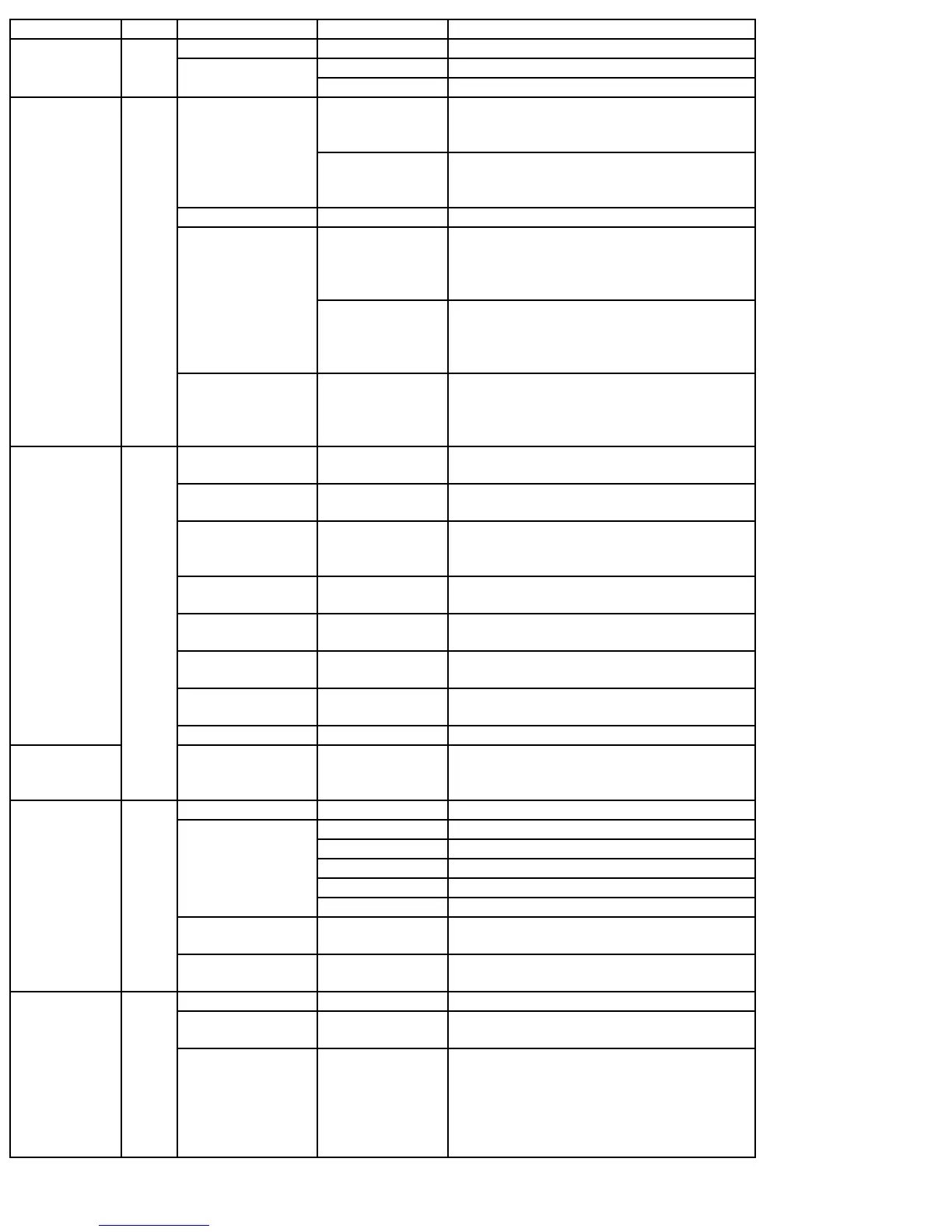
Press & Hold Starts WX Scan
All Press Changes to GPS Mode
Press & Hold Stores current GPS data
[GPS]
6
GPS
[FUNC] + Press Change GPS Display
Press Temporarily locks out a system channel,
a search frequency, or location data.
Cancelled when Power is turned off.
Scan
Search
Hold
Press 2X Permanently locks out system channel, a
search frequency, or location data.
Remains locked after power cycle.
Menu Press Exit the menu.
Press & Hold Enables System Quick Key and Group
Quick Key in the current system.
Unlocks System, Group and Channel in
the current system.
Scan/Scan Hold
[FUNC] + Press
& Hold
Turns off System Quick Key and Group
Quick key in all systems
Unlocks system, group and channel in all
systems
[L/O]
7
Search
Search Hold
Close Call Only
Close Call Hold
Press & Hold Unlocks all frequencies of Global Lockout
List.
Scan Press Enable/Disable selected System/Site
Quick Keys
Custom Search Press Turn on and off each custom search
number
All Hold
Close Call
Tone-Out
Press Directly enter frequencies or Talk Group
IDs
Scan [FUNC] +
Press
Enable/Disable Group Quick Key
Other than Scan
or GPS
[FUNC] +
Press [1] to [6]
[1] to [6] to start check of set search
range
Other than Scan
or GPS
[FUNC] +
Press [7]
[7/ATT] to toggle attenuator setting
All
[FUNC] + [0]
Switches to Display Mode- Mode 1
default
[0] to [9]
Scan/Scan Hold
[FUNC] + [.No]
Enables Trunking activity Indicators
[4] move left
[6] move
right
8
Editing Name Press Moves the cursor left or right during name
or label editing.
All Press Cancel error or warning messages
Press Enter “.” For frequency
Press Enter “-“ or “I” for TGID
Press 2X Delete current character in name edit
Press 3X Clear all letters in name edit
Hold
Close Call Only
Tone-Out
Press Enter “-“ or “I” for Direct Entry
Scan
Scan Hold
[FUNC] +
Press
Toggle Active Channel Display On or Off
[./no]
9
Scan Press Starts two-digit of (SQK) System/Site
Quick Key
MENU Press Use as the <Enter> key for menu choices
Scan
Scan Hold
Press Edit the channel data for active channel
[E/YES]
10
Search
Search Hold
Close Call
Close Call Hold
WX Scan
WX Scan Hold
Press Saves the active frequency


 To Next Page
 Loading...