2
1 OUTLINE
2
OUTLINE
Chapter
1
1-3. Appearance description
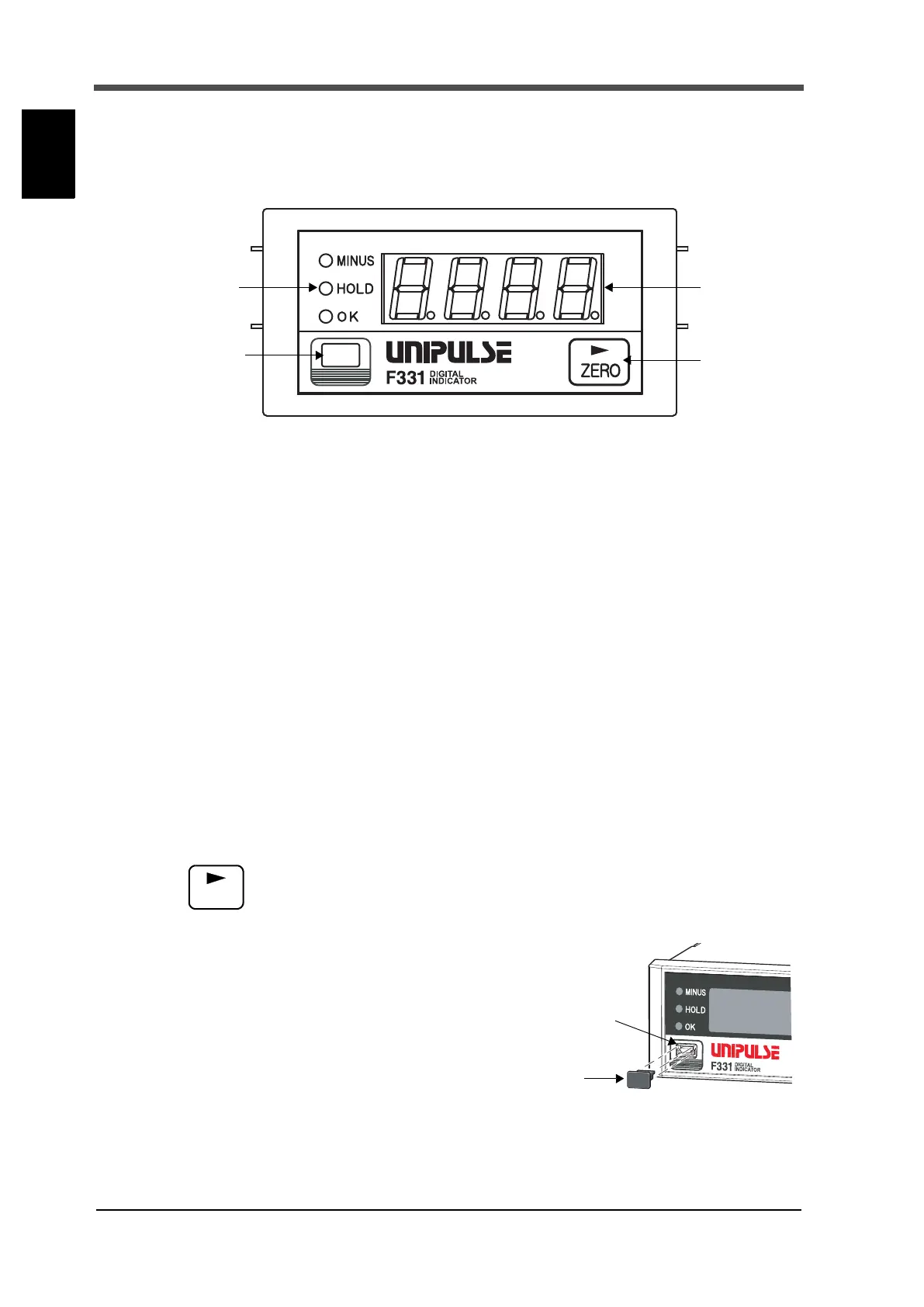
■Front panel
①Status display
The F331 status is indicated.
MINUS This LED turns on when the indicated value is minus.
HOLD This LED turns on when the indicated value is the held value.
Blinks during hold detection.
OK Lights when “OK” is ON.
②Numerical display
The two types of display are provided.
(1) Indicated value
(2) Error/Message display
See "9-1.Error / Message display" on page 77.
③Setting key
Forcibly zeros the indicated value by the digital zero function.
④USB connector (with a cap)
This is an interface for connection with a personal
computer (PC).
① Status display ② Numerical
③ Setting key
display
④ USB connector
(with a cap)


 To Next Page