78
9 SUPPLEMENTS
78
SUPPLEMENTS
Chapter
9
9-2. Self-check/initialization
■Self-check (at power-on)
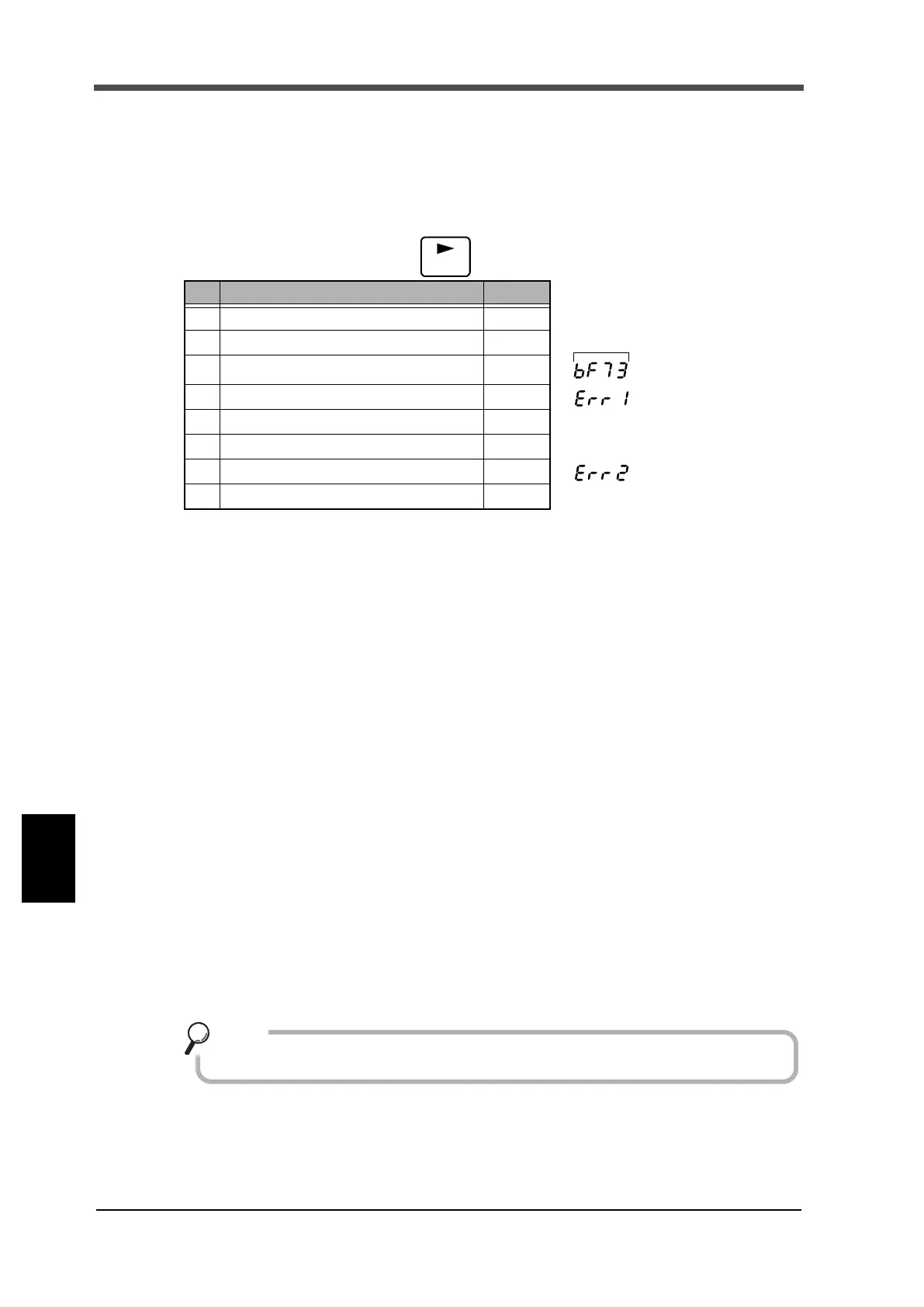
This device is provided with the self-check function to automatically check the memory and detect
abnormality and the visual-check function by which the display can be checked visually.
Turn on the power while pressing the key. This immediately starts checking.
* The software version display may differ depending on the time of purchase.
* Visually check the display.
* If there is any abnormality in memory check, checking stops instantly.
* If checking stops in midstream or the display does not show properly, it indicates a failure.
Ask us or your distributor for repair.
■Self-check (When PC application is activating)
DISPLAY check: Visual check by which the display be checked visually.
KEY check: Key input check.
I/O check: Control output/input check.
MEMORY check: NOVRAM Read/Write check.
BCD check: Control output/input check of BCD option.
■Initialization (When PC application is activating)
The Initialization is an operation to reset the memory to the factory setting.
This operation resets all set values except calibrated values (obtained through zero calibration and
span calibration) to the factory setting.
Description Type
1 Software version Display
2 Full lighting on display Display
3 Checksum Display
4 ROM checksum Check
← when an error occurs
5 Status display lighting in succession Visual
6 7-segment lighting on display Visual
7 NOV RAM read/write Check Auto
← when an error occurs
8 Display of PASS and end of checking Display
For the initialized values, see P.12「3-3.List of setting values」.
Point


 To Next Page