59
7 OPTION
59
OPTION
Chapter
7
■RS-232C-related setting values
■RS-232C I/F setting
1. Set the RS-232C port of this device.
2. Make initial settings of the RS-232C port of the personal computer, PLC, etc.,
connected according to the settings of this device.
■RS-232C communication mode
Set the RS-232C operation.
■Communication mode
- Communication mode 0 (mode=0: Command)
Communication is performed with the command from the host computer.
(Indicated value is not transmitted automatically.)
Delimiter is selectable from CR or CR + LF.
- Communication mode 1 (mode=1: Continuous1)
Linked with indicated value is transmitted continuously.
Various commands of R, W, and C are all ignored.
- Communication mode 2 (mode=2: Continuous2)
Linked with indicated value and Not linked with indicated value are transmitted continuously.
Various commands of R, W, and C are all ignored
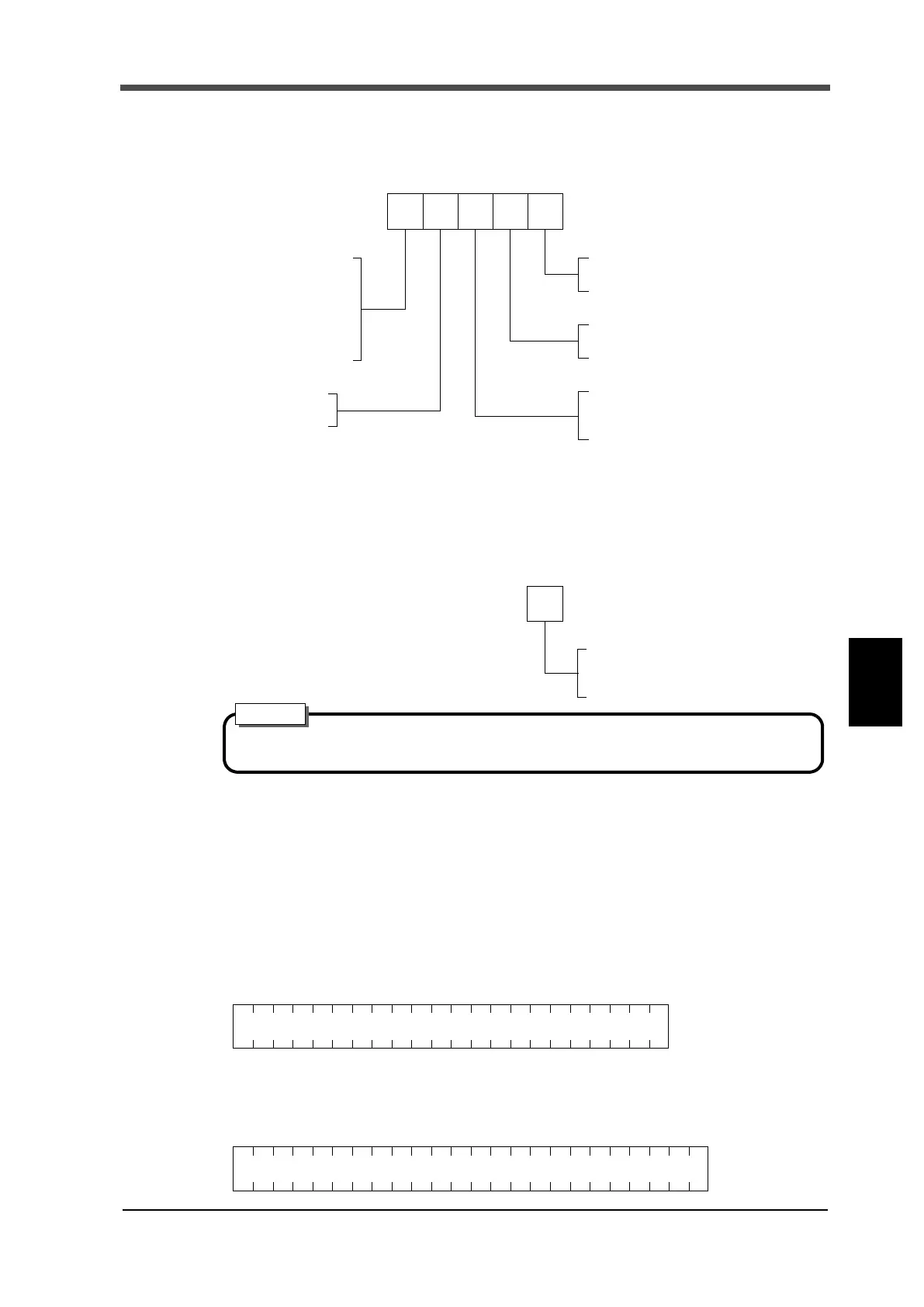
RS-232C I/F setting
The length of character
0: 7bit
1: 8bit
Stop bit
0: 1bit
1: 2bit
Baud rate
0: 1200bps
1: 2400bps
2: 4800bps
3: 9600bps
4: 19200bps
5: 38400bps
Delimiter
0: CR
1: CR+LF
Parity bit
0: None
1: Odd
2: Even
(Initial value: 41200)
RS-232C communication mode
Mode
0: Command
1: Continuous1
2: Continuous2
(Initial value: 0)
See the RS-232C-related settings by specific PC software.
Attention
(22byte)Transmission format 1
(24byte)Transmission format 2


 To Next Page