75
8 SPECIFICATIONS
75
SPECIFICATIONS
Chapter
8
8-3. Mounting on a panel
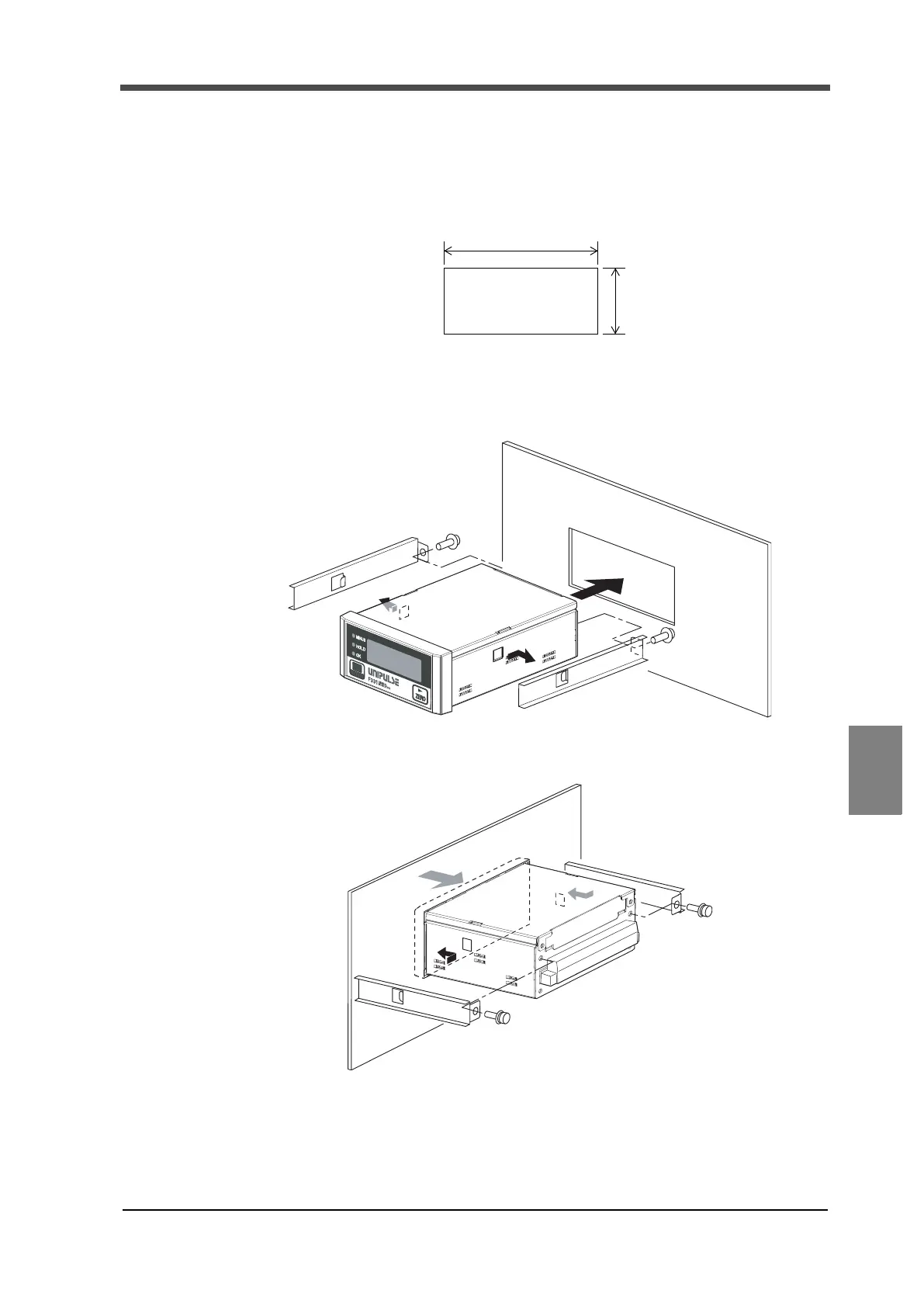
Install the F331 in a control panel by the following procedures.
1. Make a hole in the panel according to the panel cutout dimensions.
2. Remove the guide rails from both sides.
3. Insert the F331 from the front of the panel.
4. Mount the guide rails from the back, and fix them with the attached screws.
Panel cutout size
92(W)×45(H) (mm)
[Unit: mm]
92
45
Mounting panel thickness
1.6 to 3.2 (mm)
+1
0
-
+1
0
-


 To Next Page